Lich:Script Eloot: Difference between revisions
(Created page with "{{3rd-party}} Eloot is an automatic looting script in lich that is the spiritual predessory, and borrows heavily from concepts in sloot. Eloot is actively maintained b...") |
(massive update to include all latest features of ELoot) |
||
| (19 intermediate revisions by 4 users not shown) | |||
| Line 1: | Line 1: | ||
{{3rd-party}} |
{{3rd-party}} |
||
{{TOCright| limit=2}} |
|||
Eloot is an automatic looting script in [[lich]] that is the spiritual predessory, and borrows heavily from concepts in [[sloot]]. Eloot is actively maintained by the Elanthia-Online team. As with all scripts that deal with inventory management, it is '''Highly''' recommend to mark and register every item you value until you understand how eloot will handle your inventory, and it is not recommended to be wearing any gem hoarding containers until you can verify your eloot settings and behavior. |
|||
ELoot is an automatic looting script for [[Lich]] and the spiritual successor to Sloot, borrowing and expanding on many of its original concepts. ELoot is actively maintained by the Elanthia-Online team. |
|||
'''Mark and register every item you value''' before using ELoot. Until you fully understand how the script handles your inventory, do not wear gem hoarding containers. Test your settings thoroughly before relying on ELoot during a hunting session. |
|||
==What does it do?== |
|||
Eloot will gather loot from a killed monster or room, place that loot into the defined containers including overflow containers. It will not gather specific loot types you define,skin creatures, will drop boxes off at the locksmith pool or town locksmith if you desire, and will sell loot that meets the criteria and deposit coins. Eloot settings are saved per character per instance, in your lich5 data folder. Ex lich-5\data\eloot\GSIV\Rinualdo.yaml. If you wish to keep eloot settings across more than one char, you can copy and paste this file and rename the .yaml to each character you have. |
|||
== |
==What Does It Do?== |
||
ELoot automates common post-combat tasks: |
|||
Eloot can be downloaded via ;repo download eloot.lic |
|||
* '''Looting''' — Gathers loot from killed creatures or the room and places items into your defined [[STOW]] containers, including overflow containers. |
|||
As a script in active development and with the constant state of changes in the game, it is recommended to set eloot and all Elanthia-Online scripts to auto-update via ;set updatable eloot |
|||
* '''Skinning''' — Skins creatures using your configured weapons. |
|||
Eloot scans your inventory each time lost, so adding ;autostart add --global eloot start to your lich autostart can populate the information it needs at the start of your gaming session. |
|||
* '''Box Handling''' — Drops boxes at the locksmith pool or town locksmith for opening, retrieves them, and loots their contents. |
|||
* '''Selling''' — Sells loot that meets your criteria at the appropriate shops and deposits coins at the bank. |
|||
* '''Gem & Alchemy Hoarding''' — Stores gems or alchemy reagents into jars in your locker for later use. |
|||
ELoot settings are saved per character, per game instance, in your Lich5 data folder (e.g., <code>lich-5/data/eloot/GSIV/Rinualdo.yaml</code>). To reuse settings across characters, copy and rename the <code>.yaml</code> file to match each character's name. |
|||
==How |
==How Do I Get It?== |
||
Download ELoot from the repository: |
|||
Eloot operates off in game [[STOW]] settings where a user can define one or multiple containers for loot. [[STOW]] settings need to be configured in game or eloot will not function. Eloot does not utilize User.vars like [[Sloot]] does. |
|||
<CODE>;repo download eloot</CODE> |
|||
Eloot allows the user to define a variety of loot and selling conditions. You can access the configuration via ;eloot setup |
|||
Because ELoot is under active development and GemStone IV changes frequently, it is recommended to enable auto-updates: |
|||
==The Looting Tab== |
|||
<CODE>;repo set-updatable eloot</CODE> |
|||
The looting tab allows the user to define what items you want eloot to pick up. Item categorization is based on lich's gameobj-data.xml file. When no exclusions are defined and all available loot on the ground meets the relevant criteria, eloot will use the in game verb loot room, which the game engine gathers and places items based on your stow settings |
|||
* '''Loot Types''' |
|||
** Allows the user to tell eloot what things to loot. Of note, this is based on lich classification so some items may fit multiple categories. For example, a weapon may be both a weapon, magical, valuable, and uncommon. |
|||
* '''Other Settings''' |
|||
**A variety of switches for eloot configuration. Supports Coin Hands and a switch is provided for eloot to keep a lot in the yaml file for items that eloot is unable to loot. |
|||
* '''Overflow containers''' |
|||
**These are containers the user defines when the default stow containers are full. Of note, these should not be your default or box containers. For example, if your default container is a cloak and your box container is a backpack, then you would not designate either as overflow for boxes, but instead would pick satchel and knapsack as your primary and secondary overflow. |
|||
*'''Never Loot''' |
|||
** Items to never loot. Black ora, urglaes are popular exclusions for non clerics. |
|||
*'''Always Loot''' |
|||
**Always loot these items, no matter what other settings contain |
|||
*'''Creature exclusions''' |
|||
** If there is a creature you do not want to loot, such as one that can injur you when searching. |
|||
*'''Unlootable''' |
|||
** Note, sometimes due to player interaction, an item can be classified as unlootable. For example, if there is an uncut diamond on the ground and you run eloot, then another group or group member loots that diamond before eloot finishes, eloot may attempt to classify that as an unlootable item and will not try to loot again. You can check this location to see what items eloot was unable to loot previously. |
|||
==The Selling Tab== |
|||
* '''Sell Types''' |
|||
**Which items you want eloot to sell. '''MARK EVERYTHING IMPORTANT''' |
|||
* '''Only Sell from these STOW containers''' |
|||
**If you have a STOW container you want eloot not to sell from, you would remove it here. Testing beforehand is highly recommended. |
|||
* '''Exclusions''' |
|||
**If you want eloot not to sell any items supported by nouns or regex here |
|||
* '''Keep Scrolls''' |
|||
**Allows a defined list of spell numbers that eloot will not attempt to sell. Requires the appropriate training in reading scrolls to determine if a scroll contains the defined spells |
|||
* '''Appraisals''' |
|||
**If enabled, eloot will attempt to appraise the designated categories to determine if they meet the Gemshop and Pawnshop limits established. This is useful for determining enhancive items that may require futher player inspection. Eloot will not attempt to resell items above these thresholds during the current session and will provide a notification to the user. If the current session is closed, eloot will attempt again on the next session. |
|||
* '''Locksmithing''' |
|||
**Allows the user to define which, if any, locksmithing component to use and allows the user to set a preconfigured tip as an actual silver amount or as a tip percentage. |
|||
* '''Other Settings''' |
|||
**Allows the user to define if they want collectiables deposited to the town collection location, to sell in FWI and if they want gold rings delivered to the chronomaster. 1212/1205/650 are options as well for those who can cast. |
|||
==The Skinning Tab== |
|||
* '''Settings''' |
|||
**Fill in the appropriate switches if you want eloot to skin, if you want it to keel and or use ranger spell 604 or Sunfist's Sigil of Resolve |
|||
* '''Skin Weapons''' |
|||
**Eloot needs to know what your skin weapon is and what container it is contained in. If your creature list requires a blunt weapon to skin, these also need to be filled out |
|||
* '''Skinning Exclusions''' |
|||
**Any creatures you do not want eloot to attempt to skin |
|||
ELoot scans your inventory each time it loads. Adding it to your Lich autostart ensures your container information is populated at the start of every session: |
|||
==Ingame Screenshot== |
|||
<CODE>;autostart add --global eloot start</CODE> |
|||
==How Does It Work?== |
|||
ELoot relies on the in-game [[STOW]] verb to determine your containers. '''You must configure your STOW settings in-game before ELoot will function.''' Unlike [[Sloot]], ELoot does not use <code>UserVars</code>. |
|||
To open the graphical configuration window, type: |
|||
<CODE>;eloot setup</CODE> |
|||
The setup window contains '''eight tabs''' described below, plus a status bar that reads "Your changes are saved automatically." |
|||
==Tab: Looting== |
|||
The Looting tab controls what ELoot picks up and how it handles the looting process. Item categorization is based on Lich's <code>gameobj-data.xml</code> file. When no exclusions are defined and all items on the ground match your criteria, ELoot uses the in-game <code>LOOT ROOM</code> command, which lets the game engine gather and place items based on your STOW settings. |
|||
===Loot Types=== |
|||
A grid of checkboxes that tells ELoot which categories of items to pick up. Items can belong to multiple categories simultaneously (e.g., a weapon could be classified as a weapon, magical, valuable, and uncommon). |
|||
Available categories: Alchemy, Armor, Box, Breakable, Clothing, Collectible, Cursed, Food, Gem, Herb, Jewelry, Junk, Lockpick, Locksmith Traps, Magic, Reagent, Scroll, Skin, Uncommon, Valuable, Wand, Weapon. |
|||
===Other Settings=== |
|||
{| class="wikitable" |
|||
|- |
|||
! Setting !! Description |
|||
|- |
|||
| '''Loot in Defensive''' || Swaps to a defensive stance before looting if hostile creatures are present in the room. |
|||
|- |
|||
| '''Phase Boxes''' || Phases boxes if your character is able to do so. |
|||
|- |
|||
| '''Favor Left Hand''' || Uses your left hand for looting instead of the default right hand. |
|||
|- |
|||
| '''Log Unlootables''' || Tracks items ELoot could not pick up and logs them to the Unlootable section on the Looting Grid tab. If disabled, unlootable items are simply ignored. |
|||
|- |
|||
| '''Use Disk''' || Stores boxes in your disk if checked. |
|||
|- |
|||
| '''Use Group Disks''' || Allows ELoot to use group members' disks when looting boxes. |
|||
|- |
|||
| '''Keep Sacks Closed''' || Keeps your containers closed after looting. Note: this has a performance impact. |
|||
|- |
|||
| '''Track Full Sacks''' || ELoot tracks which containers are full to avoid repeated failed stow attempts. Turn this off if you do not sell with ELoot. |
|||
|- |
|||
| '''Sigil of Determination on Fail''' || Uses Sigil of Determination if looting fails because your character is too injured. |
|||
|- |
|||
| '''Bloodtooth Bands''' || If your character wears Bloodtooth Bands and a Bloodtooth Bracer, ELoot will use RAISE on dead creatures that can bleed to gain Blood Bank charges. |
|||
|- |
|||
| '''Coin Hand''' || The name of your coin hand container (e.g., a coin purse or pouch that picks up coins automatically). |
|||
|- |
|||
| '''Charm Name''' || The name of a charm item, if applicable. |
|||
|- |
|||
| '''Overflow Containers''' || A comma-separated list of container names to use when your default STOW containers are full. These should '''not''' be your default stow container or box container. For example, if your default container is a cloak and your box container is a backpack, choose different items like "satchel, knapsack" as overflow. |
|||
|- |
|||
| '''Gambling Kit (Min Silvers)''' || The minimum number of coins you must be holding before ELoot will toss coins into your gambling kit. Incurs 2 seconds of roundtime. |
|||
|} |
|||
==Tab: Looting Grid== |
|||
The Looting Grid tab provides editable lists for fine-tuning looting behavior. Each list supports adding and deleting entries one at a time. Regular expressions (regex) are supported for advanced matching. |
|||
===Never Loot (Exclusions)=== |
|||
Items to never pick up, entered by noun or regex pattern. Common exclusions include <code>black ora</code> and <code>urglaes</code> for non-Cleric characters that cannot safely handle cursed materials. |
|||
'''Example entries:''' |
|||
* <code>black ora</code> |
|||
* <code>(?:aquamarine|gold) wand</code> — matches "aquamarine wand" or "gold wand" |
|||
===Always Loot=== |
|||
Items to always pick up regardless of other settings. Entered by noun or regex pattern, one per line. |
|||
===Creature Exclusions=== |
|||
Creatures you do not want ELoot to loot, such as those that injure you when searching. Entered by creature name or regex pattern. |
|||
'''Example entries:''' |
|||
* <code>Vvrael destroyer</code> |
|||
* <code>(?:big ugly|mongrel) kobold</code> |
|||
===Unlootable=== |
|||
Items that ELoot has previously been unable to pick up are tracked here (if "Log Unlootables" is enabled on the Looting tab). This can happen when another player or group member picks up an item before ELoot finishes processing. Items on this list will not be attempted again. You can manually remove entries from this list if the item was only temporarily unlootable. |
|||
==Tab: Boxes== |
|||
The Boxes tab controls how ELoot handles lockbox processing — locksmith pool usage, tipping, and scripts to run between pool and selling steps. |
|||
===Locksmithing=== |
|||
{| class="wikitable" |
|||
|- |
|||
! Setting !! Description |
|||
|- |
|||
| '''Use Town Locksmith''' || Sends boxes to the town locksmith instead of the pool. |
|||
|- |
|||
| '''Use Locksmith Pool''' || Sends boxes to the player-run locksmith pool for opening. |
|||
|- |
|||
| '''Always Check Pool''' || If checked, ELoot always checks the pool for returned boxes, even if you have no boxes to drop off. Default behavior only checks the pool when you have a box to deposit. |
|||
|- |
|||
| '''Use Locksmith When Gem Bounty''' || Always routes through the locksmith when you have an active gem bounty, so you can recover gems from boxes. |
|||
|- |
|||
| '''Display Box Contents''' || Shows the contents of boxes as they are opened and looted. |
|||
|- |
|||
| '''Bank Withdrawal Amount''' || The amount of silver to withdraw from the bank for locksmith tips. |
|||
|} |
|||
===Tipping=== |
|||
Two tipping modes are available. Only one can be active at a time: |
|||
'''Standard Tipping''' — A fixed tip amount or percentage applied to every box. |
|||
{| class="wikitable" |
|||
|- |
|||
! Setting !! Description |
|||
|- |
|||
| '''Tip Amount''' || The silver amount or percentage to tip per box. |
|||
|- |
|||
| '''Tip as Percentage''' || If checked, the tip amount is treated as a percentage of the box's value rather than a flat silver amount. |
|||
|} |
|||
'''Incremental Tipping''' — Your tip scales upward as your box count in the pool grows. This rewards locksmiths who handle larger batches. |
|||
{| class="wikitable" |
|||
|- |
|||
! Setting !! Description |
|||
|- |
|||
| '''Base Tip''' || The minimum starting tip. |
|||
|- |
|||
| '''Max Tip''' || The maximum tip cap. |
|||
|- |
|||
| '''Alpha Rate''' || Controls how quickly the tip scales between the base and max values. A higher alpha rate means the tip rises more steeply. |
|||
|- |
|||
| '''Test''' || Click the "Test" button to see a preview chart of what your incremental tips would look like at various box counts. |
|||
|} |
|||
===In-between Scripts=== |
|||
A list of scripts (with optional parameters) to run after the locksmith pool step finishes but before the selling routine begins. This is useful for running utility scripts like repair, organize, or other automation between steps. |
|||
'''Format:''' <code><script name> <option1 option2 option3></code> |
|||
==Tab: Selling== |
|||
The Selling tab defines what ELoot sells, where it sells, and how it handles special items. |
|||
===Sell Types=== |
|||
Checkboxes for each item category ELoot should sell. Notes on specific types: |
|||
* '''Box''' — Sells empty gold, mithril, and silver boxes to the pawnshop. |
|||
* '''Food''' — Food cannot be sold; it will be thrown away or dropped. |
|||
* '''Herb''' — Herbs cannot be sold; they will be thrown away or dropped. |
|||
* '''Junk''' — Junk cannot be sold; it will be thrown away or dropped. |
|||
* '''Breakable''' — Porous chunks of rock (from The Hive, released 12/17/2023) that need to be broken so their contents can be sold. |
|||
===Only Sell from These STOW Containers=== |
|||
Checkboxes for each STOW container type. If a container is unchecked here, ELoot will not sell items from it. This is useful if you have a container with items you want to keep. '''Test thoroughly''' before relying on this setting. |
|||
===Appraisals=== |
|||
{| class="wikitable" |
|||
|- |
|||
! Setting !! Description |
|||
|- |
|||
| '''Appraise Types''' || Select which item categories ELoot should appraise before selling. |
|||
|- |
|||
| '''Gemshop Limit''' || Items appraised above this value at the gemshop will not be sold (default: 14,999). These may be enhancive or otherwise valuable and warrant player inspection. |
|||
|- |
|||
| '''Pawnshop Limit''' || Items appraised above this value at the pawnshop will not be sold (default: 34,999). |
|||
|- |
|||
| '''Appraisal Container''' || Optionally specify a container to use during the appraisal process. |
|||
|} |
|||
Items flagged by the appraisal system will not be sold during the current session, and ELoot will notify you. If you restart the session, ELoot will attempt to appraise and potentially sell those items again. |
|||
===Trash to Dump=== |
|||
A configurable set of item types to throw in the trash after the selling routine finishes. An item type must also be enabled for selling in order to be eligible for dumping. Available types include: Alchemy, Box, Breakable, Clothing, Food, Herb, Junk, Lockpick, Locksmith Traps, Reagent, Wand. |
|||
===Other Settings=== |
|||
{| class="wikitable" |
|||
|- |
|||
! Setting !! Description |
|||
|- |
|||
| '''Deposit Collectibles''' || Deposits collectible items at the town collection location. |
|||
|- |
|||
| '''Sell Gold Rings''' || Delivers gold rings to the chronomage/chronomaster. |
|||
|- |
|||
| '''Sell in FWI''' || Sells items in Four Winds Isle. Bounty items will still be sold in your original town. |
|||
|- |
|||
| '''Use Shroud (1212/1205)''' || Uses Cloak of Shadows (1212) or Shadow Mastery (1205) during selling, if known. |
|||
|- |
|||
| '''Use Aspect (650)''' || Uses Assume Aspect — Lion (650) during selling, if known. |
|||
|- |
|||
| '''Share Silvers''' || Shares silvers with your group after selling. |
|||
|- |
|||
| '''Keep Silver''' || Keeps a specified number of silvers on your character after selling and depositing, rather than depositing everything. |
|||
|- |
|||
| '''Deposit Coin Hand''' || Deposits the contents of your coin hand container when depositing at the bank. |
|||
|} |
|||
==Tab: Selling Grid== |
|||
The Selling Grid tab provides editable lists for fine-tuning selling behavior. |
|||
===Exclusions=== |
|||
Items to exclude from selling, entered by noun or regex pattern, one per line. Regular expressions are supported. |
|||
'''Example:''' <code>(?:aquamarine|gold) wand</code> and <code>gold ring</code> as separate entries. |
|||
===Keep Scrolls=== |
|||
A list of spell numbers whose scrolls ELoot should '''not''' sell. Your character must have the appropriate training to read scrolls in order for ELoot to identify the spell on a given scroll. |
|||
'''How to add entries:''' |
|||
* Enter just the spell number (e.g., <code>101</code>) for regular scrolls. |
|||
* Enter the spell number followed by <code>v</code> or <code>vibrant</code> (e.g., <code>401v</code> or <code>401 vibrant</code>) to keep vibrant scrolls of that spell. |
|||
==Tab: Skinning== |
|||
The Skinning tab configures creature skinning behavior. |
|||
===Settings=== |
|||
{| class="wikitable" |
|||
|- |
|||
! Setting !! Description |
|||
|- |
|||
| '''Enable Skinning''' || Master toggle to enable or disable skinning. |
|||
|- |
|||
| '''Kneel to Skin''' || Kneels before skinning for a bonus. |
|||
|- |
|||
| '''Use Spell 604 (Skinning)''' || Casts Ranger spell 604 (Resist Elements) before skinning for a bonus. |
|||
|- |
|||
| '''Use Sigil of Resolve''' || Uses the Sunfist Sigil of Resolve before skinning for a bonus. |
|||
|} |
|||
===Edged Skinning=== |
|||
{| class="wikitable" |
|||
|- |
|||
! Setting !! Description |
|||
|- |
|||
| '''Skin Sheath (edged)''' || The name of the container that holds your edged skinning weapon. |
|||
|- |
|||
| '''Skin Weapon (edged)''' || The name of your edged skinning weapon. |
|||
|} |
|||
===Blunt Skinning=== |
|||
Some creatures require a blunt weapon to skin. If your creature list includes such creatures, fill out these fields as well. |
|||
{| class="wikitable" |
|||
|- |
|||
! Setting !! Description |
|||
|- |
|||
| '''Skin Sheath (blunt)''' || The name of the container that holds your blunt skinning weapon. |
|||
|- |
|||
| '''Skin Weapon (blunt)''' || The name of your blunt skinning weapon. |
|||
|} |
|||
===Skinning Exclusions=== |
|||
A list of creatures you do not want ELoot to skin, entered by creature name or regex pattern, one per line. |
|||
==Tab: Gem Hoarding== |
|||
The Gem Hoarding tab allows you to store gems in jars inside your locker instead of selling them. This is useful for fulfilling gem bounties or accumulating valuable gems over time. |
|||
'''Hoarding Notes:''' Requires jars to store items. ELoot can use any size jar and will use empty jars for new gem types. ELoot does not buy jars. Full jars are skipped. |
|||
===Settings=== |
|||
{| class="wikitable" |
|||
|- |
|||
! Setting !! Description |
|||
|- |
|||
| '''Hoard Gems''' || Master toggle. When enabled, defaults to hoarding all gems unless modified by the lists below. |
|||
|- |
|||
| '''Use Locker''' || Stores hoarded gems in your locker. |
|||
|- |
|||
| '''Hoard Container''' || The specific container in your locker to use for gem jars. |
|||
|- |
|||
| '''Containers to Hoard From''' || Select which STOW containers ELoot should pull gems from for hoarding (default: "default" and "gem"). |
|||
|- |
|||
| '''Use Overflow''' || Also hoard gems found in overflow containers. |
|||
|- |
|||
| '''Turn-in for Bounty''' || Enables automatic retrieval of gems from your hoard for gem bounties. |
|||
|- |
|||
| '''Use CHE Locker''' || If your locker is inside a CHE (Cooperative House of Elanthia), provide the room IDs, entry command, and exit command. |
|||
|} |
|||
===Gem Lists=== |
|||
Two list modes control which gems are hoarded: |
|||
* '''Everything List''' — If enabled, shows the full master list of all known gems. You can remove entries you do NOT want to hoard. |
|||
* '''Only List''' — If enabled, ELoot will ONLY hoard gems that appear on this list. Add specific gem names to hoard just those. |
|||
===Locker Location=== |
|||
Enter the room number(s) for your locker. If using a CHE locker, provide the room list, entry command, and exit command. ELoot will try each locker location in order; if one is occupied, it moves to the next. After cycling through all locations, it pauses 10 seconds and starts over. |
|||
==Tab: Alchemy Hoarding== |
|||
The Alchemy Hoarding tab works identically to the Gem Hoarding tab but for alchemy reagents. All the same settings and list behaviors apply. |
|||
===Settings=== |
|||
{| class="wikitable" |
|||
|- |
|||
! Setting !! Description |
|||
|- |
|||
| '''Hoard Reagents''' || Master toggle for alchemy reagent hoarding. |
|||
|- |
|||
| '''Use Locker''' || Stores hoarded reagents in your locker. |
|||
|- |
|||
| '''Hoard Container''' || The specific container in your locker to use for reagent jars. |
|||
|- |
|||
| '''Containers to Hoard From''' || Select which STOW containers ELoot should pull reagents from (default: "default" and "reagent"). |
|||
|- |
|||
| '''Use Overflow''' || Also hoard reagents found in overflow containers. |
|||
|- |
|||
| '''Use CHE Locker''' || Same CHE locker support as the Gem Hoarding tab. |
|||
|} |
|||
===Reagent Lists=== |
|||
* '''Everything List''' — Master list of all known reagents. Remove entries you do NOT want to hoard. |
|||
* '''Only List''' — Only hoard reagents that appear on this specific list. |
|||
==Command Line Interface (CLI)== |
|||
All ELoot commands are entered using the Lich command prefix (typically <code>;</code>). |
|||
===Basic Commands=== |
|||
{| class="wikitable" |
|||
|- |
|||
! Command !! Description |
|||
|- |
|||
| <code>;eloot setup</code> || Opens the graphical configuration window. |
|||
|- |
|||
| <code>;eloot</code> || Loots items and creatures in the current room. |
|||
|- |
|||
| <code>;eloot ground</code> || Loots open boxes on the ground. |
|||
|- |
|||
| <code>;eloot sell</code> || Runs the full selling routine based on your UI settings. |
|||
|- |
|||
| <code>;eloot sell alchemy_mode</code> || Sells loot but skips selling alchemy reagents. |
|||
|- |
|||
| <code>;eloot deposit</code> || Deposits coins and notes at the bank without selling. |
|||
|- |
|||
| <code>;eloot skin</code> || Skins dead creatures in the room without looting. |
|||
|- |
|||
| <code>;eloot box</code> || Loots a box currently in your hand, then returns to your starting room. |
|||
|} |
|||
===Locksmith Pool Commands=== |
|||
{| class="wikitable" |
|||
|- |
|||
! Command !! Description |
|||
|- |
|||
| <code>;eloot pool</code> || Runs the full locksmith pool cycle (deposit boxes and check for returns). |
|||
|- |
|||
| <code>;eloot pool deposit</code> || Only deposits boxes at the locksmith pool (does not check for returns). |
|||
|- |
|||
| <code>;eloot pool return</code> || Only checks the pool for returned (opened) boxes. |
|||
|} |
|||
===Custom Selling Commands=== |
|||
These commands let you sell specific items without using the full UI-configured sell routine. Useful for one-off selling tasks. |
|||
{| class="wikitable" |
|||
|- |
|||
! Command !! Description |
|||
|- |
|||
| <code>;eloot --sellable <categories></code> || Sells items matching GameObj sellable categories (e.g., <code>;eloot --sellable gem,scroll</code>). |
|||
|- |
|||
| <code>;eloot --type <types></code> || Sells items matching GameObj type classifications. |
|||
|- |
|||
| <code>;eloot --sell <items></code> || Sells specific named items. |
|||
|} |
|||
===Hoarding Commands=== |
|||
{| class="wikitable" |
|||
|- |
|||
! Command !! Description |
|||
|- |
|||
| <code>;eloot list gem</code> || Displays your hoarded gem inventory. |
|||
|- |
|||
| <code>;eloot list reagent</code> || Displays your hoarded alchemy reagent inventory. |
|||
|- |
|||
| <code>;eloot reset gem</code> || Resets your hoarded gem inventory tracking and re-lists it. |
|||
|- |
|||
| <code>;eloot reset reagent</code> || Resets your hoarded reagent inventory tracking and re-lists it. |
|||
|- |
|||
| <code>;eloot deposit gem</code> || Deposits gems from your containers into your hoard locker. |
|||
|- |
|||
| <code>;eloot deposit reagent</code> || Deposits reagents from your containers into your hoard locker. |
|||
|- |
|||
| <code>;eloot raid gem <item> x<amount></code> || Retrieves a specific gem from your hoard. Example: <code>;eloot raid gem blue diamond x5</code> |
|||
|- |
|||
| <code>;eloot raid reagent <item> x<amount></code> || Retrieves a specific reagent from your hoard. |
|||
|- |
|||
| <code>;eloot bounty</code> || Retrieves gems from your hoard that match your current gem bounty. |
|||
|} |
|||
===Troubleshooting Commands=== |
|||
{| class="wikitable" |
|||
|- |
|||
! Command !! Description |
|||
|- |
|||
| <code>;eloot help</code> || Displays the in-game help table. |
|||
|- |
|||
| <code>;eloot debug</code> || Toggles debug messaging on or off. |
|||
|- |
|||
| <code>;eloot debug file</code> || Toggles logging debug output to a file on or off. |
|||
|- |
|||
| <code>;eloot test</code> || Displays all current variables, settings, containers, disk status, and inventory information. |
|||
|- |
|||
| <code>;eloot list</code> || Lists all current script settings in a table. |
|||
|- |
|||
| <code>;eloot options</code> || Lists all available setting keys (useful for CLI-based setting changes). |
|||
|- |
|||
| <code>;eloot settings <key> <value></code> || Changes a specific setting via CLI (for use when GTK is not available). |
|||
|- |
|||
| <code>;eloot load</code> || Reloads your settings profile and rescans inventory. |
|||
|} |
|||
==Quick Start Guide== |
|||
# Configure your in-game [[STOW]] settings (e.g., <code>STOW SET default cloak</code>, <code>STOW SET box backpack</code>, <code>STOW SET gem pouch</code>). |
|||
# Download ELoot: <code>;repo download eloot</code> |
|||
# Start ELoot to initialize: <code>;eloot start</code> |
|||
# Open the configuration: <code>;eloot setup</code> |
|||
# On the '''Looting''' tab, check the loot types you want to pick up. |
|||
# On the '''Selling''' tab, check the sell types and configure your locksmith and bank preferences. |
|||
# If you skin creatures, configure the '''Skinning''' tab with your weapon details. |
|||
# If you want to hoard gems or reagents, configure the '''Gem Hoarding''' or '''Alchemy Hoarding''' tabs. |
|||
# Add ELoot to your autostart: <code>;autostart add --global eloot start</code> |
|||
# '''Test with marked/registered items first!''' |
|||
==In-game Screenshots== |
|||
<gallery perrow="4"> |
<gallery perrow="4"> |
||
File:eloot-1.PNG|Looting |
File:eloot-1.PNG|Looting |
||
| Line 61: | Line 436: | ||
</gallery> |
</gallery> |
||
==Changelog== |
|||
<span class="mw-customtoggle-mychangelog" style="color:#0000ff">Click to expand</span> |
|||
<div class="mw-collapsible mw-collapsed" id="mw-customcollapsible-mychangelog"> |
|||
v2.7.1 (2026-01-27) |
|||
- replaced overflow_container and secondary_overflow with single overflow_containers setting (comma-separated) |
|||
- added configurable "Trash to Dump" section, instead of hardcoded herb/food/junk |
|||
- bugfix inbetween script(s) added erroneous commas between script parameters |
|||
- allow custom bank withdraw amount |
|||
- bugfix when trying to store box in non-group disk |
|||
- bugfix in box_loot_ground locked box message |
|||
- bugfix in single_drag_box cycling thru all group disks even when use_disk_group was false |
|||
- bugfix for eonake gauntlet missing XML to properly match |
|||
- bugfix for in_region check if already in destination room |
|||
- reset sacks full when using --sellable/type/sell CLI |
|||
v2.7.0 (2026-01-19) |
|||
- added ground looting of boxes |
|||
- added support for group disks when looting boxes |
|||
- added selling of ingots if too heavy to store |
|||
- updated find_trash to fully use trash verb |
|||
- general inventory code cleanup |
|||
- bugfix for depositing extra silver in pool method |
|||
- bugfix in go2_locker to stop withdrawing silver when using house locker |
|||
v2.6.7 (2026-01-18) |
|||
- bugfix in silver breakdown |
|||
v2.6.6 (2026-01-17) |
|||
- bugfix for bank withdraw |
|||
- disable f2p locksmith pool |
|||
v2.6.5 (2026-01-16) |
|||
- update for new loot commands in locksmith pool |
|||
v2.6.4 (2026-01-12) |
|||
- increase upper limit of appraisal amount from 1,000,000 to 10,000,000 |
|||
v2.6.3 (2025-12-02) |
|||
- bugfix trying to skin/loot failed bounty children npcs |
|||
- update debug messaging |
|||
- bugfix in blood band/bracer settings |
|||
v2.6.2 (2025-11-21) |
|||
- force looting of bounty heirloom items if found |
|||
v2.6.1 (2025-11-11) |
|||
- bugfix in open_loot_containers |
|||
- bugfix in get_weapon_inv |
|||
v2.6.0 (2025-10-26) |
|||
- add bloodband support |
|||
- bugfix for save_trash_box method |
|||
- bugfix box tipping default missing on first run |
|||
- bugfix for open_single_container when using a string |
|||
- moved tooltips out of UI xml |
|||
v2.5.7 (2025-10-19) |
|||
- bugfix for debt when entering locker |
|||
v2.5.6 (2025-10-08) |
|||
- bugfix for store/ready ranged_weapon to ranged |
|||
v2.5.5 (2025-10-05) |
|||
- bugfix for non-standard ready/stow list items |
|||
v2.5.4 (2025-10-04) |
|||
- bugfix for nil items |
|||
- bugfix in logic for return_hands |
|||
v2.5.3 (2025-10-03) |
|||
- bugfix for return_hands |
|||
- toggle righthand and lefthand off at initialization |
|||
- minimum lich version to 5.12.9 |
|||
v2.5.2 (2025-10-02) |
|||
- bugfix for incorrect method call typo |
|||
v2.5.1 (2025-09-30) |
|||
- bugfix for store/ready secondary_weapon to 2weapon |
|||
v2.5.0 (2025-09-19) |
|||
- switch to using Lich methods ReadyList and StowList |
|||
- removed change log in script before 2.4.0. Full change log on the wiki |
|||
- fix for SG trash can |
|||
v2.4.11 (2025-09-12) |
|||
- add option to always use the locksmith when a gem bounty is active |
|||
v2.4.10 (2025-09-06) |
|||
- rework box contents check to store box instead of pausing |
|||
- bugfix for looting coins on the ground |
|||
v2.4.9 (2025-09-05) |
|||
- bugfix in regex for use_coin_hand method |
|||
v2.4.8 (2025-08-30) |
|||
- bugfix for setting ELoot.data.coin_bag_full to false when empty. |
|||
v2.4.7 (2025-08-15) |
|||
- if debug to file enabled, allow for when started with a parameter (sell/pool/etc) |
|||
v2.4.6 (2025-08-12) |
|||
- fix encumbered after box opening by depositing silvers in process_boxes |
|||
v2.4.5 (2025-07-22) |
|||
- bugfix for default locksmith_withdrawl_amount |
|||
v2.4.4 (2025-07-16) |
|||
- allow customizable locksmith tip amount withdrawal |
|||
- typo correction in bulk sell gem method |
|||
- force clean overflow containers from sell_container list |
|||
- utilize File.join for save/load |
|||
- bugfix in pool_return to allow up to 2 seconds for GameObj right/left hand to populate |
|||
- remove Unicode characters in formula explanation for scaled box tipping (non-logic change) / Warlock |
|||
v2.4.3 (2025-07-15) |
|||
- bugfix for town locksmith regex to open box after return being too generic |
|||
v2.4.2 (2025-07-09) |
|||
- bugfix for silver withdrawals failing on f2p accounts with low bank balances |
|||
v2.4.1 (2025-06-05) |
|||
- bugfix for unable to lighten load during pool return and no silvers to deposit to allow more boxes to be returned |
|||
- bugfix for box loot to deposit coins if too many coins on yourself to be able to loot coins from box |
|||
- change class checks to is_a? checks |
|||
v2.4.0 (2025-05-21) |
|||
- add CLI option to skin only |
|||
- fix regex for sellable/type/sell CLI to make = optional to match help text |
|||
v2.3.12 (2025-05-10) |
|||
- fix for Pinefar banker withdraw/deposit |
|||
- fix for disk/container contents being nil prior to storing an item |
|||
v2.3.11 (2025-05-05) |
|||
- fix find_boxes to now clear sacks found with boxes from sacks_full |
|||
- bugfix in regex for pool parameters to match help text |
|||
- general sanitation of GTK values on load and close of GTK window |
|||
- bugfix in incremental tipping display chart |
|||
- bugfix in locksmith_pool_count due to truncated results list returning incorrect list of boxes unopened |
|||
- correctly display incremental tipping chart starting at base 0 |
|||
v2.3.10 (2025-04-28) |
|||
- bugfix in locksmith_tip to ensure numerics incase of string values saved in yaml |
|||
v2.3.9 (2025-04-27) |
|||
- bugfix add coin bag full msg'ing to regex |
|||
v2.3.8 (2025-04-22) |
|||
- bugfix for older Ruby 2.6 users and Bounty.task.assigned? |
|||
v2.3.7 (2025-03-27) |
|||
- add ;eloot pool return to options |
|||
- bugfix for Rift talons gem hoarding |
|||
- bugfix in get_regex to support hidden dagger harness |
|||
- bugfix in check_type for hoarding HW hyphenated gem names |
|||
- bugfix for locker reset while hoarding |
|||
- bugfix in wait_for_disk logic |
|||
- bugfix for spinbutton |
|||
- add additional in_region boundaries and convert to UID lookup |
|||
- bugfix for note deposit when using urchin guide and bounties |
|||
v2.3.6 (2025-03-15) |
|||
- typo for horde to hoard |
|||
- bugfix to deposit local note if selling in FWI |
|||
- bugfix in gem name standardization |
|||
- remove deprecated percentstance & percentencumbrance calls |
|||
- bugfix to not timeout on creatures that get ressurrected |
|||
- bugfix on find_weapons_ready_list |
|||
- bugfix in looting gemstone jewels if both hands currently used |
|||
- bugfix in validate_setup when toggling on/off skinning |
|||
v2.3.5 (2025-03-14) |
|||
- additional updates to put_regex and get_regex |
|||
- bugfix to not Regexp escape loot_keep |
|||
v2.3.4 (2025-03-11) |
|||
- bugfix for spin buttons not saving properly |
|||
- add debug for loot method |
|||
v2.3.2 (2025-03-10) |
|||
- update to appraise method |
|||
- fix for monsterbold gemstone jewel drop msging at feet |
|||
v2.3.1 (2025-03-09) |
|||
- add space for regex_at_feet |
|||
v2.3.0 (2025-03-09) |
|||
- add support for gambling kits |
|||
- update for gemstones |
|||
- bugfix when ELoot.data.settings[:loot_keep] is nil |
|||
- bugfix when emptying jars to add to empty jar count |
|||
- bugfix in store_item when gem hoarding |
|||
- bugfix for weapon displayer |
|||
- bugfix for container_contents |
|||
- broke up the set_inventory method into smaller sections |
|||
- bugfix add daybringer put_regex match |
|||
- bugfix for swordbelts and neck sheaths |
|||
v2.2.3 (2025-03-03) |
|||
- added support for Lock & Key gameobj types to loot_special and loot_regular |
|||
- bugfix in Bounty.task usage for gem/skin |
|||
v2.2.2 (2025-02-28) |
|||
- bugfix in Region.in_region for HW/Cold River |
|||
v2.2.1 (2025-02-26) |
|||
- bugfix in check_bounty_gems using furrier instead of gemshop |
|||
v2.2.0 (2025-02-24) |
|||
- add locker support for IMT |
|||
- bugfix for FWI sell if bounty active |
|||
- add check_bounty_gems to sell non-bounty gems during bounty |
|||
- add sell only to sellable_categories |
|||
- change to use_silver_deposit |
|||
- bugfix for Lich GameObj update for loot containers (v5.12.0+) |
|||
v2.1.7 (2025-01-30) |
|||
- bugfix in loot_creature to handle nil creature |
|||
- bugfix in sell_locksmith_pool_tip type check |
|||
- additional gemshop regex updates |
|||
v2.1.6 (2025-01-15) |
|||
- bugfix in custom sellable/type/sell regex |
|||
- bugfix in sell_gem method for gemshop |
|||
v2.1.5 (2024-12-15) |
|||
- bugfix in silver breakdown |
|||
- bugfix for missing sell_appraise_types default |
|||
v2.1.4 (2024-12-01) |
|||
- add appraisal container setting |
|||
- bugfix in regex for locksmith pool |
|||
v2.1.3 (2024-11-20) |
|||
- bugfix for sell_fwi bounty check |
|||
- bugfix in sell keep scrolls vibrant |
|||
v2.1.2 (2024-11-10) |
|||
- add support for scarab selling |
|||
- bugfix in sell_keep_scrolls loader |
|||
v2.1.1 (2024-10-28) |
|||
- bugfix in sell container list |
|||
v2.1.0 (2024-10-15) |
|||
- add incremental tipping system |
|||
- add between-scripts support for locksmith pool |
|||
- rework box handling flow |
|||
- bugfix in silver tracking |
|||
v2.0.0 (2024-09-01) |
|||
- major rewrite of selling logic |
|||
- add Selling Grid tab |
|||
- add Looting Grid tab |
|||
- add Gem Hoarding tab |
|||
- add Alchemy Hoarding tab |
|||
- improved UI with 8-tab layout |
|||
- add CLI --sellable, --type, --sell commands |
|||
v1.5.27 (2023-03-30) |
|||
- additional find_trash method changes to utilize meta:trashcan |
|||
v1.5.26 (2023-03-30) |
|||
- added "wastebin" to list of trashcans |
|||
v1.5.25 (2023-03-25) |
|||
- another try at finding the trashcan |
|||
v1.5.24 (2023-03-23) |
|||
- added additional trashcan identification if no room description available |
|||
v1.5.23 (2023-03-22) |
|||
- added open regex for container |
|||
v1.5.22 (2023-03-08) |
|||
- bugfix for updating setting on nil for Ruby v3 |
|||
v1.5.21 (2023-03-06) |
|||
- bugfix for bag_loot method |
|||
v1.5.20 (2023-02-25) |
|||
- bugfix for scroll selling in setup |
|||
v1.5.19 (2023-02-22) |
|||
- added toggle for unlootable tracking |
|||
v1.5.18 (2023-02-07) |
|||
- added additional error checking for autoclose bags |
|||
v1.5.17 (2023-02-01) |
|||
- added support for Assume Aspect - Lion (650) |
|||
v1.5.16 (2023-01-31) |
|||
- added child to unlootable list |
|||
v1.5.15 (2023-01-30) |
|||
- bug fix for wait_for_disk method |
|||
v1.5.14 (2023-01-22) |
|||
- added support for plinite looting |
|||
v1.5.13 (2023-01-22) |
|||
- add RT check to retrieving weapon/shield after looting |
|||
- added support to not sell alchemy items: ;eloot sell alchemy_mode |
|||
v1.5.12 (2023-01-17) |
|||
- add check to prevent trying to loot something that's not yours |
|||
v1.5.11 (2023-01-13) |
|||
- add extra output to eloot test (disk and full containers) |
|||
v1.5.10 (2022-12-23) |
|||
- fixed location bug for locksmithing in KF |
|||
v1.5.9 (2022-12-05) |
|||
- added unlootable list to the UI (bottom of loot tab) |
|||
- bugfix for trying to put loot in full container |
|||
v1.5.8 (2022-12-05) |
|||
- added word boundary checks for container setup |
|||
- bug fix for phased box's |
|||
v1.5.7 (2022-11-27) |
|||
- removed custom quiet command to use Lich command instead |
|||
- fixed bug if encumbered at the locksmith and can't get the box out of the disk |
|||
- fixed bug for ice elemental looting |
|||
v1.5.6 (2022-11-11) |
|||
- added an "Always Loot" list |
|||
- added support for auto closing bags |
|||
- bug fix for handling reliquaries |
|||
- bug fix for skinning without a designated skinning tool |
|||
v1.5.5 (2022-11-03) |
|||
- bugfix for unlootable tracking |
|||
v1.5.4 (2022-11-01) |
|||
- bugfix for silver totals |
|||
v1.5.3 (2022-10-31) |
|||
- added check for unlootable items |
|||
v1.5.2 (2022-10-29) |
|||
- added muck and cloud to unlootable list |
|||
v1.5.1 (2022-10-28) |
|||
- bugfix for terminal-table silver breakdown |
|||
v1.5.0 (2022-10-09) |
|||
- removed dependancy on separate UI file and associated code |
|||
- cleaned up inventory & looting logic |
|||
- added support to always check the locksmith pool |
|||
- fixed bug that was looting cursed items in boxes |
|||
- added validation check for setup |
|||
- silver summary at end of selling using terminal-table |
|||
- archived change log before 1.4.0 |
|||
- adds CLI interface to update settings |
|||
v1.4.22 (2022-09-25) |
|||
- bug fix for cursed items in boxes |
|||
v1.4.21 (2022-09-23) |
|||
- added support for hidden skin sheathes |
|||
- bug fix for crumbly bandit bandanas |
|||
- locksmith pool functionality added: over encumbered coin deposit and box drop off only option |
|||
- fixed bug in track_full_sacks default setting |
|||
- fixed bug when trying to do initial load when in RT |
|||
- added small delay to ;eloot start |
|||
v1.4.20 |
|||
- bug fix for cursed items and some crumbly ones |
|||
v1.4.19 |
|||
- fixed looting logic when its flagged as two items with one not wanted (eg. uncommon & clothing). It will pick up the item to prevent valuable items getting left behind |
|||
- additional error checking for empty box's in containers |
|||
- additional error checking for looting |
|||
- added support to use left hand for looting |
|||
- added support for users who don't sell with eloot (full container tracking) |
|||
- added secondary overflow container |
|||
- moved UI check only when loading or setup |
|||
v1.4.18 |
|||
- follow-up typo fix for default crumbly list |
|||
v1.4.17 |
|||
- add rough leather quiver to the default crumbly items |
|||
v1.4.16 (2022-08-23) |
|||
- fixed typo in overflow setting |
|||
v1.4.15 (2022-08-23) |
|||
- changed regex for scabbards again |
|||
v1.4.14 (2022-08-19) |
|||
- will sell bounty items in original town if selling in FWI |
|||
- added regex for custom scabbard |
|||
- reworked data loading, should be faster now |
|||
- changed the container identification to skip non-worn containers (helps with getting the correct skinning sheath) |
|||
v1.4.13 |
|||
- empty gold, silver, mithril boxes if selling them |
|||
- fixed trying to loot gangplank |
|||
- fix for stancing with verbose turned on |
|||
v1.4.12 |
|||
- fixed duplicate container saving |
|||
- fixed bug in box looting that wasn't recognizing box found armor/weapons |
|||
v1.4.11 (2022-08-02) |
|||
- added support for looting coins on the ground |
|||
v1.4.10 (2022-07-28) |
|||
- more edits for locksmithpool not recognizing worker |
|||
v1.4.9 (2022-07-28) |
|||
- another edit to the locksmith pool |
|||
v1.4.8 (2022-07-20) |
|||
- close sacks function had a bug preventing it from working |
|||
- additional changes for the load delay in locksmith pool |
|||
v1.4.7 (2022-07-09) |
|||
- fix for object load delay in locksmith pool |
|||
v1.4.6 (2022-07-09) |
|||
- added option to deposit coins/notes without sell routine |
|||
- fixed bug in empty box selling causing it to duplicate |
|||
v1.4.5 |
|||
- performance improvement in selling and storing items |
|||
- added logic to address having a box in hand at start of sell routine. |
|||
- added support to loot a box in hand then exit - ;eloot box |
|||
v1.4.4 |
|||
- added skin matching for alchemically ruined skins |
|||
v1.4.3 |
|||
- added support for skinning rotting chimera's when they have scorpion tails |
|||
v1.4.2 (2022-06-15) |
|||
- bug fix in blunt skinning |
|||
v1.4.1 (2022-06-15) |
|||
- bug fix for disks |
|||
v1.4.0 (2022-06-10) |
|||
- added support for shroud and glamour |
|||
- added check in valid loot routine to exclude disks |
|||
</div> |
|||
==Reference== |
|||
{{Third-Party Software}} |
{{Third-Party Software}} |
||
Latest revision as of 20:46, 9 February 2026
Lich:Script Eloot is a third party script and is not maintained by Simutronics. Simutronics is not responsible for the accuracy of the information presented on this page, nor is it liable for issues stemming from the use of the application on players' personal devices.
ELoot is an automatic looting script for Lich and the spiritual successor to Sloot, borrowing and expanding on many of its original concepts. ELoot is actively maintained by the Elanthia-Online team.
Mark and register every item you value before using ELoot. Until you fully understand how the script handles your inventory, do not wear gem hoarding containers. Test your settings thoroughly before relying on ELoot during a hunting session.
What Does It Do?
ELoot automates common post-combat tasks:
- Looting — Gathers loot from killed creatures or the room and places items into your defined STOW containers, including overflow containers.
- Skinning — Skins creatures using your configured weapons.
- Box Handling — Drops boxes at the locksmith pool or town locksmith for opening, retrieves them, and loots their contents.
- Selling — Sells loot that meets your criteria at the appropriate shops and deposits coins at the bank.
- Gem & Alchemy Hoarding — Stores gems or alchemy reagents into jars in your locker for later use.
ELoot settings are saved per character, per game instance, in your Lich5 data folder (e.g., lich-5/data/eloot/GSIV/Rinualdo.yaml). To reuse settings across characters, copy and rename the .yaml file to match each character's name.
How Do I Get It?
Download ELoot from the repository:
;repo download eloot
Because ELoot is under active development and GemStone IV changes frequently, it is recommended to enable auto-updates:
;repo set-updatable eloot
ELoot scans your inventory each time it loads. Adding it to your Lich autostart ensures your container information is populated at the start of every session:
;autostart add --global eloot start
How Does It Work?
ELoot relies on the in-game STOW verb to determine your containers. You must configure your STOW settings in-game before ELoot will function. Unlike Sloot, ELoot does not use UserVars.
To open the graphical configuration window, type:
;eloot setup
The setup window contains eight tabs described below, plus a status bar that reads "Your changes are saved automatically."
Tab: Looting
The Looting tab controls what ELoot picks up and how it handles the looting process. Item categorization is based on Lich's gameobj-data.xml file. When no exclusions are defined and all items on the ground match your criteria, ELoot uses the in-game LOOT ROOM command, which lets the game engine gather and place items based on your STOW settings.
Loot Types
A grid of checkboxes that tells ELoot which categories of items to pick up. Items can belong to multiple categories simultaneously (e.g., a weapon could be classified as a weapon, magical, valuable, and uncommon).
Available categories: Alchemy, Armor, Box, Breakable, Clothing, Collectible, Cursed, Food, Gem, Herb, Jewelry, Junk, Lockpick, Locksmith Traps, Magic, Reagent, Scroll, Skin, Uncommon, Valuable, Wand, Weapon.
Other Settings
| Setting | Description |
|---|---|
| Loot in Defensive | Swaps to a defensive stance before looting if hostile creatures are present in the room. |
| Phase Boxes | Phases boxes if your character is able to do so. |
| Favor Left Hand | Uses your left hand for looting instead of the default right hand. |
| Log Unlootables | Tracks items ELoot could not pick up and logs them to the Unlootable section on the Looting Grid tab. If disabled, unlootable items are simply ignored. |
| Use Disk | Stores boxes in your disk if checked. |
| Use Group Disks | Allows ELoot to use group members' disks when looting boxes. |
| Keep Sacks Closed | Keeps your containers closed after looting. Note: this has a performance impact. |
| Track Full Sacks | ELoot tracks which containers are full to avoid repeated failed stow attempts. Turn this off if you do not sell with ELoot. |
| Sigil of Determination on Fail | Uses Sigil of Determination if looting fails because your character is too injured. |
| Bloodtooth Bands | If your character wears Bloodtooth Bands and a Bloodtooth Bracer, ELoot will use RAISE on dead creatures that can bleed to gain Blood Bank charges. |
| Coin Hand | The name of your coin hand container (e.g., a coin purse or pouch that picks up coins automatically). |
| Charm Name | The name of a charm item, if applicable. |
| Overflow Containers | A comma-separated list of container names to use when your default STOW containers are full. These should not be your default stow container or box container. For example, if your default container is a cloak and your box container is a backpack, choose different items like "satchel, knapsack" as overflow. |
| Gambling Kit (Min Silvers) | The minimum number of coins you must be holding before ELoot will toss coins into your gambling kit. Incurs 2 seconds of roundtime. |
Tab: Looting Grid
The Looting Grid tab provides editable lists for fine-tuning looting behavior. Each list supports adding and deleting entries one at a time. Regular expressions (regex) are supported for advanced matching.
Never Loot (Exclusions)
Items to never pick up, entered by noun or regex pattern. Common exclusions include black ora and urglaes for non-Cleric characters that cannot safely handle cursed materials.
Example entries:
black ora(?:aquamarine|gold) wand— matches "aquamarine wand" or "gold wand"
Always Loot
Items to always pick up regardless of other settings. Entered by noun or regex pattern, one per line.
Creature Exclusions
Creatures you do not want ELoot to loot, such as those that injure you when searching. Entered by creature name or regex pattern.
Example entries:
Vvrael destroyer(?:big ugly|mongrel) kobold
Unlootable
Items that ELoot has previously been unable to pick up are tracked here (if "Log Unlootables" is enabled on the Looting tab). This can happen when another player or group member picks up an item before ELoot finishes processing. Items on this list will not be attempted again. You can manually remove entries from this list if the item was only temporarily unlootable.
Tab: Boxes
The Boxes tab controls how ELoot handles lockbox processing — locksmith pool usage, tipping, and scripts to run between pool and selling steps.
Locksmithing
| Setting | Description |
|---|---|
| Use Town Locksmith | Sends boxes to the town locksmith instead of the pool. |
| Use Locksmith Pool | Sends boxes to the player-run locksmith pool for opening. |
| Always Check Pool | If checked, ELoot always checks the pool for returned boxes, even if you have no boxes to drop off. Default behavior only checks the pool when you have a box to deposit. |
| Use Locksmith When Gem Bounty | Always routes through the locksmith when you have an active gem bounty, so you can recover gems from boxes. |
| Display Box Contents | Shows the contents of boxes as they are opened and looted. |
| Bank Withdrawal Amount | The amount of silver to withdraw from the bank for locksmith tips. |
Tipping
Two tipping modes are available. Only one can be active at a time:
Standard Tipping — A fixed tip amount or percentage applied to every box.
| Setting | Description |
|---|---|
| Tip Amount | The silver amount or percentage to tip per box. |
| Tip as Percentage | If checked, the tip amount is treated as a percentage of the box's value rather than a flat silver amount. |
Incremental Tipping — Your tip scales upward as your box count in the pool grows. This rewards locksmiths who handle larger batches.
| Setting | Description |
|---|---|
| Base Tip | The minimum starting tip. |
| Max Tip | The maximum tip cap. |
| Alpha Rate | Controls how quickly the tip scales between the base and max values. A higher alpha rate means the tip rises more steeply. |
| Test | Click the "Test" button to see a preview chart of what your incremental tips would look like at various box counts. |
In-between Scripts
A list of scripts (with optional parameters) to run after the locksmith pool step finishes but before the selling routine begins. This is useful for running utility scripts like repair, organize, or other automation between steps.
Format: <script name> <option1 option2 option3>
Tab: Selling
The Selling tab defines what ELoot sells, where it sells, and how it handles special items.
Sell Types
Checkboxes for each item category ELoot should sell. Notes on specific types:
- Box — Sells empty gold, mithril, and silver boxes to the pawnshop.
- Food — Food cannot be sold; it will be thrown away or dropped.
- Herb — Herbs cannot be sold; they will be thrown away or dropped.
- Junk — Junk cannot be sold; it will be thrown away or dropped.
- Breakable — Porous chunks of rock (from The Hive, released 12/17/2023) that need to be broken so their contents can be sold.
Only Sell from These STOW Containers
Checkboxes for each STOW container type. If a container is unchecked here, ELoot will not sell items from it. This is useful if you have a container with items you want to keep. Test thoroughly before relying on this setting.
Appraisals
| Setting | Description |
|---|---|
| Appraise Types | Select which item categories ELoot should appraise before selling. |
| Gemshop Limit | Items appraised above this value at the gemshop will not be sold (default: 14,999). These may be enhancive or otherwise valuable and warrant player inspection. |
| Pawnshop Limit | Items appraised above this value at the pawnshop will not be sold (default: 34,999). |
| Appraisal Container | Optionally specify a container to use during the appraisal process. |
Items flagged by the appraisal system will not be sold during the current session, and ELoot will notify you. If you restart the session, ELoot will attempt to appraise and potentially sell those items again.
Trash to Dump
A configurable set of item types to throw in the trash after the selling routine finishes. An item type must also be enabled for selling in order to be eligible for dumping. Available types include: Alchemy, Box, Breakable, Clothing, Food, Herb, Junk, Lockpick, Locksmith Traps, Reagent, Wand.
Other Settings
| Setting | Description |
|---|---|
| Deposit Collectibles | Deposits collectible items at the town collection location. |
| Sell Gold Rings | Delivers gold rings to the chronomage/chronomaster. |
| Sell in FWI | Sells items in Four Winds Isle. Bounty items will still be sold in your original town. |
| Use Shroud (1212/1205) | Uses Cloak of Shadows (1212) or Shadow Mastery (1205) during selling, if known. |
| Use Aspect (650) | Uses Assume Aspect — Lion (650) during selling, if known. |
| Share Silvers | Shares silvers with your group after selling. |
| Keep Silver | Keeps a specified number of silvers on your character after selling and depositing, rather than depositing everything. |
| Deposit Coin Hand | Deposits the contents of your coin hand container when depositing at the bank. |
Tab: Selling Grid
The Selling Grid tab provides editable lists for fine-tuning selling behavior.
Exclusions
Items to exclude from selling, entered by noun or regex pattern, one per line. Regular expressions are supported.
Example: (?:aquamarine|gold) wand and gold ring as separate entries.
Keep Scrolls
A list of spell numbers whose scrolls ELoot should not sell. Your character must have the appropriate training to read scrolls in order for ELoot to identify the spell on a given scroll.
How to add entries:
- Enter just the spell number (e.g.,
101) for regular scrolls. - Enter the spell number followed by
vorvibrant(e.g.,401vor401 vibrant) to keep vibrant scrolls of that spell.
Tab: Skinning
The Skinning tab configures creature skinning behavior.
Settings
| Setting | Description |
|---|---|
| Enable Skinning | Master toggle to enable or disable skinning. |
| Kneel to Skin | Kneels before skinning for a bonus. |
| Use Spell 604 (Skinning) | Casts Ranger spell 604 (Resist Elements) before skinning for a bonus. |
| Use Sigil of Resolve | Uses the Sunfist Sigil of Resolve before skinning for a bonus. |
Edged Skinning
| Setting | Description |
|---|---|
| Skin Sheath (edged) | The name of the container that holds your edged skinning weapon. |
| Skin Weapon (edged) | The name of your edged skinning weapon. |
Blunt Skinning
Some creatures require a blunt weapon to skin. If your creature list includes such creatures, fill out these fields as well.
| Setting | Description |
|---|---|
| Skin Sheath (blunt) | The name of the container that holds your blunt skinning weapon. |
| Skin Weapon (blunt) | The name of your blunt skinning weapon. |
Skinning Exclusions
A list of creatures you do not want ELoot to skin, entered by creature name or regex pattern, one per line.
Tab: Gem Hoarding
The Gem Hoarding tab allows you to store gems in jars inside your locker instead of selling them. This is useful for fulfilling gem bounties or accumulating valuable gems over time.
Hoarding Notes: Requires jars to store items. ELoot can use any size jar and will use empty jars for new gem types. ELoot does not buy jars. Full jars are skipped.
Settings
| Setting | Description |
|---|---|
| Hoard Gems | Master toggle. When enabled, defaults to hoarding all gems unless modified by the lists below. |
| Use Locker | Stores hoarded gems in your locker. |
| Hoard Container | The specific container in your locker to use for gem jars. |
| Containers to Hoard From | Select which STOW containers ELoot should pull gems from for hoarding (default: "default" and "gem"). |
| Use Overflow | Also hoard gems found in overflow containers. |
| Turn-in for Bounty | Enables automatic retrieval of gems from your hoard for gem bounties. |
| Use CHE Locker | If your locker is inside a CHE (Cooperative House of Elanthia), provide the room IDs, entry command, and exit command. |
Gem Lists
Two list modes control which gems are hoarded:
- Everything List — If enabled, shows the full master list of all known gems. You can remove entries you do NOT want to hoard.
- Only List — If enabled, ELoot will ONLY hoard gems that appear on this list. Add specific gem names to hoard just those.
Locker Location
Enter the room number(s) for your locker. If using a CHE locker, provide the room list, entry command, and exit command. ELoot will try each locker location in order; if one is occupied, it moves to the next. After cycling through all locations, it pauses 10 seconds and starts over.
Tab: Alchemy Hoarding
The Alchemy Hoarding tab works identically to the Gem Hoarding tab but for alchemy reagents. All the same settings and list behaviors apply.
Settings
| Setting | Description |
|---|---|
| Hoard Reagents | Master toggle for alchemy reagent hoarding. |
| Use Locker | Stores hoarded reagents in your locker. |
| Hoard Container | The specific container in your locker to use for reagent jars. |
| Containers to Hoard From | Select which STOW containers ELoot should pull reagents from (default: "default" and "reagent"). |
| Use Overflow | Also hoard reagents found in overflow containers. |
| Use CHE Locker | Same CHE locker support as the Gem Hoarding tab. |
Reagent Lists
- Everything List — Master list of all known reagents. Remove entries you do NOT want to hoard.
- Only List — Only hoard reagents that appear on this specific list.
Command Line Interface (CLI)
All ELoot commands are entered using the Lich command prefix (typically ;).
Basic Commands
| Command | Description |
|---|---|
;eloot setup |
Opens the graphical configuration window. |
;eloot |
Loots items and creatures in the current room. |
;eloot ground |
Loots open boxes on the ground. |
;eloot sell |
Runs the full selling routine based on your UI settings. |
;eloot sell alchemy_mode |
Sells loot but skips selling alchemy reagents. |
;eloot deposit |
Deposits coins and notes at the bank without selling. |
;eloot skin |
Skins dead creatures in the room without looting. |
;eloot box |
Loots a box currently in your hand, then returns to your starting room. |
Locksmith Pool Commands
| Command | Description |
|---|---|
;eloot pool |
Runs the full locksmith pool cycle (deposit boxes and check for returns). |
;eloot pool deposit |
Only deposits boxes at the locksmith pool (does not check for returns). |
;eloot pool return |
Only checks the pool for returned (opened) boxes. |
Custom Selling Commands
These commands let you sell specific items without using the full UI-configured sell routine. Useful for one-off selling tasks.
| Command | Description |
|---|---|
;eloot --sellable <categories> |
Sells items matching GameObj sellable categories (e.g., ;eloot --sellable gem,scroll).
|
;eloot --type <types> |
Sells items matching GameObj type classifications. |
;eloot --sell <items> |
Sells specific named items. |
Hoarding Commands
| Command | Description |
|---|---|
;eloot list gem |
Displays your hoarded gem inventory. |
;eloot list reagent |
Displays your hoarded alchemy reagent inventory. |
;eloot reset gem |
Resets your hoarded gem inventory tracking and re-lists it. |
;eloot reset reagent |
Resets your hoarded reagent inventory tracking and re-lists it. |
;eloot deposit gem |
Deposits gems from your containers into your hoard locker. |
;eloot deposit reagent |
Deposits reagents from your containers into your hoard locker. |
;eloot raid gem <item> x<amount> |
Retrieves a specific gem from your hoard. Example: ;eloot raid gem blue diamond x5
|
;eloot raid reagent <item> x<amount> |
Retrieves a specific reagent from your hoard. |
;eloot bounty |
Retrieves gems from your hoard that match your current gem bounty. |
Troubleshooting Commands
| Command | Description |
|---|---|
;eloot help |
Displays the in-game help table. |
;eloot debug |
Toggles debug messaging on or off. |
;eloot debug file |
Toggles logging debug output to a file on or off. |
;eloot test |
Displays all current variables, settings, containers, disk status, and inventory information. |
;eloot list |
Lists all current script settings in a table. |
;eloot options |
Lists all available setting keys (useful for CLI-based setting changes). |
;eloot settings <key> <value> |
Changes a specific setting via CLI (for use when GTK is not available). |
;eloot load |
Reloads your settings profile and rescans inventory. |
Quick Start Guide
- Configure your in-game STOW settings (e.g.,
STOW SET default cloak,STOW SET box backpack,STOW SET gem pouch). - Download ELoot:
;repo download eloot - Start ELoot to initialize:
;eloot start - Open the configuration:
;eloot setup - On the Looting tab, check the loot types you want to pick up.
- On the Selling tab, check the sell types and configure your locksmith and bank preferences.
- If you skin creatures, configure the Skinning tab with your weapon details.
- If you want to hoard gems or reagents, configure the Gem Hoarding or Alchemy Hoarding tabs.
- Add ELoot to your autostart:
;autostart add --global eloot start - Test with marked/registered items first!
In-game Screenshots
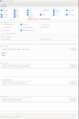
Looting
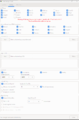
Selling
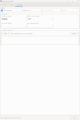
Skinning


Changelog
Click to expand
 v2.7.1  (2026-01-27)
   - replaced overflow_container and secondary_overflow with single overflow_containers setting (comma-separated)
   - added configurable "Trash to Dump" section, instead of hardcoded herb/food/junk
   - bugfix inbetween script(s) added erroneous commas between script parameters
   - allow custom bank withdraw amount
   - bugfix when trying to store box in non-group disk
   - bugfix in box_loot_ground locked box message
   - bugfix in single_drag_box cycling thru all group disks even when use_disk_group was false
   - bugfix for eonake gauntlet missing XML to properly match
   - bugfix for in_region check if already in destination room
   - reset sacks full when using --sellable/type/sell CLI
 v2.7.0  (2026-01-19)
   - added ground looting of boxes
   - added support for group disks when looting boxes
   - added selling of ingots if too heavy to store
   - updated find_trash to fully use trash verb
   - general inventory code cleanup
   - bugfix for depositing extra silver in pool method
   - bugfix in go2_locker to stop withdrawing silver when using house locker
 v2.6.7  (2026-01-18)
   - bugfix in silver breakdown
 v2.6.6  (2026-01-17)
   - bugfix for bank withdraw
   - disable f2p locksmith pool
 v2.6.5  (2026-01-16)
   - update for new loot commands in locksmith pool
 v2.6.4  (2026-01-12)
   - increase upper limit of appraisal amount from 1,000,000 to 10,000,000
 v2.6.3  (2025-12-02)
   - bugfix trying to skin/loot failed bounty children npcs
   - update debug messaging
   - bugfix in blood band/bracer settings
 v2.6.2  (2025-11-21)
   - force looting of bounty heirloom items if found
 v2.6.1  (2025-11-11)
   - bugfix in open_loot_containers
   - bugfix in get_weapon_inv
 v2.6.0  (2025-10-26)
   - add bloodband support
   - bugfix for save_trash_box method
   - bugfix box tipping default missing on first run
   - bugfix for open_single_container when using a string
   - moved tooltips out of UI xml
 v2.5.7  (2025-10-19)
   - bugfix for debt when entering locker
 v2.5.6  (2025-10-08)
   - bugfix for store/ready ranged_weapon to ranged
 v2.5.5  (2025-10-05)
   - bugfix for non-standard ready/stow list items
 v2.5.4  (2025-10-04)
   - bugfix for nil items
   - bugfix in logic for return_hands
 v2.5.3  (2025-10-03)
   - bugfix for return_hands
   - toggle righthand and lefthand off at initialization
   - minimum lich version to 5.12.9
 v2.5.2  (2025-10-02)
   - bugfix for incorrect method call typo
 v2.5.1  (2025-09-30)
   - bugfix for store/ready secondary_weapon to 2weapon
 v2.5.0  (2025-09-19)
   - switch to using Lich methods ReadyList and StowList
   - removed change log in script before 2.4.0. Full change log on the wiki
   - fix for SG trash can
 v2.4.11 (2025-09-12)
   - add option to always use the locksmith when a gem bounty is active
 v2.4.10 (2025-09-06)
   - rework box contents check to store box instead of pausing
   - bugfix for looting coins on the ground
 v2.4.9 (2025-09-05)
   - bugfix in regex for use_coin_hand method
 v2.4.8 (2025-08-30)
   - bugfix for setting ELoot.data.coin_bag_full to false when empty.
 v2.4.7 (2025-08-15)
   - if debug to file enabled, allow for when started with a parameter (sell/pool/etc)
 v2.4.6 (2025-08-12)
   - fix encumbered after box opening by depositing silvers in process_boxes
 v2.4.5 (2025-07-22)
   - bugfix for default locksmith_withdrawl_amount
 v2.4.4 (2025-07-16)
   - allow customizable locksmith tip amount withdrawal
   - typo correction in bulk sell gem method
   - force clean overflow containers from sell_container list
   - utilize File.join for save/load
   - bugfix in pool_return to allow up to 2 seconds for GameObj right/left hand to populate
   - remove Unicode characters in formula explanation for scaled box tipping (non-logic change) / Warlock
 v2.4.3 (2025-07-15)
   - bugfix for town locksmith regex to open box after return being too generic
 v2.4.2 (2025-07-09)
   - bugfix for silver withdrawals failing on f2p accounts with low bank balances
 v2.4.1 (2025-06-05)
   - bugfix for unable to lighten load during pool return and no silvers to deposit to allow more boxes to be returned
   - bugfix for box loot to deposit coins if too many coins on yourself to be able to loot coins from box
   - change class checks to is_a? checks
 v2.4.0 (2025-05-21)
   - add CLI option to skin only
   - fix regex for sellable/type/sell CLI to make = optional to match help text
 v2.3.12 (2025-05-10)
   - fix for Pinefar banker withdraw/deposit
   - fix for disk/container contents being nil prior to storing an item
 v2.3.11 (2025-05-05)
   - fix find_boxes to now clear sacks found with boxes from sacks_full
   - bugfix in regex for pool parameters to match help text
   - general sanitation of GTK values on load and close of GTK window
   - bugfix in incremental tipping display chart
   - bugfix in locksmith_pool_count due to truncated results list returning incorrect list of boxes unopened
   - correctly display incremental tipping chart starting at base 0
 v2.3.10 (2025-04-28)
   - bugfix in locksmith_tip to ensure numerics incase of string values saved in yaml
 v2.3.9 (2025-04-27)
   - bugfix add coin bag full msg'ing to regex
 v2.3.8 (2025-04-22)
   - bugfix for older Ruby 2.6 users and Bounty.task.assigned?
 v2.3.7 (2025-03-27)
   - add ;eloot pool return to options
   - bugfix for Rift talons gem hoarding
   - bugfix in get_regex to support hidden dagger harness
   - bugfix in check_type for hoarding HW hyphenated gem names
   - bugfix for locker reset while hoarding
   - bugfix in wait_for_disk logic
   - bugfix for spinbutton
   - add additional in_region boundaries and convert to UID lookup
   - bugfix for note deposit when using urchin guide and bounties
 v2.3.6 (2025-03-15)
   - typo for horde to hoard
   - bugfix to deposit local note if selling in FWI
   - bugfix in gem name standardization
   - remove deprecated percentstance & percentencumbrance calls
   - bugfix to not timeout on creatures that get ressurrected
   - bugfix on find_weapons_ready_list
   - bugfix in looting gemstone jewels if both hands currently used
   - bugfix in validate_setup when toggling on/off skinning
 v2.3.5 (2025-03-14)
   - additional updates to put_regex and get_regex
   - bugfix to not Regexp escape loot_keep
 v2.3.4 (2025-03-11)
   - bugfix for spin buttons not saving properly
   - add debug for loot method
 v2.3.2 (2025-03-10)
   - update to appraise method
   - fix for monsterbold gemstone jewel drop msging at feet
 v2.3.1 (2025-03-09)
   - add space for regex_at_feet
 v2.3.0 (2025-03-09)
   - add support for gambling kits
   - update for gemstones
   - bugfix when ELoot.data.settings[:loot_keep] is nil
   - bugfix when emptying jars to add to empty jar count
   - bugfix in store_item when gem hoarding
   - bugfix for weapon displayer
   - bugfix for container_contents
   - broke up the set_inventory method into smaller sections
   - bugfix add daybringer put_regex match
   - bugfix for swordbelts and neck sheaths
 v2.2.3  (2025-03-03)
   - added support for Lock & Key gameobj types to loot_special and loot_regular
   - bugfix in Bounty.task usage for gem/skin
 v2.2.2  (2025-02-28)
   - bugfix in Region.in_region for HW/Cold River
 v2.2.1  (2025-02-26)
   - bugfix in check_bounty_gems using furrier instead of gemshop
 v2.2.0  (2025-02-24)
   - add locker support for IMT
   - bugfix for FWI sell if bounty active
   - add check_bounty_gems to sell non-bounty gems during bounty
   - add sell only to sellable_categories
   - change to use_silver_deposit
   - bugfix for Lich GameObj update for loot containers (v5.12.0+)
 v2.1.7  (2025-01-30)
   - bugfix in loot_creature to handle nil creature
   - bugfix in sell_locksmith_pool_tip type check
   - additional gemshop regex updates
 v2.1.6  (2025-01-15)
   - bugfix in custom sellable/type/sell regex
   - bugfix in sell_gem method for gemshop
 v2.1.5  (2024-12-15)
   - bugfix in silver breakdown
   - bugfix for missing sell_appraise_types default
 v2.1.4  (2024-12-01)
   - add appraisal container setting
   - bugfix in regex for locksmith pool
 v2.1.3  (2024-11-20)
   - bugfix for sell_fwi bounty check
   - bugfix in sell keep scrolls vibrant
 v2.1.2  (2024-11-10)
   - add support for scarab selling
   - bugfix in sell_keep_scrolls loader
 v2.1.1  (2024-10-28)
   - bugfix in sell container list
 v2.1.0  (2024-10-15)
   - add incremental tipping system
   - add between-scripts support for locksmith pool
   - rework box handling flow
   - bugfix in silver tracking
 v2.0.0  (2024-09-01)
   - major rewrite of selling logic
   - add Selling Grid tab
   - add Looting Grid tab
   - add Gem Hoarding tab
   - add Alchemy Hoarding tab
   - improved UI with 8-tab layout
   - add CLI --sellable, --type, --sell commands
 v1.5.27 (2023-03-30)
   - additional find_trash method changes to utilize meta:trashcan
 v1.5.26 (2023-03-30)
   - added "wastebin" to list of trashcans
 v1.5.25 (2023-03-25)
   - another try at finding the trashcan
 v1.5.24 (2023-03-23)
   - added additional trashcan identification if no room description available
 v1.5.23 (2023-03-22)
   - added open regex for container
 v1.5.22 (2023-03-08)
   - bugfix for updating setting on nil for Ruby v3
 v1.5.21 (2023-03-06)
   - bugfix for bag_loot method
 v1.5.20 (2023-02-25)
   - bugfix for scroll selling in setup
 v1.5.19 (2023-02-22)
   - added toggle for unlootable tracking
 v1.5.18 (2023-02-07)
   - added additional error checking for autoclose bags
 v1.5.17 (2023-02-01)
   - added support for Assume Aspect - Lion (650)
 v1.5.16 (2023-01-31)
   - added child to unlootable list
 v1.5.15 (2023-01-30)
   - bug fix for wait_for_disk method
 v1.5.14 (2023-01-22)
   - added support for plinite looting
 v1.5.13 (2023-01-22)
   - add RT check to retrieving weapon/shield after looting
   - added support to not sell alchemy items: ;eloot sell alchemy_mode
 v1.5.12 (2023-01-17)
   - add check to prevent trying to loot something that's not yours
 v1.5.11 (2023-01-13)
   - add extra output to eloot test (disk and full containers)
 v1.5.10 (2022-12-23)
   - fixed location bug for locksmithing in KF
 v1.5.9 (2022-12-05)
   - added unlootable list to the UI (bottom of loot tab)
   - bugfix for trying to put loot in full container
 v1.5.8 (2022-12-05)
   - added word boundary checks for container setup
   - bug fix for phased box's
 v1.5.7 (2022-11-27)
   - removed custom quiet command to use Lich command instead
   - fixed bug if encumbered at the locksmith and can't get the box out of the disk
   - fixed bug for ice elemental looting
 v1.5.6 (2022-11-11)
   - added an "Always Loot" list
   - added support for auto closing bags
   - bug fix for handling reliquaries
   - bug fix for skinning without a designated skinning tool
 v1.5.5 (2022-11-03)
   - bugfix for unlootable tracking
 v1.5.4 (2022-11-01)
   - bugfix for silver totals
 v1.5.3 (2022-10-31)
   - added check for unlootable items
 v1.5.2 (2022-10-29)
   - added muck and cloud to unlootable list
 v1.5.1 (2022-10-28)
   - bugfix for terminal-table silver breakdown
 v1.5.0 (2022-10-09)
   - removed dependancy on separate UI file and associated code
   - cleaned up inventory & looting logic
   - added support to always check the locksmith pool
   - fixed bug that was looting cursed items in boxes
   - added validation check for setup
   - silver summary at end of selling using terminal-table
   - archived change log before 1.4.0
   - adds CLI interface to update settings
 v1.4.22 (2022-09-25)
   - bug fix for cursed items in boxes
 v1.4.21 (2022-09-23)
   - added support for hidden skin sheathes
   - bug fix for crumbly bandit bandanas
   - locksmith pool functionality added: over encumbered coin deposit and box drop off only option
   - fixed bug in track_full_sacks default setting
   - fixed bug when trying to do initial load when in RT
   - added small delay to ;eloot start
 v1.4.20
   - bug fix for cursed items and some crumbly ones
 v1.4.19
   - fixed looting logic when its flagged as two items with one not wanted (eg. uncommon & clothing). It will pick up the item to prevent valuable items getting left behind
   - additional error checking for empty box's in containers
   - additional error checking for looting
   - added support to use left hand for looting
   - added support for users who don't sell with eloot (full container tracking)
   - added secondary overflow container
   - moved UI check only when loading or setup
 v1.4.18
   - follow-up typo fix for default crumbly list
 v1.4.17
   - add rough leather quiver to the default crumbly items
 v1.4.16 (2022-08-23)
   - fixed typo in overflow setting
 v1.4.15 (2022-08-23)
   - changed regex for scabbards again
 v1.4.14 (2022-08-19)
   - will sell bounty items in original town if selling in FWI
   - added regex for custom scabbard
   - reworked data loading, should be faster now
   - changed the container identification to skip non-worn containers (helps with getting the correct skinning sheath)
 v1.4.13
   - empty gold, silver, mithril boxes if selling them
   - fixed trying to loot gangplank
   - fix for stancing with verbose turned on
 v1.4.12
   - fixed duplicate container saving
   - fixed bug in box looting that wasn't recognizing box found armor/weapons
 v1.4.11 (2022-08-02)
   - added support for looting coins on the ground
 v1.4.10 (2022-07-28)
   - more edits for locksmithpool not recognizing worker
 v1.4.9 (2022-07-28)
   - another edit to the locksmith pool
 v1.4.8 (2022-07-20)
   - close sacks function had a bug preventing it from working
   - additional changes for the load delay in locksmith pool
 v1.4.7 (2022-07-09)
   - fix for object load delay in locksmith pool
 v1.4.6 (2022-07-09)
   - added option to deposit coins/notes without sell routine
   - fixed bug in empty box selling causing it to duplicate
 v1.4.5
   - performance improvement in selling and storing items
   - added logic to address having a box in hand at start of sell routine.
   - added support to loot a box in hand then exit - ;eloot box
 v1.4.4
   - added skin matching for alchemically ruined skins
 v1.4.3
   - added support for skinning rotting chimera's when they have scorpion tails
 v1.4.2 (2022-06-15)
   - bug fix in blunt skinning
 v1.4.1 (2022-06-15)
   - bug fix for disks
 v1.4.0 (2022-06-10)
   - added support for shroud and glamour
   - added check in valid loot routine to exclude disks
Reference
| Third-Party Software - edit |
|---|
| Lich Installation: Lich |
| Downloadable Lich Scripts: Go2 | Map | Repository | Popular Scripts |