Lich:Script Bigshot: Difference between revisions
mNo edit summary |
(→Creature Checks: add lying command check) |
||
| (175 intermediate revisions by 27 users not shown) | |||
| Line 1: | Line 1: | ||
{{3rd-party}} |
|||
When it comes to Lich scripts, Bigshot takes the cake. Bigshot can fully automate hunting to a point where you do not even have to be at your computer. Take care, though, as /afk scripting on any server but Shattered is in violation of game policy and can have some nasty consequences. |
|||
Bigshot is a fully automated hunting script for GemStone IV. It handles combat routines, movement to and from hunting areas, target selection, and attack execution. |
|||
AFK scripting on any server other than Shattered is a violation of game policy. |
|||
{{TOCright| limit=2}} |
|||
==Changelog== |
==Changelog== |
||
*[[Script Bigshot/Changelog|Script Bigshot Changelog]] |
|||
https://gswiki.play.net/Script_Bigshot_Changelog |
|||
==About Bigshot== |
|||
===What Does Bigshot Do?=== |
|||
Using a series of menus and command inputs, Bigshot lets you create a modular, customizable, and fully automated hunting script. With just a few clicks and tweaks, you can go from scripting rats to the Rift. |
|||
==What Does Bigshot Do?== |
|||
===How Do I Get It?=== |
|||
Using a series of menus and commands inputs, Bigshot lets a user create a modular, customizable and fully automated hunting script. With just a few clicks and tweaks, you can go from scripting Rats to the Rift. |
|||
Grab it from the repository: <CODE>;repository download Bigshot</CODE> |
|||
==How Do I Get It?== |
|||
===How Do I Make It Go?=== |
|||
Grab it from the Repository: ;repository download Bigshot |
|||
Initial setup is accessed through <CODE>;bigshot setup</CODE>. This opens a configuration window with several tabs for setting up your hunting routine. |
|||
As with most scripts, the SETUP command opens a graphical user interface. Use <CODE>;bigshot setup</CODE> to open the dialog. The window contains the following tabs: |
|||
Once it is done, ;trust Bigshot. |
|||
* '''Profile''' - Save and load profile configurations. Profiles are saved to your <CODE>\Lich5\data\<GSServer>\<charname>\bigshot_profiles</CODE> directory (e.g., <CODE>\Lich5\data\GSIV\Rinualdo\bigshot_profiles</CODE>). Note: if you previously used Bigshot, the file location has changed from the old <CODE>\Lich5\scripts\bigshot_profiles</CODE> folder. You can copy/paste your old profiles to the new location. |
|||
* '''Resting''' - Configure your resting routine, rest location, and conditions that trigger resting. |
|||
* '''Hunting''' - Create a hunting map using boundaries, set your starting room, configure attack/wander stances, and define pre-hunt behavior. |
|||
* '''Attacking''' - Configure ambush aiming, flee conditions, bless behavior, weapon reactions, and similar combat flags. |
|||
* '''Commands''' - Define your valid targets and associated attack routines. See sample routines below. |
|||
* '''Boon Creatures''' - Configure how Bigshot handles boss/boon creatures on a per-ability basis (fight, ignore, or flee). |
|||
* '''Misc''' - UAC options, MSTRIKE options, ammo/wand configuration, and MA grouping settings. |
|||
* '''Monitoring''' - Interaction monitoring, deadman's switch, depart behavior, and debug options. |
|||
Each tab is covered in detail further on. |
|||
==How Do I Make it GO!?== |
|||
===Other Commands=== |
|||
It is a bit complicated. As with most scripts, using a SETUP command will open a graphical user interface for configuring the script. Use ;bigshot setup to open this dialog. This will open a window with the following tabs: |
|||
Beyond the setup GUI, Bigshot has several command-line options: |
|||
* General - General configuration for non-hunting options. |
|||
* <CODE>;bigshot quick</CODE> - A special hunting mode that kills everything in your current room, then quits. It will not wander or attempt to rest. Uses its own separate hunting commands and targets (configured on the Commands tab). |
|||
* Resting - Set up your resting routine and location. |
|||
* <CODE>;bigshot head</CODE> / <CODE>;bigshot tail</CODE> - Multi-account hunting on a single computer. All characters must be set up for the same hunting area. Following characters run <CODE>;bigshot tail</CODE>, then the leader runs <CODE>;bigshot head</CODE>. The leader can optionally specify the expected group size, e.g., <CODE>;bigshot head 3</CODE>. Head and tail can be started in any order. |
|||
* Hunting Map - Create a hunting map by adding BOUNDARIES and a starting room. |
|||
* <CODE>;bigshot display</CODE> - Shows all your current settings. |
|||
* Hunting - Specify what you are hunting and how. |
|||
* <CODE>;bigshot reset</CODE> - Resets your targetable and untargetable lists. Useful if Bigshot will not target something it should. |
|||
* Attacking - Create a customized attack routine designed to murmaider your foes. |
|||
* <CODE>;bigshot profile save <name></CODE> - Saves a profile in YAML format to your character's profile folder. Also accessible via the Profiles tab. |
|||
* UAC Options - Options for a uac routine |
|||
* <CODE>;bigshot profile load <name></CODE> - Loads a profile from your character's profile folder. Also accessible via the Profiles tab. |
|||
* MSTRIKE Options - Options for using MSTRIKE |
|||
* <CODE>;bigshot single</CODE> - Executes a single hunting routine, returns to your resting location, and then exits. |
|||
* Should_hunt? - Set conditions for Bigshot to know when to start hunting. |
|||
* <CODE>;bigshot list</CODE> - Displays all initialized variable values (useful for troubleshooting). |
|||
* Should_rest? - Set conditions for when you want Bigshot to stop hunting and rest. |
|||
* <CODE>;bigshot test <method> <args></CODE> - Runs a specific internal method for testing purposes. |
|||
* Ammo/Wands - Let Bigshot know where you keep your arrows and wands. |
|||
* <CODE>;bigshot help</CODE> - Prints a quick-reference table of every command-line option listed in this section. Typing an option Bigshot doesn't recognize prints this same help (with a warning naming the bad option) instead of silently doing nothing. |
|||
* <CODE>;bigshot <mode> <creature></CODE> - Rangers only: combine one of the modes above (<CODE>solo</CODE>, <CODE>single</CODE>, <CODE>bounty</CODE>, <CODE>quick</CODE>, or <CODE>once</CODE>) with a creature name to TRACK toward that creature instead of wandering, e.g., <CODE>;bigshot single giant rat</CODE>. A creature name with no mode in front of it (just <CODE>;bigshot giant rat</CODE>) is not recognized. |
|||
==The Profile Tab== |
|||
We will take a closer look at each of these individually further on. |
|||
* '''Load Profile''' - Load an existing saved profile. The dropdown will be empty if no profiles have been saved yet. |
|||
* '''Current Profile''' - Displays the name of the currently loaded profile. |
|||
* '''Save Profile''' - Enter any name for your profile and click Save. Once saved, the profile will appear in the Load Profile dropdown. |
|||
* '''Notes''' - A freeform text area for any notes you want to associate with the profile. |
|||
==The Resting Tab== |
|||
There is also several other commands you can do for more functionality. |
|||
This tab controls where and how Bigshot rests between hunts. During rest mode, Bigshot checks your mind state, hit points, wound status, mana, and spirit. Once all conditions defined in the "Should Hunt?" section are met, Bigshot leaves rest mode and begins a new hunt. |
|||
* ;bigshot quick - Special hunting mode that kills everything in the room your in and quits bigshot. Wont wander at all, and wont attempt to rest. Has its own hunting commands and hunting targets. |
|||
===Where to Rest=== |
|||
* ;bigshot head/tail - This is for Multi-Account hunting. It only works for a single computer. Every character needs to be setup for the hunting area your going to. You start it by having your following characters join your head character. The following characters need to be running bigshot with ;bigshot tail. Once that happens, have the leader of the group do ;Bigshot head. They will then procede to hunt in the area you have setup. |
|||
* '''room id''' - The room Bigshot returns to for resting. Uses room numbers from Map/Go2. Supports both Lich IDs and SimuIDs (prefix SimuIDs with "u", e.g., <CODE>228</CODE> for Town Square Central or <CODE>u7120</CODE>). |
|||
* '''return waypoints''' - Optional intermediate room IDs that Bigshot will pass through when returning to rest. Separate multiple waypoints with commas. |
|||
* '''pre-rest commands''' - Commands executed before entering rest mode. Example: <CODE>shea, wear shield, sit, stance offensive, rest</CODE>. This will sheathe your weapon, wear your shield, sit down, enter offensive stance, and use the REST verb. You can also call scripts here using the <CODE>script</CODE> prefix, e.g., <CODE>script go2 place</CODE>. |
|||
* '''active resting scripts''' - Scripts that run upon entering rest mode for between-hunt tasks such as selling loot, spelling up, or healing. Example: <CODE>eloot sell, waggle, eherbs</CODE>. This will sell via eloot, spell up via waggle, then use herbs from your PACK to heal wounds. |
|||
* '''Fog Option''' - Determines how Bigshot returns to rest. Options include: |
|||
** '''None''' - Walk normally (no teleportation). |
|||
** '''130''' - Uses [[Spirit Guide (130)]] first; falls back to Symbol of Return if it fails. |
|||
** '''Symbol of Return''' - Uses Voln [[Symbol of Return]] first; falls back to 130 if it fails. |
|||
** '''Traveler's Song (1020)''' - Attempts [[Traveler's Song (1020)]] once, then continues. |
|||
** '''Familiar Gate (930)''' - Attempts [[Familiar Gate (930)]] to summon a portal and walk through it. Will perform a mana pulse if not enough mana is detected. |
|||
** '''Sigil of Escape''' - Uses [[Sigil of Escape]]. |
|||
** '''Custom''' - Allows a comma-separated list of custom commands to perform. |
|||
* '''Fog ONLY if wounded or encumbered''' - When checked, Bigshot will only use the fog option if you are actually wounded or encumbered. Otherwise it walks normally. |
|||
* '''Fog twice from the Rift''' - When checked, Bigshot will double-cast the fog spell when returning from the Rift (useful since the Rift requires two uses to escape). |
|||
===Should Rest?=== |
|||
* ;bigshot display - Shows all your current settings. |
|||
Bigshot evaluates these conditions to decide when to leave a hunt and return to rest. |
|||
* '''when percent mind >=''' |
|||
** Triggers resting when your mind has reached this threshold. Generally set to 100 (fried). Default is 100. |
|||
* '''and extra kills >=''' |
|||
** The number of additional monsters to kill after reaching your "when percent mind" threshold and after LTE boosts are used. Set to 0 to rest immediately upon reaching the mind threshold. |
|||
* '''and used lte boosts >=''' |
|||
** The number of LTE (Long-Term Experience) boosts Bigshot will attempt to use after reaching the mind threshold. Set to 0 to skip LTE boosts entirely. |
|||
* '''or percent mana <=''' |
|||
** Forces Bigshot to rest when your mana percentage is at or below this value. Can be set to 0, but leaving a small buffer is useful (e.g., for Unlock (406) to open the WL Graveyard gate). If you encounter an "OOM" error, try setting this to 1. |
|||
* '''or percent encumbrance >=''' |
|||
** Forces Bigshot to rest when your encumbrance reaches or exceeds this percentage. |
|||
* '''or wounded eval''' |
|||
** Allows you to set a Ruby evaluation expression to determine if you are too wounded to continue. Can trigger on bleeding, specific wound levels, inability to cast, scars, and more. |
|||
The following is a wounded evaluation that will rest whenever you have any level II wounds: |
|||
* ;bigshot reset - Resets all your targetable and untargetable lists. Useful if you find bigshot won't targets something it should. |
|||
<PRE>XMLData.injuries.any?{|key,value| value["wound"] > 1} || Char.percent_health <= 70</PRE> |
|||
The following is a wound evaluation that will take you home if you can no longer cast (bleeding, nerves, level 2 head/eyes, bad scars, etc.): |
|||
<PRE>bleeding? || Char.percent_health <= 25 || [Wounds.head, Scars.head, Wounds.leftEye, Scars.leftEye, Wounds.rightEye, Scars.rightEye, Wounds.nsys, Scars.nsys].max > 1 || [Wounds.leftArm, Wounds.leftHand, Wounds.rightArm, Wounds.rightHand, Scars.leftArm, Scars.leftHand, Scars.rightArm, Scars.rightHand].max > 2 || ([Wounds.leftArm, Wounds.leftHand, Scars.leftArm, Scars.leftHand].max + [Wounds.rightArm, Wounds.rightHand, Scars.rightArm, Scars.rightHand].max) >= 3</PRE> |
|||
The following can be appended to either wound evaluation above to also rest upon having popped muscles: |
|||
<PRE>|| Effects::Debuffs.active?("Overexerted")</PRE> |
|||
* '''when creeping dread >=''' |
|||
* ;bigshot ranger or ;bigshot companion - Resets ranger companion setting so you can set it again. Used when you change your companion. |
|||
** Forces Bigshot to rest when your creeping dread level reaches or exceeds this value. |
|||
* '''when crushing dread >=''' |
|||
** Forces Bigshot to rest when your crushing dread level reaches or exceeds this value. |
|||
* '''Wall of Thorns Poison''' |
|||
** Forces Bigshot to rest when you are affected by Wall of Thorns poison. |
|||
* '''Confusion Debuff''' |
|||
** Forces Bigshot to rest when you are affected by the non-dispellable Confusion debuff. |
|||
* '''Box in hand''' |
|||
** Forces Bigshot to rest if looting leaves a box in your hand. |
|||
==The |
==The Hunting Tab== |
||
This tab controls when and where Bigshot hunts, any pre-hunt preparation, and the map boundaries for wandering. |
|||
On this tab, you will see four check boxes. They are: |
|||
* Engage deadman's switch - Selecting this option will force Bigshot to quit Gemstone IV when your character is at less than 40% health, allowing you to log back on and assess the situation manually later. |
|||
* Depart/rerun if dead - Enabling this option will force a DEPART, causing your character to wake up in the Temple with low spirit. Following this, Bigshot will re-start, starting a fresh hunt. If you do not have a Check Spirit value set in your Should_hunt? tab, you will start hunting without recuperating lost stats. |
|||
* Monitor interaction - Running scripts automates most functions and happens rather mechanically. Most anyone can tell if you are scripting just by watching you. Checking this box will pop up a window whenever Bigshot thinks that someone or something is trying to interact with you. |
|||
* Flee from clouds - Enabling this check box will force Bigshot to flee from Cloud spells such as 125(Call Lightning with its Ominous Cloud), 1704 (Stun Cloud) and 1713 (Death Cloud) |
|||
* Flee from vines - Enabling this check box will force Bigshot to flee from Vine spell such as 610(Tangle Weed) |
|||
==The |
===The Hunting Map=== |
||
Your hunting map consists of '''Boundaries''' (rooms Bigshot will never enter) and a '''Starting Room''' (the first room Bigshot moves to when a hunt begins). These function similarly to the boundaries in the ;Wander script, but are stored in Bigshot's own configuration files. |
|||
Short and sweet, here is where we setup our resting routines. During REST mode, Bigshot uses the EXP command and checks your mind, hit points, wound status, mana and spirit. Once all of these values are at the specified Should_hunt? settings, Bigshot leaves REST mode and begins a HUNT. |
|||
* room id: - This is the room that Bigshot will return to for resting. Use Room Numbers from Narost / Go2. For example, 228 is Town Square Central in Wenhimer's Landing - a supernode! |
|||
* pre-rest commands: - These commands run before entering REST mode. An example routine is: 'shea, wear shield, sit, stance offensive, rest'. This will sheath your weapon, wear your shield, sit, enter offensives stance and use the REST verb. Casters able to should use the MEDITATE verb. |
|||
* active resting scripts: - Active resting scripts are scripts that will be run upon entering REST mode. These scripts should be things that you do after a hunt: get healed, empty your bags, spell up. An example list is: 'sloot sell, waggle, useherbs pack'. This will use Sloot to sell according to the options set with Sloot. After selling, it will use Waggle to spell you up according to however Waggle is setup. Finally, useherbs will check your PACK and use herbs stored there to heal whatever wounds you have. |
|||
* Fog Option: - Uses [[Spirit Guide (130)]] or Voln [[Symbol of Return]] when heading back to rest. Setting it to None does nothing. Setting it to 130 will cause it to use 130 first then if that fails symbol of return. Symbol of return will use that first, then 130 if that fails. |
|||
* '''starting room ID''' - The first room Bigshot travels to when beginning a hunt. Set this to any room within your boundaries. |
|||
==The Hunting Map Tab== |
|||
* '''boundary rooms''' - Rooms that act as walls. Bigshot will never enter a boundary room. |
|||
Your hunting map is a series of Boundaries - rooms that Bigshot will not enter - and a Start room - the first room that Bigshot moves to when a hunt starts. These function very similarly to the boundaries in the ;Wander script, but are stored in Bigshot's configuration files and not in a character cache as with ;Wander. Luckily, some very enterprising gnomes have put together a List of Hunting Areas and Boundaries, taking some of the legwork out of the deal. |
|||
* starting room ID: - This is the first room that Bigshot goes to when hunting. You may set this to any room within the Boundaries that you set with the second option. |
|||
* boundary rooms: - Boundary rooms are walls. Bigshot will not enter a Boundary room! |
|||
<PRE>X-X-B - A - 0 - 0 - 0 |
<PRE>X-X-B - A - 0 - 0 - 0 |
||
| | |
| | |
||
X-X-X</PRE> |
X-X-X</PRE> |
||
Imagine a hunting area that is a six room square. To enter this square, one must GO DOORWAY from room A. You would set the room outside of the square - ie room A - before you GO DOORWAY, as a boundary. Then, you would set room B to the Starting Room. From there, Bigshot will move to room B and then wander around inside the Boundary - ie the square hunting area - until it your '''Should_rest?''' conditions are met. |
|||
In the diagram above, "B" is a boundary room and "A" is outside the hunting area. Rooms marked "0" are the huntable area. Bigshot will wander freely among the "0" rooms but never cross into "B" or "A". |
|||
* Wait before wandering to another room: - Time you wait before leaving a room to find some creatures. Default is 0.3 seconds |
|||
Boundary room IDs are separated by commas. Some popular examples: |
|||
==The Hunting Tab== |
|||
The bread and butter of Bigshot, Hunting is where you define what monsters you are hunting and what non-attack abilities you want to use. |
|||
'''Rift Boundaries:''' |
|||
* valid targets: - These are the monsters you are hunting. Bigshot will most easily recognize monsters based on the NOUNs or their name. For example, 'a large ogre' can be targetted with just 'ogre'. Using longer descriptors can be troublesome, and you should copy a monster's name directly from the game front end to avoid troubles. You can use multiple entries separated by commas. For example: 'manticore, thrak' will kill manticores and thraks. |
|||
<PRE> |
|||
* quickhunt targets: - These are monsters you have designated attacks for when your using the ;bigshot quick option for hunting. |
|||
Plane 1: 2635, 12101, 12208 |
|||
Some ideas for your quickhunt targets |
|||
Plane 2: 2605, 2635, 12093 |
|||
<pre> |
|||
Plane 3: 2635, 12089, 12152 |
|||
(?:seasoned |grizzled |battle-scarred |weathered |veteran |hulking |haggard )?Grimswarm (?:giant|troll|orc) (?:dissembler|sorcerer|sorceress|warlock|witch)(a) |
|||
Plane 4: 12122, 12207, 12235 |
|||
(?:seasoned |grizzled |battle-scarred |weathered |veteran |hulking |haggard )?Grimswarm (?:giant|troll|orc) (?:barbarian|blackguard|fighter|marauder|soldier|warrior)(b) |
|||
Plane 5: 2579 |
|||
(?:seasoned |grizzled |battle-scarred |weathered |veteran |hulking |haggard )?Grimswarm (?:giant|troll|orc) (?:adept|archmage|elementalist|mage|warmage)(c) |
|||
North Scatter: 12151, 12254, 12256, 12249, 12247, 12241 |
|||
(?:seasoned |grizzled |battle-scarred |weathered |veteran |hulking |haggard )?Grimswarm (?:giant|troll|orc) (?:hunter|huntmaster|huntmistress|ranger)(d) |
|||
South Scatter: 12151, 12219, 12217, 12233, 12237, 12239 |
|||
(?:seasoned )?(?:dwarven|elven|halfling|erithian|human|giantman|half-krolvin|gnomish|half-elven) (?:thief|rogue|bandit|mugger|outlaw|highwayman|marauder|brigand|thug|robber)(e) |
|||
</PRE> |
|||
(?:shopkeeper|innkeeper|bartender|patrol leader|bandit lord|bandit lady|gypsy queen|gypsy king|guard captain|wall captain|drill sergeant|stable hostler|dungeon master|master torturer|butler|cook| |
|||
knight captain|foreign dignitary|royal prince|royal princess|royal jester|royal emperor|royal empress)(f)</pre> |
|||
'''Maaghara Boundaries:''' |
|||
* attack stance: - Specify what stance you want to attack from. Bigshot will remain in Stance Defensive until an attack command is issued, whereupon it will stance to your Attack Stance and execute your Attacking routine. Bigshot recognizes all stances from the game, Offensive ->-> Defensive. |
|||
<PRE>9734</PRE> |
|||
* pre-hunt commands: - These commands will be executed before Bigshot uses Go2 to travel to your hunt's Starting Room. As an example: 'gird, stance defensive'. This will ensure that you have readied your weapon and are in Defensive stance before traveling. Set short lived combat spells like 1605 (Arm of the Arkati) to be cast in this line. |
|||
* active hunting scripts: - Active hunting scripts are scripts that will run while Bigshot is in Hunt mode. Many of these scripts have been made obsolete by the next option. Clever scripters have written some nice scripts that will keep certain spells up, execute cmans based on conditions etc. If you need a complex action to run while Hunting that Bigshot does not have the capacity for, an active hunting script may be called for. |
|||
'''Confluence Boundaries:''' |
|||
* society abilities/spells/cmans: - Bigshot can be asked to keep certain abilities up at all times during a hunt. Hovering your mouse over this field will display a list of cmans and society abilities specified by their numerical designations. Spells may also be added here. Separate all values by commas. For example, entering '506' will keep the spell Haste up during Hunts, casting whenever it has worn off. |
|||
<PRE>2300, 3519, 228, 188, 1932, 10855, 3668, 1438, 1005</PRE> |
|||
* loot script - Bigshot will call a loot script to loot your kills for you. Sloot and Sloot2 are common scripts used here. Be sure to use the SETUP command on whatever loot script you use, as if it is not configured properly, Bigshot will likely error. |
|||
* wracking spirit >= - Setting a value here will WRACK for mana if your spirit is greater than or equal to the value specified. Setting 6, for example, will WRACK down to 5 spirit. This will ONLY function if you have the 'Use sign of wracking/sigil of power' box checked. |
|||
Imagine a hunting area that is a six-room square. To enter this square, you must GO DOORWAY from room A. You would set room A (outside the square, before the doorway) as a boundary. Then set room B (just inside the square) as the starting room. Bigshot will move to room B and wander within the bounded area until your "Should Rest?" conditions are met. |
|||
* Use sign of wracking/sigil of power - checkbox to enable the use of wracking |
|||
* Priority hunt - checkbox to enable the use of the priority system for hunting. This allows you to change targets based on the order listed in valid targets/quickhunt targets. For example, your hunting thunder trolls, wind witches, and puma. Your valid target order is wind witch, thunder troll, puma. Your currently attacking a puma, when a thunder troll walks in. You will switch to the attacking the thunder troll because its before the puma in the valid targets list. After killing the thunder troll, you go back to the puma, only to have a wind witch walk into your room. You will again switch to the wind witch because its in front of the puma. Hope you get the idea. When using the ;bigshot quick option, it will base the order of targets by your quickhunt targets first, then the order of the targets in the room that don't match any of your quickhunt targets. Example, bandits are in your quickhunt targets. You type ;bigshot quick when you get ambushed in the room. Currently in the room is a large ogre and three bandits. The order of targets will be the bandits first, then the large ogre. |
|||
* '''rally point rooms''' - Optional intermediate room IDs Bigshot will pass through on the way to the hunting area. Separate multiple rooms with commas. |
|||
===Hunting Settings=== |
|||
* '''wait before wandering to another room''' - Time in seconds Bigshot waits before leaving a room to look for creatures. Default is 0.3. Set to 0 for fastest (but spammy) movement. |
|||
* '''attack stance''' - The stance Bigshot switches to when issuing attack commands. Bigshot remains in defensive stance until an attack is triggered, then stances to your specified attack stance. Recognizes all game stances from Offensive through Defensive. |
|||
* '''wander stance''' - The stance Bigshot uses while moving between rooms. Defaults to Defensive. |
|||
* '''stand up stance''' - The stance Bigshot enters when standing up after being knocked down. Defaults to Defensive. |
|||
* '''pre-hunt commands''' - Commands executed before Bigshot uses Go2 to travel to your starting room. Example: <CODE>gird, stance defensive</CODE>. This ensures your weapon is readied and you are in defensive stance before traveling. Use this line for short-lived combat spells like 1605 (Arm of the Arkati). |
|||
* '''active hunting scripts''' - Scripts that run while Bigshot is in hunt mode. Use these for complex behaviors that Bigshot does not natively support (e.g., keeping certain spells active or executing CMANs based on conditions). |
|||
* '''society abilities/spells/cmans''' - Abilities Bigshot keeps active during a hunt. Enter numerical designations separated by commas. For example, entering <CODE>506</CODE> keeps Haste up, recasting whenever it wears off. Hover over this field in the GUI for a list of supported values. Supported options include spells that can be ignored by rapidfire cooldown: e.g., <CODE>515 (ignore)</CODE> or <CODE>rapidfire (ignore)</CODE>. |
|||
* '''loot script''' - The script Bigshot calls to loot your kills (e.g., <CODE>eloot</CODE>). Make sure the loot script is properly configured via its own SETUP command, or Bigshot may error. |
|||
* '''wracking spirit >=''' - If your spirit is greater than or equal to this value, Bigshot will WRACK for mana. Setting it to 6 will wrack down to 5 spirit. Only functions when the wracking checkbox is enabled. |
|||
* '''Use sign of wracking/sigil of power''' - Checkbox to enable wracking. |
|||
* '''Check for favor before using Voln symbols''' - Checkbox to verify you have sufficient favor before casting Voln society symbols. |
|||
* '''Priority hunt''' - When enabled, Bigshot targets creatures in the order listed in your valid targets field. If a higher-priority creature enters the room, Bigshot switches to it. When using <CODE>;bigshot quick</CODE>, quickhunt targets take priority, followed by any remaining targets in room order. |
|||
* '''Delay looting''' - Delays the looting of creatures in a room. |
|||
* '''Defensive stance before looting''' - Switches to defensive stance before looting begins. |
|||
* '''Pull players to feet''' - Attempts to pull players to their feet when passing them. |
|||
* '''Stop for dead players''' - Pauses Bigshot if you encounter a dead player. |
|||
* '''Troubadour's Rally''' - Enables the use of Troubadour's Rally during hunts. |
|||
* '''Sneaky Sneaky''' - Sneak around while moving through the hunting area. |
|||
===Should Hunt?=== |
|||
Bigshot evaluates these conditions to determine if you are ready to begin a hunt from rest. |
|||
* '''when percent mind <=''' |
|||
** Setting this to 51 will wait until "Clear". Setting it to 65 will wait until "Muddled". |
|||
* '''and percent mana >=''' |
|||
** The percentage of your maximum mana that must be present before hunting. Setting below 50 results in short hunts if you cast frequently. Generally set to 95 or higher. |
|||
* '''and CHECK spirit >=''' |
|||
** Bigshot checks that your current spirit value is at least this amount. Make sure this is high enough that Bigshot will not immediately hunt after DEPARTing if you have the "Depart / re-run" option enabled on the Monitoring tab. |
|||
* '''and percent stamina >=''' |
|||
** The percentage of your maximum stamina that must be present before hunting. Useful for melee-heavy builds that rely on stamina for CMANs and MSTRIKEs. |
|||
==The Attacking Tab== |
==The Attacking Tab== |
||
This tab controls aiming, flee conditions, and various combat behavior toggles. |
|||
* Ambush aiming locations (head, etc): - Allows you to specify what order you aim for ambush. Default is head, right leg, left leg, chest. |
|||
* Archery aiming locations (head, etc): - Allows you to specify what order you aim for archery. Loops through your aiming locations once you hit the area your aiming at. |
|||
* '''Ambush aiming locations (head, etc)''' - The order Bigshot aims when ambushing. Default is head, right leg, left leg, chest. Bigshot cycles through these and skips locations that are too injured or unreachable. |
|||
* flee if enemy count is > - Flees the room if the total number of enemies in the room exceeds the value. Set this to 1 if you want to engage single targets. |
|||
* '''Archery aiming locations (head, etc)''' - The order Bigshot aims when using archery attacks. Loops through your aiming list. |
|||
* ...but don't count these: - Bigshot will ignore monsters specified in this line when eveluating if it should flee based on how many monsters are in the room. Useful for when you are hunting in an area with extremely low level monsters mixed in with your targets. |
|||
* '''flee if enemy count is >''' - Flees the room if the total number of enemies exceeds this value. Set to 1 to engage only single targets. |
|||
* ...and always flee from: - Bigshot will always flee from the specified monster as soon as possible. Extremely useful if your hunting area has higher level and/or extremely dangerous monsters mixed in with your intented target(s). |
|||
* '''...but don't count these''' - Bigshot ignores these monsters when evaluating flee count. Useful when low-level monsters are mixed into your hunting area. |
|||
* flee from environment message: - Will flee whenever anything you put in here gets sent from the game. |
|||
* '''...and always flee from''' - Bigshot immediately flees from these monsters. Useful when your hunting area has higher-level or dangerous monsters mixed in. |
|||
* Wait before wandering to another room: - time you spend before moving to a new room. Default is 0.3 seconds. You can set it to 0 to move instantly. Tends to be spammy for anyone in the same hunting area. |
|||
* '''flee from environment message''' - Bigshot flees whenever the game sends a message matching this text (uses XML regex matching). Note: This does not work when using <CODE>;bigshot quick.</CODE> |
|||
* Spam attacks - This check box will force Bigshot to execute attack commands at an extremely high speed, cutting down on lag times. If you want to squeeze in the maximum number of swings or casts during an enemy's round-time, make sure this is checked. |
|||
* '''wait before wandering to another room''' - Time in seconds before moving to a new room. Default is 0.3. Set to 0 to move instantly (can be spammy for others in the area). |
|||
* Approach lone targets only - Forces Bigshot to only begin combats against creatures that are alone. |
|||
* '''Approach lone targets only''' - Forces Bigshot to only begin combat against creatures that are alone in a room. |
|||
* Bless weapon? - Performs a Consecrate (1604), then a Cleric Bless or Voln Bless on whatever weapon loses its bless during hunting. If you can't bless your weapon while hunting will return you to your rest area and quit the script. |
|||
* '''Bless weapon?''' - Performs a Consecrate (1604), then a Cleric Bless or Voln Bless on any weapon that loses its bless during hunting. If unable to bless during hunting, Bigshot returns to the rest area and quits. |
|||
* '''Activate weapon reactions''' - Initiates reactive strikes when the opportunity presents itself. |
|||
* '''Flee from clouds''' - Flees from cloud spells such as 125 (Call Lightning/Ominous Cloud), 1704 (Stun Cloud), and 1713 (Death Cloud). |
|||
* '''Flee from vines''' - Flees from vine spells such as 610 (Tangle Weed). |
|||
* '''Flee from webs''' - Flees from webs. |
|||
* '''Flee from voids''' - Flees from voids. |
|||
==Commands Tab== |
==Commands Tab== |
||
This is the core of Bigshot — where you define your attack routines. |
|||
* hunting commands - These are the commands that Bigshot will evaluate (ie execute) when it is in the room with a valid target (one that you specified in your Hunting section. These commands are separated by a comma. Bigshot recognizes most hunting verbs and, failing that, will use an fput command (a direct entry method) and just execute the commands directly as written. The following are a list of usable hunting commands: |
|||
** kill - Attacks using the KILL verb. |
|||
** incant <spell number> - Casts the specified spell with the INCANT verb. A caster may CHANNEL spells by using the SET verb (a standard GSIV verb, not part of Lich) to SET ChannelIncant ON. This will CHANNEL an INCANTed spell if the caster is in a stance higher than neutral. |
|||
** channel <spell number> - Channels the specified spell at the target. This requires a stance higher than neutral to have any effect. |
|||
** <Spell Number> - Casts the specified spell with the PREPARE and CAST verbs. |
|||
** wand - As in, 'wand target'. Gets a wand from the specified storage and WAVES it at the target. |
|||
** fire - As in, 'fire target'. Gets ammunition from the specified storage and FIREs it at the target. Will attempt to aim based on settings on hunting tab. |
|||
*** The above listed commands should be used with the (x#) syntax. For example, kill target (x3) will swing three times at the target before re-evaluating the attack routine. If the x variable is used, Bigshot will continue using the specified attack command until the target is dead. Example: '903 target (xx)' will continue to cast 903 at the target until it is dead. Bigshot may also be set to only execute a command based on how much mana or stamina you currently have. For mana, use the (m##) command. '920 target (m50)' will only cast 920 (Implosion) if you have 50 or more mana. Similarly, 'cman feint target (s10)' will only execute the combat maneuver Feint on the target if you have 10 or more stamina |
|||
** aim <location> - Aims at the specified location. |
|||
** ambush - Uses the AMBUSH verb to attack. Will aim based on settings in Hunting tab. Also will aim dynamically, "Ambush head" would aim at the head, overwriting any settings or defaults for that attack. |
|||
** wait <time> - Bigshot may Stance Dance by using the WAIT command. Bigshot will stay in Stance Defensive until the specified time is over OR the target swings / casts, whereupon it will evaluate the rest of the Attack Routine, changing into your specified attack stance. |
|||
** mstrike - As in, 'mstrike target'. Mstrike depending on mstrike cooldown and stamina. Has its own option page. Can also be used with UAC, "mstrike punch". |
|||
** berserk - Executes the BERSERK verb and stands by until it fades. |
|||
** throw - Empties hands, Attempts throw, get the stuff you emptied. |
|||
** weed/kweed - Casts 610 at target. Using "kweed" as your command will cast 610 from offensive stance. |
|||
** unarmed - Uses the Bigshot UAC routine. Routine will attack with appropriate attacks to rank up and use mstrike based on mstrike options page. Usage "unarmed (punch|jab|kick|grapple)". |
|||
** smite - Performs an [[Order of Voln]] [[Kai's_Smite|Smite]] on target until successful. |
|||
** script <script name> - Executes a specified custom attack script. |
|||
** hide - Continue hiding until you're actually hidden. Or it's tired of trying. |
|||
** sleep - As in, 'sleep 10'. Pause bigshot. Useful with fried hunting commands such as: '410, sleep 15' will E-wave then wait 15 seconds and e-wave again if there are valid targets. |
|||
** stance - As in, 'stance defense'. Change stances. |
|||
** nudgeweapons - Move all weapons on the ground to an adjacent room. Useful for casting Implosion (720). |
|||
** force <cmd> until <endroll> - As in, 'force 1002 until 101'. Continue issuing a command until a desired endroll. Only works for normal looking swings/spells/cmans. |
|||
* hunting commands (b) - Attack routines set up for a monster flagged (b) in the Hunting section. |
|||
* hunting commands (c) - Attack routines set up for a monster flagged (c) in the Hunting section. |
|||
* hunting commands (d) - Attack routines set up for a monster flagged (d) in the Hunting section. |
|||
* hunting commands (e) - Attack routines set up for a monster flagged (e) in the Hunting section. |
|||
* hunting commands (f) - Attack routines set up for a monster flagged (f) in the Hunting section. |
|||
* hunting commands (g) - Attack routines set up for a monster flagged (g) in the Hunting section. |
|||
* hunting commands (h) - Attack routines set up for a monster flagged (h) in the Hunting section. |
|||
* hunting commands (i) - Attack routines set up for a monster flagged (i) in the Hunting section. |
|||
* hunting commands (j) - Attack routines set up for a monster flagged (j) in the Hunting section. |
|||
* fried hunting commands - Commands executed specifically when fried. Useful when hunting in a group. |
|||
* quick hunting commands - Commands executed specifically when using ;bigshot quick. |
|||
=== |
===Hunting Commands=== |
||
* '''hunting commands (a)''' - The primary commands Bigshot executes when in a room with a valid target. Commands are separated by commas. Bigshot recognizes most hunting verbs; unrecognized commands are sent directly as-is via fput. The following are recognized hunting commands: |
|||
Additional checks you can add to any command to customize the attack to your desired scenario. |
|||
** '''kill''' - Attacks using the KILL verb. |
|||
Each check below can be used by itself or with any other check. Put them inside () with a space between each additional check. Example - Kill(m20 s5 e20) |
|||
** '''incant <spell number>''' - Casts the specified spell with INCANT. Automatically stances into offensive for bolt and stance-sensitive spells. You can CHANNEL via <CODE>INCANT SET CHANNEL <spell></CODE> (a standard GSIV verb) or by setting <CODE>SET ChannelIncant ON</CODE>, which will CHANNEL an INCanted spell if you are in a stance higher than neutral. |
|||
<p>Each of these also has an inverse or opposite. |
|||
** '''channel <spell number>''' - Channels the specified spell at the target. Requires a stance higher than neutral to have effect. |
|||
Just put a ! in front of the command. Example - Kill(!m20 !s5 !e20) |
|||
** '''<spell number>''' - Casts the specified spell using PREPARE and CAST. |
|||
*s# - Checks that you have the required stamina |
|||
** '''wand''' - Gets a wand from your specified container and WAVEs it at the target. |
|||
*m# - Checks that you have the required mana |
|||
** '''wandolier <stance> <noreserve>''' - Similar to wand, but designed for wandoliers. Gets a wand from the fresh wand container and waves it; rubs the container if no wands are found. Default waves in offensive stance and automatically adds the wand to your RESERVE list. Use <CODE>wandolier defensive</CODE> to wave in a different stance, and add <CODE>noreserve</CODE> to skip the RESERVE step, e.g., <CODE>wandolier defensive noreserve</CODE>. |
|||
*h# - Checks that you have the required health but based on a percentage instead of fixed number |
|||
** '''resonance <spell id> <spell id> ...''' - Casts Resonance Bolt, picking randomly among the listed spell numbers each time (never repeating the one it just used back-to-back). Example: <CODE>resonance 511 512 513</CODE>. |
|||
*e# - Checks that your encumbrance percentage is at or below |
|||
** '''sacrifice''' - Performs a Voln Sacrifice on the current target's corpse for favor. Only attempts it when you have 2+ spirit, the ability is off cooldown, and the corpse appraises as suitable for sacrifice. |
|||
*tier# - Checks for your current UAC tier (1,2,3). Performs command if UAC Tier is equal or greater. |
|||
** '''fire''' - Gets ammunition from your specified container and FIREs at the target. Aims based on Archery aiming settings on the Attacking tab. |
|||
*mob# - Checks for the number of npcs in room. Performs command if npcs in room is equal to number specified. |
|||
** '''aim <location>''' - Aims at the specified body location. |
|||
*prone - Checks to see if target is not sleeping|webbed|stunned|kneeling|sitting|lying down|prone|frozen|held in place. Performs command if target status is not one of the previous. |
|||
** '''ambush''' - Uses the AMBUSH verb to attack, aiming based on Attacking tab settings. Can also aim dynamically: <CODE>ambush head</CODE> overrides default settings for that attack. |
|||
*undead - Checks to see if target is undead. Performed command if target is undead. |
|||
** '''wait <time>''' - Stance dances by going into Defensive stance for the specified time (in seconds). Bigshot will exit early if the target swings or casts, then evaluate the rest of the attack routine from your attack stance. |
|||
*hidden - Checks to see if your currently hidden. |
|||
** '''mstrike''' - Executes MSTRIKE based on cooldown and stamina. Has its own options page under the Misc tab. Can also be used with UAC: <CODE>mstrike punch</CODE>. |
|||
*poison - Checks to see if your currently poisoned. |
|||
** '''berserk''' - Executes the BERSERK verb and waits until it fades. |
|||
*disease - Checks to see if your currently diseased. |
|||
** '''throw''' - Empties hands, attempts throw, then retrieves the items you emptied. |
|||
*noncorporeal - Checks to see if NPC is [[noncorporeal|non-corporeal]] undead |
|||
** '''weed/kweed''' - Casts 610 at the target. Using <CODE>kweed</CODE> forces EVOKE 610, ensuring the damage version. |
|||
*pcs - Checks to see if there are any PCS in room that are also not in your group |
|||
** '''curse <type>''' - Preps 715 and uses the specified curse type. Valid types: Clumsy, Weakness, Darkness, Itch, Hex, Pox, Nightmare, Star. Skips "curse star" if the buff is already active. |
|||
** '''unarmed <type>''' - Uses the Bigshot UAC routine. Valid types: punch, jab, kick, grapple. The routine uses appropriate attacks to rank up and applies MSTRIKE based on MSTRIKE options. Example: <CODE>unarmed jab</CODE>. |
|||
** '''smite''' - Performs an [[Order of Voln]] [[Kai's_Smite|Smite]] on the target until successful. |
|||
** '''leech''' - Performs a [[Mana Leech (516)]] on the target if cooldown is under 15 minutes. |
|||
** '''script <script name>''' - Executes a specified custom attack script. |
|||
** '''hide''' - Repeatedly attempts to hide until successful or gives up. |
|||
** '''sleep <nostance>''' - Pauses Bigshot for the specified number of seconds. Example: <CODE>sleep 10</CODE> or <CODE>sleep 10 nostance</CODE>. Useful for timed hunting, e.g., <CODE>410, sleep 15</CODE> will E-wave, then wait 15 seconds before re-evaluating. |
|||
** '''stance <stance>''' - Changes stance. Example: <CODE>stance defensive</CODE>. |
|||
** '''nudgeweapons''' - Moves all weapons on the ground to an adjacent room. Useful for casting Implosion (720). |
|||
** '''force <cmd> until <endroll>''' - Repeats a command until a desired endroll is achieved. Example: <CODE>force incant 1002 until 101</CODE>. Only works for standard swings/spells/CMANs. |
|||
** '''eachtarget <cmd>''' - Issues the command against each valid target in the room. |
|||
** '''efury <fire|cold>''' - Casts Earthen Fury (917) on the target and waits for the DOT to end or 12 seconds to pass. |
|||
** '''caststop <spell>''' - Casts the spell and immediately stops it after casting. |
|||
** '''wield <noun> <left|right>''' - Wields a new item in the specified hand and stores the current item. |
|||
** '''store''' - Stores items in left, right, or both hands (only if something is in those hands). |
|||
** '''tether <recast>''' - Casts 706 with built-in wait logic. The optional <CODE>recast</CODE> flag will auto-recast 706 on creature death and transfer DOTs to a new target. |
|||
** '''unravel <spell>''' - Casts 1013 (Song of Unravelling). Optionally specify a spell number to target against the creature. |
|||
** '''depress''' - Casts 1015 (Song of Depression) with built-in logic. |
|||
** '''phase''' - Force-casts 704 (Phase) using PREP/CAST, required for NPC targeting to convert non-corporeal to corporeal undead. |
|||
===Additional Command Sets=== |
|||
* '''hunting commands (b) through (j)''' - Additional attack routines tied to creature flags. When you flag a creature in your valid targets (e.g., <CODE>niirsha(b)</CODE>), Bigshot uses the matching command set. This allows different attack strategies for different creature types. |
|||
* '''fried hunting commands''' - Commands executed specifically when your mind is fried. Useful in group hunting where you still want to contribute. |
|||
* '''quick hunting commands''' - Commands executed when using <CODE>;bigshot quick</CODE>. |
|||
* '''valid targets''' - The monsters you are hunting. Bigshot works best with creature NOUNs (e.g., <CODE>ogre</CODE> instead of <CODE>a large ogre</CODE>). Use commas to separate multiple targets: <CODE>manticore, thrak</CODE>. If left blank, Bigshot will target everything in the room. Supports regex for advanced matching. |
|||
* '''quickhunt targets''' - Designated targets for the <CODE>;bigshot quick</CODE> option. |
|||
===PSM3 Integration=== |
|||
Bigshot supports weapon/shield skills and warcries. Assaults wait until they finish or are interrupted. The following are recognized PSM3 commands: |
|||
'''Assaults''' (wait until completed/interrupted): |
|||
* barrage, flurry, fury, gthrusts, pummel, thrash |
|||
* fury can specify a default attack: <CODE>fury punch</CODE> or <CODE>fury kick</CODE> (defaults to jab) |
|||
'''Setups''' (execute on cooldown — pair with prone/stun/root checks): |
|||
* charge, cripple, dizzyingswing, pindown, twinhammer |
|||
'''AOE''' (execute on cooldown — limit with mob checks): |
|||
* clash, cyclone, pulverize, volley, wblade, whirlwind |
|||
'''Warcries:''' |
|||
* '''shout''' - Performs warcry Shout. Must use a command check or it will shout every loop: <CODE>shout(!shout)</CODE> or <CODE>shout(buff10 s25)</CODE> |
|||
* '''yowlp''' - Performs warcry Yowlp. Must use a command check: <CODE>yowlp(!yowlp)</CODE> or <CODE>yowlp(buff10 s10)</CODE> |
|||
* '''holler''' - Performs warcry Holler, taunting all mobs. Example: <CODE>holler(s60)</CODE> |
|||
* '''bellow, growl, cry''' - Offensive warcries. Use with <CODE>target</CODE> for single target or <CODE>all</CODE> for AOE. |
|||
'''Shield Skills:''' |
|||
* shield bash, shield charge, shield pin, shield push, shield strike, shield trample, shield throw |
|||
'''Combat Maneuvers:''' |
|||
* '''surge''' - Keeps Surge of Strength active. <CODE>surge</CODE> or <CODE>surge(surge)</CODE> casts even on cooldown; <CODE>surge(!surge)</CODE> only casts when not on cooldown. |
|||
* '''bearhug, bullrush, coupdegrace, cpress, cutthroat, dirtkick, disarm, dislodge, divert, eviscerate, exsanguinate, eyepoke, feint, footstomp, garrote, gkick, hamstring, haymaker, headbutt, kifocus, kneebash, leapattack, mblow, mug, nosetweak, sattack, sblow, scleave, shroud, spunch, sthieve, subdue, sunder, sweep, swiftkick, tackle, templeshot, throatchop, trip, truestrike, vaultkick''' |
|||
* '''dislodge <location>''' - Dislodge from the specified location: <CODE>dislodge eye neck</CODE> |
|||
* '''stomp''' - Performs a stomp attack. Channels 909 if not already active. You can also add 909 to the society abilities field to keep it active. |
|||
* '''dhurl''' - Hurls your weapon and recovers it. Works with weapon bonding auto-return and the RECOVER verb. |
|||
* '''assume <aspect> <aspect/evoke>''' - Cycles between two aspects, or evokes a single aspect. Also works in the society abilities box: <CODE>650 <aspect> <aspect/evoke></CODE> |
|||
* '''briar <weapon>''' - Activates the AS buff on briar weapons. Tracks weapon charge and uses on cooldown. |
|||
* '''stance perfection''' - Put 10, 20, 30, etc. in your attack stance box to take advantage of stance perfection. |
|||
* '''chastise, excoriate''' - Performs the FEAT if available and affordable. |
|||
===Gemstone Activation=== |
|||
To use a gemstone-activated ability, use <CODE>jewel <mnemonic></CODE>. Bigshot automatically avoids usage if the ability is on cooldown. Supported gemstone mnemonics: |
|||
* bloodboil - Blood Boil |
|||
* spellblade - Spellblade's Fury |
|||
* arcascend - Arcanist's Ascendancy |
|||
* geospite - Geomancer's Spite |
|||
* forceofwill - Force of Will |
|||
* arcaneintensity - Arcane Intensity |
|||
* arcaneopus - Arcane Opus |
|||
* bloodsiphon - Blood Siphon |
|||
* bloodwell - Blood Wellspring |
|||
* epossess - Evanescent Possession |
|||
* manawellspring - Mana Wellspring |
|||
* spiritwell - Spirit Wellspring |
|||
* stamwell - Stamina Wellspring |
|||
* terrortribute - Terror's Tribute |
|||
* arcblade - Arcanist's Blade |
|||
* arcwill - Arcanist's Will |
|||
* imaerabalm - Imaera's Balm |
|||
* reckless - Reckless Precision |
|||
* unearthchains - Unearthly Chains |
|||
* witchhunt - Witchhunter's Ascendancy |
|||
* manashield - Mana Shield |
|||
* arcaneaegis - Arcane Aegis |
|||
You may need to run '''SKILLS FULL''', '''CMAN INFO''', '''WEAPON INFO''', or '''SHIELD INFO''' if you have recently changed training or if skills are being skipped. |
|||
===Additional Options=== |
===Additional Options=== |
||
*haste or 506 - Placing this in front of any command |
* '''haste''' or '''506''' - Placing this in front of any command casts 506 (Haste) before executing the command. Only casts if Haste is not currently active or has less than 3 seconds remaining. |
||
<PRE>wait 10, haste kill |
<PRE>wait 10, haste kill (x3)</PRE> |
||
* '''slayer''' or '''240''' - Placing this in front of any command casts 240 before executing. Will not recast if already active. |
|||
<PRE>slayer 302 (x99)</PRE> |
|||
=== |
===Command Checks=== |
||
Command checks let you add conditions to any command. The format is: |
|||
<PRE>wait 10, kill target (x3)</PRE> |
|||
<CODE>COMMAND (CHECKS)(REPETITIONS)</CODE> |
|||
Example: <CODE>hamstring (mob1 prone)(x2)</CODE>. The (x#) repetition must be in a separate set of parentheses. Note that (xx) is shorthand for (x5), not unlimited. |
|||
Waits 10 seconds for the monster to swing or cast and then immediately counter attacks from the specified attack stance set in the Hunting tab. Swings a total of three times before going into Defensive stance and waiting 10 seconds again. |
|||
Checks can be combined inside a single set of parentheses with spaces between them. Example: <CODE>kill(m20 s5 e20)</CODE> |
|||
<PRE>wait 15, incant 505, 903 target (xx)</PRE> |
|||
Each check also has an inverse — prefix with <CODE>!</CODE> to negate. Example: <CODE>kill(!m20 !s5 !e20)</CODE> |
|||
Waits 15 seconds before INCANTing 505 (Hand of Tonis), hopefully knocking down or stunning the target. Following this, Bigshot casts 903 (minor water) repeatedly until the target is dead. |
|||
====Resource and Status Checks==== |
|||
<PRE>stance defensive and 1615 target, kill target (xx)</PRE> |
|||
* '''s#''' - Requires at least # stamina. |
|||
* '''m#''' - Requires at least # mana. |
|||
* '''h#''' - Requires health to be at or above #% (percentage, not fixed). |
|||
* '''v#''' - Requires at least # spirit. |
|||
* '''e#''' - Requires encumbrance percentage to be at or below #. |
|||
* '''essence#''' - Requires at least # Shadow Essence (Sorcerer). |
|||
* '''thp#''' - Requires the ''target's'' health to be at or below #% (this is the target's health, unlike h# above which checks your own). <CODE>(!thp#)</CODE> requires the target's health to be above #%. If Bigshot can't determine the target's health, the command is skipped. |
|||
====Creature Checks==== |
|||
Casts 1615 (Divine Strike) at the target from Defensive stance, possibly forcing the target to kneel. Then, uses the kill verb to swing continuously until the target is dead. |
|||
* '''mob#''' - Requires at least # NPCs in the room. Only useful for 2 or more creatures. |
|||
<PRE>To further clarify the mob# implementation: |
|||
1 mob, mob2: 1 IS less than 2 — attack does NOT proceed. |
|||
2 mobs, mob2: 2 IS NOT less than 2 — attack CAN proceed. |
|||
1 mob, !mob2: 1 IS NOT more than 2 — attack CAN proceed. |
|||
2 mobs, !mob2: 2 IS NOT more than 2 — attack CAN proceed. |
|||
3 mobs, !mob2: 3 IS more than 2 — attack does NOT proceed.</PRE> |
|||
* '''valid#''' - Like mob#, but only counts valid targets you are actively targeting in current settings. |
|||
* '''tier#''' - Checks your current UAC tier (1, 2, 3). Performs the command if your tier is equal to or greater than #. <CODE>(!tier3)</CODE> skips the command at tier 3. |
|||
* '''prone''' - Checks that the target is NOT sleeping, webbed, stunned, kneeling, sitting, lying down, prone, frozen, or held in place. Performs the command if none of those apply. |
|||
* '''frozen''' - Similar to prone but broken out separately. Useful for archers against non-corporeal creatures that deflect ranged attacks. Corporeal creatures that are stunned will break this check. |
|||
* '''undead''' - Performs the command if the target is undead. |
|||
* '''flying''' - Performs the command if the target is flying. |
|||
* '''rooted''' - Performs the command if the target is rooted. |
|||
* '''noncorporeal''' - Performs the command if the NPC is [[noncorporeal|non-corporeal]] undead. |
|||
* '''ancient''' - Checks for grizzled/ancient creatures. |
|||
The following checks read the target's live status directly from the game feed, so they can be more precise than the umbrella '''prone''' check above. Each performs the command only when the target IS in that state (add <CODE>!</CODE> to require that it is NOT): |
|||
<PRE>force cman feint target until 101, kill target x2</PRE> |
|||
* '''calm''' - Target is calmed. |
|||
* '''disoriented''' - Target is disoriented. |
|||
* '''hovering''' - Target is hovering. |
|||
* '''immobilized''' - Target is immobilized (note: this checks the opposite condition of the existing '''frozen''' check above, which performs its command only when the target is NOT frozen). |
|||
* '''kneeling''' - Target is kneeling. |
|||
* '''sitting''' - Target is sitting. |
|||
* '''sleeping''' - Target is sleeping. |
|||
* '''stunned''' - Target is stunned. |
|||
* '''webbed''' - Target is webbed. |
|||
* '''lying''' - Target is lying down (prone). |
|||
Creature type/classification checks, also read from the game feed. Each performs the command only when the target carries that classification (add <CODE>!</CODE> to require that it does not): |
|||
Uses the Combat Maneuver FEINT against the target until a successful end roll and then hits the target twice before trying to FEINT again. |
|||
* '''mount''' - Target is a mount. |
|||
* '''rider''' - Target is riding a mount. |
|||
* '''mini_boss''' - Target is flagged as a mini-boss. |
|||
* '''ascension_boss''' - Target is flagged as an Ascension boss. |
|||
* '''ascended''' - Target carries the "ascended" classification. |
|||
* '''challenging''' - Target is flagged as a tougher "challenging" variant. |
|||
* '''inferior''' - Target is flagged as a weaker "inferior" variant. |
|||
* '''disengaged''' - Target has disengaged from combat. |
|||
* '''sympathetic''' - Target is flagged as sympathetic (non-hostile). |
|||
Wound and critical-hit checks: |
|||
<PRE>stance defensive and hide, ambush target left leg</PRE> |
|||
* '''wounded''' - Performs the command only when the target's health is at or below 25% (a fixed threshold; use '''thp#''' above for a custom percentage). <CODE>(!wounded)</CODE> requires health above 25%. |
|||
* '''fatalcrit''' - Performs the command only when the target has already suffered a fatal critical hit. <CODE>(!fatalcrit)</CODE> requires that it has not. |
|||
* '''smote''' - Performs the command only when the target has already been hit with Voln Smite. <CODE>(!smote)</CODE> requires that it has not been. |
|||
Target-specific UCS positioning checks — these read the ''target's'' individual unarmed-combat positioning, unlike the '''tier#''' checks above which track your own overall UAC tier. Each performs the command only when your positioning against ''that specific target'' matches (add <CODE>!</CODE> to require that it does not): |
|||
Hides from Defensive stance and then ambushes that the target's left leg. Once round-time is up, repeats (ie HIDES again from defensive stance). |
|||
* '''ucsdecent''' - Positioning is "decent". |
|||
* '''ucsgood''' - Positioning is "good". |
|||
* '''ucsexcellent''' - Positioning is "excellent". |
|||
* '''ucstierup''' - A tier-up follow-up is available. |
|||
====Self Checks==== |
|||
<PRE>720 target (m50), incant 708 target, channel 702 target (xx)</PRE> |
|||
* '''hidden''' - Performs the command if you are currently hidden. |
|||
* '''poison''' - Performs the command if you are currently poisoned. |
|||
* '''disease''' - Performs the command if you are currently diseased. |
|||
* '''pcs''' - Performs the command if there are PCs in the room that are not in your group. |
|||
* '''outside''' - Performs the command if the room is outdoors. |
|||
* '''splashy''' - Checks if the room is "splashy" (wet) via Room.tags. Useful for avoiding lightning attacks in wet rooms. |
|||
* '''k#''' - Performs the command only while you are kneeling. The number is required by the syntax but its value doesn't matter (e.g. <CODE>k1</CODE>). <CODE>(!k#)</CODE> performs the command only while you are NOT kneeling. |
|||
====Timing Checks==== |
|||
Casts 720 (Implosion) at the target if your character has 50 or more mana. Then, INCANTs 708 (Limb Disruption) at the target, using the default AIM location (if set). Finally, casts 702 (Mana Disruption) at the target until it is dead. |
|||
* '''once''' - Performs the command once per target. Resets on room change. |
|||
* '''room''' - Performs the command once per room. Resets on room change. |
|||
* '''repeatdelay#''' - Throttles the command to once every # seconds per room, regardless of which target it's used against. Resets on room change. Example: <CODE>holler(repeatdelay60)</CODE> will not Holler again for 60 seconds after it last went off in that room. |
|||
====Buff Checks==== |
|||
<PRE>prep 708, cast at target left leg / prep 708 channel at target left leg</PRE> |
|||
* '''barrage''' - Checks for the Enhanced Dexterity buff from Barrage. |
|||
* '''fury''' - Checks for the Enhanced Constitution buff from Fury. |
|||
* '''flurry''' - Checks for the Slashing Strikes buff from Flurry. |
|||
* '''pummel''' - Checks for the Concussive Blows buff from Pummel. |
|||
* '''thrash''' - Checks for the Forceful Blows buff from Thrash. |
|||
* '''vigor''' - Checks for the Tangleweed Vigor buff. |
|||
* '''reflex''' - Checks for the Arcane Reflex buff from Nature's Touch. |
|||
* '''tailwind''' - Checks for the Tailwind buff from Breeze. |
|||
* '''shout''' - Checks for the Empowered buff from Shout. |
|||
* '''yowlp''' - Checks for Yertie's Yowlp buff from Yowlp. |
|||
* '''holler''' - Checks for Horland's Holler buff from Holler. |
|||
* '''voidweaver''' - Checks for the Voidweaver buff from Implosion (720). |
|||
* '''justice''' - Checks for charges of Swift Justice. <CODE>(justice)</CODE> acts with charges; <CODE>(!justice)</CODE> acts with no charges. |
|||
* '''surge''' - Checks for Surge of Strength buff. |
|||
* '''rebuke''' - Checks for Righteous Rebuke buff. |
|||
* '''scourge''' - Checks for Ardor of the Scourge buff. |
|||
* '''momentum''' - Checks for Glorious Momentum buff. |
|||
* '''coupdegrace''' - Checks for the Empowered buff from Coup de Grace. |
|||
* '''animate''' - Checks for whether you have an animate present. |
|||
* '''empowered#''' - Skips the command if an Empowered buff of +# or greater is already active, so a strong Coup de Grace bonus can't get overwritten by a weaker recast. <CODE>(!empowered#)</CODE> skips unless already at +# or greater. |
|||
* '''buffXX''' - Fires the ability when the buff duration is <= XX seconds remaining. Supported for barrage, bearhug, coupdegrace, flurry, fury, garrote, pummel, shout, thrash, weed/kweed, yowlp. |
|||
* '''censer''' - Attempts to cast 320 before your command, checking mana and cooldown. Examples: <CODE>309(censer)</CODE>, <CODE>335(censer mob3)</CODE>, <CODE>attack(censer)</CODE> |
|||
** If the command is a spell, censer only casts if you have mana for both 320 and the spell. |
|||
** If the command is not a spell, censer only checks you have enough mana for 320. |
|||
====Effects Checks==== |
|||
Prepares 708 (Limb Disruption) and CASTs it at the target's left leg. The second prepares the same spell and then CHANNELs it at the target's left leg. |
|||
* '''ES"Effect to Track"''' - Checks if the Effects::Spells effect is active |
|||
* '''EB"Effect to Track"''' - Checks if the Effects::Buffs effect is active |
|||
* '''EC"Effect to Track"''' - Checks if the Effects::Cooldowns effect is active |
|||
* '''ED"Effect to Track"''' - Checks if the Effects::Debuffs effect is active |
|||
===Example Attack Routines=== |
|||
<PRE>wait 10, kill (x3)</PRE> |
|||
Waits 10 seconds for the monster to swing or cast, then counter-attacks from your specified attack stance. Swings three times, then goes back to defensive and waits again. |
|||
<PRE>wait 15, incant 505, incant 903 (xx)</PRE> |
|||
Waits 15 seconds, then INCants 505 (Hand of Tonis) to knock down or stun the target. Follows up with repeated casts of 903 (Minor Water) until the target is dead (up to 5 times). |
|||
<PRE>stance defensive and incant 1615, kill (x100)</PRE> |
|||
Casts 1615 (Divine Strike) from defensive stance, then uses KILL continuously until the target is dead or 100 swings (whichever comes first). |
|||
<PRE>force feint until 101, kill (x2)</PRE> |
|||
Uses FEINT against the target until a successful endroll, then hits twice before trying FEINT again. |
|||
<PRE>stance defensive and hide, ambush left leg</PRE> |
|||
Hides from defensive stance, then ambushes the target's left leg. Repeats (hides again) after roundtime. |
|||
<PRE>incant 720(m50), incant 708, incant 702 channel(xx)</PRE> |
|||
Casts 720 (Implosion) if you have 50+ mana, then INCants 708 (Limb Disruption) at the default aim location, then channels 702 (Mana Disruption) up to 5 times or until dead. |
|||
<PRE>prep 708, cast at left leg / prep 708 channel at left leg, incant 719 (m50)(x1), incant 702 (xx)</PRE> |
|||
Prepares 708 and CASTs at the left leg. The second variant prepares and CHANNELs at the left leg. Then casts 719 (Dark Catalyst) once if 50+ mana. Finally, INCants 702 until the creature is dead. |
|||
<PRE>wait 30, unarmed punch</PRE> |
<PRE>wait 30, unarmed punch</PRE> |
||
Waits 30 seconds or until the target attacks, then begins UAC combat using Punch to tier up. |
|||
<PRE>shield charge (s15 prone), ambush, mstrike</PRE> |
|||
Shield charges the target if you have 15+ stamina and the target is NOT prone. Then ambushes based on Attacking tab settings (cycling through configured aim locations). Then MSTRIKEs — focused if below the creature threshold, unfocused if at or above it. Use <CODE>mstrike target</CODE> to always focus, or set unfocused threshold very high. |
|||
<PRE>bellow all, wblade(mob3), flurry(!flurry), attack</PRE> |
|||
AOE bellows, then Whirling Blade if 3+ targets. Flurries if the Slashing Strikes buff is not active. Falls back to basic attack. |
|||
<PRE>holler, shield throw(mob3), flurry, thrash, attack</PRE> |
|||
Taunts with Holler, Shield Throws if 3+ targets, Flurries on cooldown, Thrashes on cooldown, and attacks as a fallback. |
|||
<PRE>shroud(s35 !hidden mob2), divert (s25 hidden mob2), ambush(hidden), flurry, attack</PRE> |
|||
If 2+ mobs: hides with Shroud (35 stamina, not already hidden), then Diverts one target (25 stamina, must be hidden). Ambushes if hidden, Flurries on cooldown, attacks as fallback. |
|||
<PRE>surge(!surge), bullrush, bearhug, pummel, attack</PRE> |
|||
Keeps Surge active (casting only when not on cooldown). Bullrush to apply vulnerable, Bearhug (faster on vulnerable targets), Pummel on cooldown, attack as fallback. |
|||
<PRE>surge, shout(buff10), shield strike, pummel(buff60), attack(x2)</PRE> |
|||
Keeps Surge active (casting even during cooldown for 60 stamina). Shouts when less than 11 seconds remain on the buff. Shield Strikes, Pummels once per minute, finishes with 2 attacks. |
|||
<PRE>pindown(mob4), volley(mob2), weed(!vigor !reflex), barrage(!barrage), incant 616 (m16 reflex), fire</PRE> |
|||
Pin Down if 4+ targets, Volley if 2+ targets. Tangleweed if missing Vigor and Reflex buffs. Barrage if missing Enhanced Dexterity. Spike Thorn (616) if 16+ mana and Arcane Reflex is active. Fire as fallback. |
|||
===Hunting Target Examples=== |
|||
All examples below work for both "valid targets" and "quickhunt targets." |
|||
A simple target list using default commands (a) for each creature: |
|||
<PRE>crazed zombie, niirsha, sacristan spirit</PRE> |
|||
Using different command sets per creature — (a) for zombies and spirits, (b) for niirsha: |
|||
<PRE>crazed zombie(a), niirsha(b), sacristan spirit(a)</PRE> |
|||
Including [[:Category:Boss creatures|Boss Creature]] variations as valid targets using regex: |
|||
<PRE>(?:adroit |afflicted |apt |barbed |belligerent |blurry |canny |combative |dazzling |deft |diseased |drab |dreary |ethereal |flashy |flexile |flickering |flinty |frenzied |ghastly |ghostly |gleaming |glittering |glorious |glowing |grotesque |hardy |illustrious |indistinct |keen |lanky |luminous |lustrous |muculent |nebulous |oozing |pestilent |radiant |raging |ready |resolute |robust |rune-covered |shadowy |shielded |shifting |shimmering |shining |sickly green |sinuous |slimy |sparkling |spindly |spiny |stalwart |steadfast |stout |tattooed |tenebrous |tough |twinkling |unflinching |unyielding |wavering |wispy )?crazed zombie, niirsha, sacristan spirit</PRE> |
|||
Advanced regex for Grimswarm hunting with different commands per class: |
|||
<PRE> |
|||
(?:seasoned |grizzled |battle-scarred |weathered |veteran |hulking |haggard )?Grimswarm (?:giant|troll|orc) (?:dissembler|sorcerer|sorceress|warlock|witch)(a) |
|||
(?:seasoned |grizzled |battle-scarred |weathered |veteran |hulking |haggard )?Grimswarm (?:giant|troll|orc) (?:barbarian|blackguard|fighter|marauder|soldier|warrior)(b) |
|||
(?:seasoned |grizzled |battle-scarred |weathered |veteran |hulking |haggard )?Grimswarm (?:giant|troll|orc) (?:adept|archmage|elementalist|mage|warmage)(c) |
|||
(?:seasoned |grizzled |battle-scarred |weathered |veteran |hulking |haggard )?Grimswarm (?:giant|troll|orc) (?:hunter|huntmaster|huntmistress|ranger)(d) |
|||
(?:seasoned )?(?:dwarven|elven|halfling|erithian|human|giantman|half-krolvin|gnomish|half-elven) (?:thief|rogue|bandit|mugger|outlaw|highwayman|marauder|brigand|thug|robber)(e) |
|||
(?:shopkeeper|innkeeper|bartender|patrol leader|bandit lord|bandit lady|gypsy queen|gypsy king|guard captain|wall captain|drill sergeant|stable hostler|dungeon master|master torturer|butler|cook| |
|||
knight captain|foreign dignitary|royal prince|royal princess|royal jester|royal emperor|royal empress)(f) |
|||
</PRE> |
|||
To target everything in the room: <CODE>(?:.*)</CODE> |
|||
==Boon Creatures Tab== |
|||
Boss creatures (also called the Boss Creature System) upgrades newly created creatures into bosses, minibosses, or packs. Upgraded creatures have their level and basic stats boosted, and are granted a number of special abilities called '''boons''', which are denoted by a special adjective in the creature's name. Players have alternatively called these "glam critters," "gifted creatures," or "boosted critters." |
|||
Additional details are available on the GemStone Wiki: [https://gswiki.play.net/Category:Boss_creatures Category:Boss creatures] |
|||
The Boon Creatures tab provides granular control over how Bigshot handles each boon ability. Bigshot uses the ASSESS verb to identify which boons a creature has, then checks your configuration to decide how to respond. |
|||
===How It Works=== |
|||
For each boon ability, you can choose one of three actions: |
|||
* '''Common''' - Treat as a normal target and fight it. Uses your hunting commands to kill. Still requires proper valid target matching to engage. This is also the default behavior if no selection is made. |
|||
* '''Ignore''' - Skip this creature entirely; do not engage it. |
|||
* '''Flee''' - Immediately flee from the room when this boon type is detected. |
|||
===Master Toggle=== |
|||
At the top of the tab is an '''All Boon Creatures''' section with Common, Ignore, and Flee checkboxes. These act as master toggles — checking one will set every individual boon ability across all groups to that action. If all individual items are already set to the same action and you uncheck the "All" toggle, everything gets unchecked. |
|||
===Boon Groups=== |
|||
The individual boon abilities are organized into four collapsible groups, each with its own group-level toggle row ("Entire Group") and individual per-ability rows: |
|||
====Immunity==== |
|||
Boons that make the creature resistant or immune to certain damage types or effects. |
|||
{| class="wikitable" |
|||
! Boon !! Adjectives !! Notes |
|||
|- |
|||
| Crit Death Immune || resolute, unflinching || Similar to constructs or golems |
|||
|- |
|||
| Damage Padding || flinty, tough || |
|||
|- |
|||
| Elem Negation || sparkling, shining || Absorbs elemental magic attacks |
|||
|- |
|||
| Magic Resistance || rune-covered, tattooed || Reduces magic damage by 50% |
|||
|- |
|||
| Physical Negation || indistinct, nebulous || Physical damage resist shield |
|||
|- |
|||
| Stun Immune || steadfast, unyielding || |
|||
|} |
|||
====Offensive==== |
|||
Boons that enhance the creature's offensive capabilities. |
|||
{| class="wikitable" |
|||
! Boon !! Adjectives !! Notes |
|||
|- |
|||
| Boosted Offense || combative, belligerent || |
|||
|- |
|||
| Cheat Death || glorious, illustrious || Raises self after death |
|||
|- |
|||
| Counter Attack || apt, ready || SMR counter-attack |
|||
|- |
|||
| Crit Weighting || shimmering, gleaming || |
|||
|- |
|||
| Dmg Weighting || barbed, spiny || |
|||
|- |
|||
| Dispelling || dazzling, flashy || Spirit Dispel (119) and Elem Dispel (417) |
|||
|- |
|||
| Elemental Flares || glittering || |
|||
|- |
|||
| Frenzy || raging, frenzied || |
|||
|- |
|||
| Mind Blast || canny, keen || |
|||
|- |
|||
| Parting Shot || dreary, drab || Deals damage one last time upon death |
|||
|- |
|||
| Poisonous || sickly green, oozing || SMR poison gas cloud |
|||
|} |
|||
====Defensive==== |
|||
Boons that enhance the creature's defensive capabilities. |
|||
{| class="wikitable" |
|||
! Boon !! Adjectives !! Notes |
|||
|- |
|||
| Blink || flickering, wavering || Temporary phase ability |
|||
|- |
|||
| Bolt Shield || shielded || |
|||
|- |
|||
| Boosted Defense || sinuous, flexile || High damage padding (+12 CER) |
|||
|- |
|||
| Confuse || blurry, shifting || May give hard RT for casting at them |
|||
|- |
|||
| Crit Padding || stout, hardy || |
|||
|} |
|||
====Stats / Misc==== |
|||
Boons that affect the creature's stats, resistances, or grant miscellaneous special abilities. |
|||
{| class="wikitable" |
|||
! Boon !! Adjectives !! Notes |
|||
|- |
|||
| Boosted HP || robust, stalwart || |
|||
|- |
|||
| Boosted Mana || luminous, lustrous || |
|||
|- |
|||
| Diseased || pestilent, afflicted, diseased || |
|||
|- |
|||
| Extra Spells - Elem || glowing || |
|||
|- |
|||
| Extra Spells - Spirit || radiant || |
|||
|- |
|||
| Extra Spells - Other || twinkling || |
|||
|- |
|||
| Ethereal || ethereal, wispy, ghostly || Noncorporeal undead. No Sheer Fear. |
|||
|- |
|||
| Jack of All Trades || adroit, deft || |
|||
|- |
|||
| Regeneration || slimy, muculent || Similar to Troll's Blood (1125) |
|||
|- |
|||
| Soul Stealing || tenebrous, shadowy || May possess 1204, 1601, and 1712 |
|||
|- |
|||
| Terrifying || ghastly, grotesque || Pre-attack SMR can force player into defensive |
|||
|- |
|||
| Weaken || spindly, lanky || Weaker creature than normal |
|||
|} |
|||
===Usage Tips=== |
|||
* If you are a melee character who struggles with '''Stun Immune''' or '''Crit Death Immune''' creatures, set those to Ignore or Flee while leaving others on Common. |
|||
* Casters may want to Flee from '''Dispelling''' and '''Magic Resistance''' boons. |
|||
* '''Weaken''' is actually beneficial — the creature is weaker than normal, so leaving it on Common is usually best. |
|||
* '''Cheat Death''' creatures will revive after dying; consider Ignore if your build cannot handle killing them twice. |
|||
* The configuration is saved per profile, so you can have different boon strategies for different hunting areas. |
|||
== Misc Tab== |
|||
Various specialized configuration options. |
|||
===UAC Options=== |
|||
Options for configuring Unarmed Combat (UAC): |
|||
* '''Tier 3 Attack''' - The attack used when you have reached "excellent" positioning. Options: jab, punch, grapple, or kick. |
|||
* '''Aim at location (head, etc)''' - Used for aimed UAC combat, which requires ambush training to be effective. Leave blank if you do not want to aim. |
|||
* '''MSTRIKE when creatures equal or greater''' - How many creatures must be present before using MSTRIKE during UAC. |
|||
* '''Use Voln SMITE?''' - Will perform a Voln SMITE on [[Non-corporeal]] undead. |
|||
'''Quick Setup:''' Bigshot only requires minimal configuration for UAC to work well: |
|||
# '''UAC options:''' Set your '''Tier 3 Attack''' (jab, punch, grapple, or kick). |
|||
# '''Commands tab:''' Set your '''hunting commands (a)''' to '''unarmed jab'''. |
|||
Important notes about UAC in Bigshot: |
|||
Waits 30 seconds or until your target attacks. Begins attacked with UAC combat using Punch to tier up. |
|||
* <CODE>unarmed jab</CODE> can be replaced with any UAC attack type (e.g., <CODE>unarmed punch</CODE>). |
|||
* UAC follow-up strikes take priority over the base or Tier 3 attack. |
|||
* Tier 3 attacks are only used when positioning is "excellent". |
|||
* There is almost no reason to use anything other than <CODE>unarmed jab</CODE> as the hunting command and either <CODE>grapple</CODE> or <CODE>kick</CODE> as the Tier 3 attack. |
|||
== |
===MSTRIKE Options=== |
||
Options for when and how MSTRIKE should be used: |
|||
Various options used when doing unarmed combat |
|||
* '''MSTRIKE during cooldown stamina requirement''' - How much stamina you need before Bigshot will MSTRIKE during the MSTRIKE cooldown period. Be careful setting this too low, as it can pop your muscles. Leave blank to use your max stamina. |
|||
* Tier 3 Attack - The attack used when you have reached excellent in the UAC tier |
|||
* '''QUICKSTRIKE stamina requirement''' - Stamina required for using QUICKSTRIKE during the MSTRIKE routine. |
|||
* Aim at location - Used for aimed UAC Combat. Leave blank when you don't want to aim. |
|||
* MSTRIKE when creatures equal or greater - Default is |
* '''Unfocused MSTRIKE when creatures equal or greater''' - Number of creatures in the room before Bigshot uses an unfocused (AOE) MSTRIKE instead of a focused one. Default is 2. |
||
* '''MSTRIKE during cooldown''' - Toggle to allow MSTRIKEing during the cooldown period. |
|||
* Voln SMITE? - Will perform a Voln SMITE on [[Non-corporeal]] undead when your UAC tier is excellent. |
|||
* '''Use QUICKSTRIKE for MSTRIKE''' - Toggle to use QUICKSTRIKE instead of normal MSTRIKE. |
|||
== |
===Ammo/Wands=== |
||
Settings for ammunition and wand management. If your attack routine uses FIRE or WAND verbs, these fields must be configured or Bigshot will hang. |
|||
MSTRIKE attack now has options for when it should be used. |
|||
* MSTRIKE during cooldown stamina requirement - Allows you to specify how much stamina you want before it will MSTRIKE during the MSTRIKE Cooldown. Careful when setting too low as it can pop your muscles. Leave blank for it to use your max stamina. |
|||
* QUICKSTRIKE stamina requirement - Like above but instead for using QUICKSTRIKE during the MSTRIKE routine. |
|||
* Unfocused MSTRIKE when creatures equal or greater - Number of creatures in room before you do an unfocused mstrike. Default is 2. |
|||
* MSTRIKE during cooldown - Toggle for MSTRIKEing during its cooldown period |
|||
* Use QUICKSTRIKE for MSTRIKE - Toggle for using QUICKSTRIKE when you MSTRIKE |
|||
* '''find ammo in this container''' - The container holding your ammunition (quiver, backpack, etc.). Leave BLANK if using FIRE without retrieving ammo (post-Archery 2020 Update). |
|||
==The Should_hunt? Tab== |
|||
* '''use this ammo type''' - The noun of your ammo type. Leave BLANK to use FIRE without retrieving ammo. Be precise with the noun — Bigshot is sensitive to exact naming here. |
|||
Bigshot evaluates the conditions set on this tab to determine if you are ready to hunt or not. |
|||
* '''fresh wand container''' - The container Bigshot checks for fresh wands to WAVE. |
|||
* when percent mind <= - Setting this to 51 will rest until Cleared. Setting at 65 will wait until Muddled. |
|||
* '''dead wand container''' - The container where Bigshot deposits used-up wands. |
|||
* and percent mana>= - Determines the percent total of your maximum mana that must be present before hunting. Setting below 50 will result in quick, uneventful hunts if you cast much. Generally, this is set at or around 100. |
|||
* '''use this wand type''' - The specific wand type(s) to use. Bigshot only pulls these for WAVEing. Separate multiple types with commas. Example: <CODE>aquamarine wand, bloodwood wand</CODE> |
|||
* and CHECKspirit >= - Bigshot will check to see that your current Spirit value is higher than what is listed here. Make sure that you have this set high enough that Bigshot won't hunt immediately after DEPARTing if you have Depart / re-run Bigshot checked on the General tab. |
|||
* '''Hide while waiting to pick up ammo''' - Bigshot will hide when gathering spent arrows and bolts. |
|||
* '''Use wands when out of mana''' - When out of mana, Bigshot pulls the specified wand type, stances to your attack stance, and WAVEs at valid targets until out of wands or resting conditions are met. |
|||
== |
===MA Grouping=== |
||
Multi-account grouping options: |
|||
Bigshot evaluates these conditions and, when they are met, will go to your resting room set on the Resting tab and execute any resting scripts you have set. |
|||
* '''Looter name''' - The name of the character designated as the looter in Head/Tail configuration. |
|||
* when percent mind >= - Rests when your mind has reached this threshold. Generally, set this to 100 to rest when fried. |
|||
* '''No-looting list''' - Comma-separated list of characters who should never be assigned looting duty. |
|||
* or percentmana <= - Forces Bigshot to rest when your percentage of mana is at or below this threshold. This can be set to 0, but leaving a bit in the tank can be good if you have to use 406 (Unlock) to open the WL Graveyard gate. |
|||
* '''Random looting''' - Distributes looting randomly based on encumbrance rather than assigning a fixed looter. |
|||
* or percentencumbrance >= - When you have reached a given level of encumbrance, Bigshot will rest and execute your resting scripts (ie 'Sloot2 sell', opening your boxes and selling the contents). Every 10% is approximately 1 second of additional RT. |
|||
* '''Leader final loot''' - Allows the leader to perform a final loot pass before leaving a room. |
|||
* or wounded eval: - Allows you to set an evaluation phrase to determine if you are too wounded to continue hunting. Wound evaluations can send you home on nearly any wounded condition of your choice: bleeding, level 2 wound, can't cast, too many scars etc. |
|||
* '''Travel TO hunting grounds independently''' - When enabled, group members travel to the hunting area on their own rather than as a group. Bigshot will disband the group and force GROUP OPEN after disbanding. |
|||
* '''Travel FROM hunting grounds independently''' - When enabled, group members return from the hunting area on their own. |
|||
* '''Stop for dead group members''' - Pauses the group if a follower dies during a hunt. |
|||
==Monitoring Tab== |
|||
The following is a wounded evaluation that will rest whenever you have any level II wounds. |
|||
Options for safety, interaction monitoring, and debugging. |
|||
* '''Monitor interaction''' - Pops up a window whenever Bigshot detects that someone or something is trying to interact with you. Customizable monitor strings and safe strings can be configured. |
|||
<PRE>XMLData.injuries.any?{|key,value| value["wound"] > 1} || percenthealth <= 70</PRE> |
|||
* '''Engage deadman's switch''' - Forces Bigshot to quit GemStone IV when your character drops below 40% health, allowing you to log back on and assess the situation manually. |
|||
* '''Depart/rerun if dead''' - Forces a DEPART (waking up in the Temple with low spirit), then restarts Bigshot for a fresh hunt. Make sure your "CHECK spirit >=" value in Should Hunt? is set high enough to recover before the next hunt. |
|||
* '''Quiet followers''' - Followers wait until the leader finishes both actions and resting scripts before beginning their own. |
|||
* '''Ignore disk objects''' - Ignores disk objects when evaluating room claims and other checks. |
|||
===Debugging=== |
|||
The following is a wound evaluation that will take you home if you can not cast anymore (nerves, level 2 head, bad scars etc.): |
|||
Bigshot provides detailed debug options for troubleshooting. Use these commands in-game: |
|||
<pre{{log2}}> |
|||
+---------------------------------------------------------------------------+ |
|||
| Bigshot Debug Help v5.16.0 | |
|||
+---------------------------------------------------------------------------+ |
|||
| Debug options have changed to be more helpful. | |
|||
+--------------------------------------+------------------------------------+ |
|||
| ;bigshot debug file | Toggles logging to a file <on/off> | |
|||
| ;bigshot debug all <true/false> | Toggles true/false all the things | |
|||
| ;bigshot debug check | Lists current debug settings | |
|||
| ;bigshot debug combat <true/false> | Combat and Creature Status | |
|||
| ;bigshot debug commands <true/false> | Attacking and Casting Commands | |
|||
| ;bigshot debug status <true/false> | Status Checks of your Character | |
|||
| ;bigshot debug system <true/false> | System processes | |
|||
| | | |
|||
| Options can be combined: | |
|||
| ;bigshot debug combat commands status <true/false> | |
|||
+---------------------------------------------------------------------------+ |
|||
Debug log files are stored in your Lich5 logs directory under <CODE>debug/<Game>-<CharacterName>/bigshot.log</CODE> and rotate daily. |
|||
<PRE>bleeding? || percenthealth <= 50 || ([Wounds.head, Scars.head].max >= 2) || ([Wounds.nsys, Scars.nsys].max >= 2) || ([Wounds.leftArm, Wounds.leftHand, Wounds.rightArm, Wounds.rightHand, Scars.leftArm, |
|||
Scars.leftHand, Scars.rightArm, Scars.rightHand].max >= 3) || ( ([Wounds.leftArm, Wounds.leftHand, Scars.leftArm, Scars.leftHand].max >= 2) or ([Wounds.rightArm, Wounds.rightHand, Scars.leftArm, |
|||
Scars.leftHand].max >= 2) )</PRE> |
|||
With <CODE>debug combat</CODE> enabled, the log also tracks each target's health and status from the moment Bigshot first engages it, through every command tried against it, to its death — useful for figuring out why a particular command check fired or didn't fire against a specific creature. |
|||
==The Ammo/Wands Tab== |
|||
Here you find the settings to tell Bigshot where you keep all of your nifty wands and bolts and arrows. If your attack routine involves FIRE or WAND verbs, these fields must be set lest Bigshot hang up. |
|||
* find ammo in this container: - Rather self explanatory, this field holds the location of your ammunition storage, be it a wand harness, a quiver or just your backpack. |
|||
* use this ammo type: - Bigshot lets you specify which ammunition type you want to use. Again, like specifying monsters, Bigshot is most sensative about the NOUNs that you use here. |
|||
* fresh wand container: - Bigshot looks in this container to find fesh wands to WAVE. |
|||
* dead wand container: - ...And then will deposit the used up wands in this container. |
|||
* use this wand type: - Here you specify which particular wand type you want to use. Bigshot will then pull only these kinds for WAVEing. Can have multiple types listed. Seperate each one with a comma. Example: "aquamarine wand, bloodwood wand, etc" |
|||
* Hide while waiting to pick up ammo - Checking this box will have Bigshot hide when gathering up your spent arrows and bolts. |
|||
* Use wands when out of mana - Bigshot will pull whatever wand you have specified in the use this wand type field and automatically stance to your attacking stance and WAVE your wand at valid targets until you are out of wands OR hit your resting conditions. |
|||
==Ingame Screenshot== |
==Ingame Screenshot== |
||
<gallery perrow="4"> |
<gallery perrow="4"> |
||
File:bigshot-1.PNG| |
File:bigshot-1.PNG|Profiles |
||
File:bigshot-2.PNG|Resting |
File:bigshot-2.PNG|Resting |
||
File:bigshot-3.PNG|Hunting |
File:bigshot-3.PNG|Hunting |
||
File:bigshot-4.PNG| |
File:bigshot-4.PNG|Attacking |
||
File:bigshot-5.PNG| |
File:bigshot-5.PNG|Commands |
||
File:bigshot-6.PNG| |
File:bigshot-6.PNG|Misc |
||
File:bigshot-7.PNG| |
File:bigshot-7.PNG|Monitoring |
||
File:bigshot-8.PNG|Ammo/Wands |
|||
</gallery> |
</gallery> |
||
| Line 259: | Line 705: | ||
{{Third-Party Software}} |
{{Third-Party Software}} |
||
{{top}} |
|||
[[Category:Third-Party Software]] |
|||
Latest revision as of 15:55, 14 September 2026
Lich:Script Bigshot is a third party script and is not maintained by Simutronics. Simutronics is not responsible for the accuracy of the information presented on this page, nor is it liable for issues stemming from the use of the application on players' personal devices.
Bigshot is a fully automated hunting script for GemStone IV. It handles combat routines, movement to and from hunting areas, target selection, and attack execution. AFK scripting on any server other than Shattered is a violation of game policy.
Changelog
About Bigshot
What Does Bigshot Do?
Using a series of menus and command inputs, Bigshot lets you create a modular, customizable, and fully automated hunting script. With just a few clicks and tweaks, you can go from scripting rats to the Rift.
How Do I Get It?
Grab it from the repository: ;repository download Bigshot
How Do I Make It Go?
Initial setup is accessed through ;bigshot setup. This opens a configuration window with several tabs for setting up your hunting routine.
As with most scripts, the SETUP command opens a graphical user interface. Use ;bigshot setup to open the dialog. The window contains the following tabs:
- Profile - Save and load profile configurations. Profiles are saved to your
\Lich5\data\<GSServer>\<charname>\bigshot_profilesdirectory (e.g.,\Lich5\data\GSIV\Rinualdo\bigshot_profiles). Note: if you previously used Bigshot, the file location has changed from the old\Lich5\scripts\bigshot_profilesfolder. You can copy/paste your old profiles to the new location. - Resting - Configure your resting routine, rest location, and conditions that trigger resting.
- Hunting - Create a hunting map using boundaries, set your starting room, configure attack/wander stances, and define pre-hunt behavior.
- Attacking - Configure ambush aiming, flee conditions, bless behavior, weapon reactions, and similar combat flags.
- Commands - Define your valid targets and associated attack routines. See sample routines below.
- Boon Creatures - Configure how Bigshot handles boss/boon creatures on a per-ability basis (fight, ignore, or flee).
- Misc - UAC options, MSTRIKE options, ammo/wand configuration, and MA grouping settings.
- Monitoring - Interaction monitoring, deadman's switch, depart behavior, and debug options.
Each tab is covered in detail further on.
Other Commands
Beyond the setup GUI, Bigshot has several command-line options:
;bigshot quick- A special hunting mode that kills everything in your current room, then quits. It will not wander or attempt to rest. Uses its own separate hunting commands and targets (configured on the Commands tab).;bigshot head/;bigshot tail- Multi-account hunting on a single computer. All characters must be set up for the same hunting area. Following characters run;bigshot tail, then the leader runs;bigshot head. The leader can optionally specify the expected group size, e.g.,;bigshot head 3. Head and tail can be started in any order.;bigshot display- Shows all your current settings.;bigshot reset- Resets your targetable and untargetable lists. Useful if Bigshot will not target something it should.;bigshot profile save <name>- Saves a profile in YAML format to your character's profile folder. Also accessible via the Profiles tab.;bigshot profile load <name>- Loads a profile from your character's profile folder. Also accessible via the Profiles tab.;bigshot single- Executes a single hunting routine, returns to your resting location, and then exits.;bigshot list- Displays all initialized variable values (useful for troubleshooting).;bigshot test <method> <args>- Runs a specific internal method for testing purposes.;bigshot help- Prints a quick-reference table of every command-line option listed in this section. Typing an option Bigshot doesn't recognize prints this same help (with a warning naming the bad option) instead of silently doing nothing.;bigshot <mode> <creature>- Rangers only: combine one of the modes above (solo,single,bounty,quick, oronce) with a creature name to TRACK toward that creature instead of wandering, e.g.,;bigshot single giant rat. A creature name with no mode in front of it (just;bigshot giant rat) is not recognized.
The Profile Tab
- Load Profile - Load an existing saved profile. The dropdown will be empty if no profiles have been saved yet.
- Current Profile - Displays the name of the currently loaded profile.
- Save Profile - Enter any name for your profile and click Save. Once saved, the profile will appear in the Load Profile dropdown.
- Notes - A freeform text area for any notes you want to associate with the profile.
The Resting Tab
This tab controls where and how Bigshot rests between hunts. During rest mode, Bigshot checks your mind state, hit points, wound status, mana, and spirit. Once all conditions defined in the "Should Hunt?" section are met, Bigshot leaves rest mode and begins a new hunt.
Where to Rest
- room id - The room Bigshot returns to for resting. Uses room numbers from Map/Go2. Supports both Lich IDs and SimuIDs (prefix SimuIDs with "u", e.g.,
228for Town Square Central oru7120). - return waypoints - Optional intermediate room IDs that Bigshot will pass through when returning to rest. Separate multiple waypoints with commas.
- pre-rest commands - Commands executed before entering rest mode. Example:
shea, wear shield, sit, stance offensive, rest. This will sheathe your weapon, wear your shield, sit down, enter offensive stance, and use the REST verb. You can also call scripts here using thescriptprefix, e.g.,script go2 place. - active resting scripts - Scripts that run upon entering rest mode for between-hunt tasks such as selling loot, spelling up, or healing. Example:
eloot sell, waggle, eherbs. This will sell via eloot, spell up via waggle, then use herbs from your PACK to heal wounds. - Fog Option - Determines how Bigshot returns to rest. Options include:
- None - Walk normally (no teleportation).
- 130 - Uses Spirit Guide (130) first; falls back to Symbol of Return if it fails.
- Symbol of Return - Uses Voln Symbol of Return first; falls back to 130 if it fails.
- Traveler's Song (1020) - Attempts Traveler's Song (1020) once, then continues.
- Familiar Gate (930) - Attempts Familiar Gate (930) to summon a portal and walk through it. Will perform a mana pulse if not enough mana is detected.
- Sigil of Escape - Uses Sigil of Escape.
- Custom - Allows a comma-separated list of custom commands to perform.
- Fog ONLY if wounded or encumbered - When checked, Bigshot will only use the fog option if you are actually wounded or encumbered. Otherwise it walks normally.
- Fog twice from the Rift - When checked, Bigshot will double-cast the fog spell when returning from the Rift (useful since the Rift requires two uses to escape).
Should Rest?
Bigshot evaluates these conditions to decide when to leave a hunt and return to rest.
- when percent mind >=
- Triggers resting when your mind has reached this threshold. Generally set to 100 (fried). Default is 100.
- and extra kills >=
- The number of additional monsters to kill after reaching your "when percent mind" threshold and after LTE boosts are used. Set to 0 to rest immediately upon reaching the mind threshold.
- and used lte boosts >=
- The number of LTE (Long-Term Experience) boosts Bigshot will attempt to use after reaching the mind threshold. Set to 0 to skip LTE boosts entirely.
- or percent mana <=
- Forces Bigshot to rest when your mana percentage is at or below this value. Can be set to 0, but leaving a small buffer is useful (e.g., for Unlock (406) to open the WL Graveyard gate). If you encounter an "OOM" error, try setting this to 1.
- or percent encumbrance >=
- Forces Bigshot to rest when your encumbrance reaches or exceeds this percentage.
- or wounded eval
- Allows you to set a Ruby evaluation expression to determine if you are too wounded to continue. Can trigger on bleeding, specific wound levels, inability to cast, scars, and more.
The following is a wounded evaluation that will rest whenever you have any level II wounds:
XMLData.injuries.any?{|key,value| value["wound"] > 1} || Char.percent_health <= 70
The following is a wound evaluation that will take you home if you can no longer cast (bleeding, nerves, level 2 head/eyes, bad scars, etc.):
bleeding? || Char.percent_health <= 25 || [Wounds.head, Scars.head, Wounds.leftEye, Scars.leftEye, Wounds.rightEye, Scars.rightEye, Wounds.nsys, Scars.nsys].max > 1 || [Wounds.leftArm, Wounds.leftHand, Wounds.rightArm, Wounds.rightHand, Scars.leftArm, Scars.leftHand, Scars.rightArm, Scars.rightHand].max > 2 || ([Wounds.leftArm, Wounds.leftHand, Scars.leftArm, Scars.leftHand].max + [Wounds.rightArm, Wounds.rightHand, Scars.rightArm, Scars.rightHand].max) >= 3
The following can be appended to either wound evaluation above to also rest upon having popped muscles:
|| Effects::Debuffs.active?("Overexerted")
- when creeping dread >=
- Forces Bigshot to rest when your creeping dread level reaches or exceeds this value.
- when crushing dread >=
- Forces Bigshot to rest when your crushing dread level reaches or exceeds this value.
- Wall of Thorns Poison
- Forces Bigshot to rest when you are affected by Wall of Thorns poison.
- Confusion Debuff
- Forces Bigshot to rest when you are affected by the non-dispellable Confusion debuff.
- Box in hand
- Forces Bigshot to rest if looting leaves a box in your hand.
The Hunting Tab
This tab controls when and where Bigshot hunts, any pre-hunt preparation, and the map boundaries for wandering.
The Hunting Map
Your hunting map consists of Boundaries (rooms Bigshot will never enter) and a Starting Room (the first room Bigshot moves to when a hunt begins). These function similarly to the boundaries in the ;Wander script, but are stored in Bigshot's own configuration files.
- starting room ID - The first room Bigshot travels to when beginning a hunt. Set this to any room within your boundaries.
- boundary rooms - Rooms that act as walls. Bigshot will never enter a boundary room.
X-X-B - A - 0 - 0 - 0
|   |
X-X-X
In the diagram above, "B" is a boundary room and "A" is outside the hunting area. Rooms marked "0" are the huntable area. Bigshot will wander freely among the "0" rooms but never cross into "B" or "A".
Boundary room IDs are separated by commas. Some popular examples:
Rift Boundaries:
Plane 1: 2635, 12101, 12208
Plane 2: 2605, 2635, 12093
Plane 3: 2635, 12089, 12152
Plane 4: 12122, 12207, 12235
Plane 5: 2579
North Scatter: 12151, 12254, 12256, 12249, 12247, 12241
South Scatter: 12151, 12219, 12217, 12233, 12237, 12239
Maaghara Boundaries:
9734
Confluence Boundaries:
2300, 3519, 228, 188, 1932, 10855, 3668, 1438, 1005
Imagine a hunting area that is a six-room square. To enter this square, you must GO DOORWAY from room A. You would set room A (outside the square, before the doorway) as a boundary. Then set room B (just inside the square) as the starting room. Bigshot will move to room B and wander within the bounded area until your "Should Rest?" conditions are met.
- rally point rooms - Optional intermediate room IDs Bigshot will pass through on the way to the hunting area. Separate multiple rooms with commas.
Hunting Settings
- wait before wandering to another room - Time in seconds Bigshot waits before leaving a room to look for creatures. Default is 0.3. Set to 0 for fastest (but spammy) movement.
- attack stance - The stance Bigshot switches to when issuing attack commands. Bigshot remains in defensive stance until an attack is triggered, then stances to your specified attack stance. Recognizes all game stances from Offensive through Defensive.
- wander stance - The stance Bigshot uses while moving between rooms. Defaults to Defensive.
- stand up stance - The stance Bigshot enters when standing up after being knocked down. Defaults to Defensive.
- pre-hunt commands - Commands executed before Bigshot uses Go2 to travel to your starting room. Example:
gird, stance defensive. This ensures your weapon is readied and you are in defensive stance before traveling. Use this line for short-lived combat spells like 1605 (Arm of the Arkati). - active hunting scripts - Scripts that run while Bigshot is in hunt mode. Use these for complex behaviors that Bigshot does not natively support (e.g., keeping certain spells active or executing CMANs based on conditions).
- society abilities/spells/cmans - Abilities Bigshot keeps active during a hunt. Enter numerical designations separated by commas. For example, entering
506keeps Haste up, recasting whenever it wears off. Hover over this field in the GUI for a list of supported values. Supported options include spells that can be ignored by rapidfire cooldown: e.g.,515 (ignore)orrapidfire (ignore). - loot script - The script Bigshot calls to loot your kills (e.g.,
eloot). Make sure the loot script is properly configured via its own SETUP command, or Bigshot may error. - wracking spirit >= - If your spirit is greater than or equal to this value, Bigshot will WRACK for mana. Setting it to 6 will wrack down to 5 spirit. Only functions when the wracking checkbox is enabled.
- Use sign of wracking/sigil of power - Checkbox to enable wracking.
- Check for favor before using Voln symbols - Checkbox to verify you have sufficient favor before casting Voln society symbols.
- Priority hunt - When enabled, Bigshot targets creatures in the order listed in your valid targets field. If a higher-priority creature enters the room, Bigshot switches to it. When using
;bigshot quick, quickhunt targets take priority, followed by any remaining targets in room order. - Delay looting - Delays the looting of creatures in a room.
- Defensive stance before looting - Switches to defensive stance before looting begins.
- Pull players to feet - Attempts to pull players to their feet when passing them.
- Stop for dead players - Pauses Bigshot if you encounter a dead player.
- Troubadour's Rally - Enables the use of Troubadour's Rally during hunts.
- Sneaky Sneaky - Sneak around while moving through the hunting area.
Should Hunt?
Bigshot evaluates these conditions to determine if you are ready to begin a hunt from rest.
- when percent mind <=
- Setting this to 51 will wait until "Clear". Setting it to 65 will wait until "Muddled".
- and percent mana >=
- The percentage of your maximum mana that must be present before hunting. Setting below 50 results in short hunts if you cast frequently. Generally set to 95 or higher.
- and CHECK spirit >=
- Bigshot checks that your current spirit value is at least this amount. Make sure this is high enough that Bigshot will not immediately hunt after DEPARTing if you have the "Depart / re-run" option enabled on the Monitoring tab.
- and percent stamina >=
- The percentage of your maximum stamina that must be present before hunting. Useful for melee-heavy builds that rely on stamina for CMANs and MSTRIKEs.
The Attacking Tab
This tab controls aiming, flee conditions, and various combat behavior toggles.
- Ambush aiming locations (head, etc) - The order Bigshot aims when ambushing. Default is head, right leg, left leg, chest. Bigshot cycles through these and skips locations that are too injured or unreachable.
- Archery aiming locations (head, etc) - The order Bigshot aims when using archery attacks. Loops through your aiming list.
- flee if enemy count is > - Flees the room if the total number of enemies exceeds this value. Set to 1 to engage only single targets.
- ...but don't count these - Bigshot ignores these monsters when evaluating flee count. Useful when low-level monsters are mixed into your hunting area.
- ...and always flee from - Bigshot immediately flees from these monsters. Useful when your hunting area has higher-level or dangerous monsters mixed in.
- flee from environment message - Bigshot flees whenever the game sends a message matching this text (uses XML regex matching). Note: This does not work when using
;bigshot quick. - wait before wandering to another room - Time in seconds before moving to a new room. Default is 0.3. Set to 0 to move instantly (can be spammy for others in the area).
- Approach lone targets only - Forces Bigshot to only begin combat against creatures that are alone in a room.
- Bless weapon? - Performs a Consecrate (1604), then a Cleric Bless or Voln Bless on any weapon that loses its bless during hunting. If unable to bless during hunting, Bigshot returns to the rest area and quits.
- Activate weapon reactions - Initiates reactive strikes when the opportunity presents itself.
- Flee from clouds - Flees from cloud spells such as 125 (Call Lightning/Ominous Cloud), 1704 (Stun Cloud), and 1713 (Death Cloud).
- Flee from vines - Flees from vine spells such as 610 (Tangle Weed).
- Flee from webs - Flees from webs.
- Flee from voids - Flees from voids.
Commands Tab
This is the core of Bigshot — where you define your attack routines.
Hunting Commands
- hunting commands (a) - The primary commands Bigshot executes when in a room with a valid target. Commands are separated by commas. Bigshot recognizes most hunting verbs; unrecognized commands are sent directly as-is via fput. The following are recognized hunting commands:
- kill - Attacks using the KILL verb.
- incant <spell number> - Casts the specified spell with INCANT. Automatically stances into offensive for bolt and stance-sensitive spells. You can CHANNEL via
INCANT SET CHANNEL <spell>(a standard GSIV verb) or by settingSET ChannelIncant ON, which will CHANNEL an INCanted spell if you are in a stance higher than neutral. - channel <spell number> - Channels the specified spell at the target. Requires a stance higher than neutral to have effect.
- <spell number> - Casts the specified spell using PREPARE and CAST.
- wand - Gets a wand from your specified container and WAVEs it at the target.
- wandolier <stance> <noreserve> - Similar to wand, but designed for wandoliers. Gets a wand from the fresh wand container and waves it; rubs the container if no wands are found. Default waves in offensive stance and automatically adds the wand to your RESERVE list. Use
wandolier defensiveto wave in a different stance, and addnoreserveto skip the RESERVE step, e.g.,wandolier defensive noreserve. - resonance <spell id> <spell id> ... - Casts Resonance Bolt, picking randomly among the listed spell numbers each time (never repeating the one it just used back-to-back). Example:
resonance 511 512 513. - sacrifice - Performs a Voln Sacrifice on the current target's corpse for favor. Only attempts it when you have 2+ spirit, the ability is off cooldown, and the corpse appraises as suitable for sacrifice.
- fire - Gets ammunition from your specified container and FIREs at the target. Aims based on Archery aiming settings on the Attacking tab.
- aim <location> - Aims at the specified body location.
- ambush - Uses the AMBUSH verb to attack, aiming based on Attacking tab settings. Can also aim dynamically:
ambush headoverrides default settings for that attack. - wait - Stance dances by going into Defensive stance for the specified time (in seconds). Bigshot will exit early if the target swings or casts, then evaluate the rest of the attack routine from your attack stance.
- mstrike - Executes MSTRIKE based on cooldown and stamina. Has its own options page under the Misc tab. Can also be used with UAC:
mstrike punch. - berserk - Executes the BERSERK verb and waits until it fades.
- throw - Empties hands, attempts throw, then retrieves the items you emptied.
- weed/kweed - Casts 610 at the target. Using
kweedforces EVOKE 610, ensuring the damage version. - curse <type> - Preps 715 and uses the specified curse type. Valid types: Clumsy, Weakness, Darkness, Itch, Hex, Pox, Nightmare, Star. Skips "curse star" if the buff is already active.
- unarmed <type> - Uses the Bigshot UAC routine. Valid types: punch, jab, kick, grapple. The routine uses appropriate attacks to rank up and applies MSTRIKE based on MSTRIKE options. Example:
unarmed jab. - smite - Performs an Order of Voln Smite on the target until successful.
- leech - Performs a Mana Leech (516) on the target if cooldown is under 15 minutes.
- script <script name> - Executes a specified custom attack script.
- hide - Repeatedly attempts to hide until successful or gives up.
- sleep <nostance> - Pauses Bigshot for the specified number of seconds. Example:
sleep 10orsleep 10 nostance. Useful for timed hunting, e.g.,410, sleep 15will E-wave, then wait 15 seconds before re-evaluating. - stance <stance> - Changes stance. Example:
stance defensive. - nudgeweapons - Moves all weapons on the ground to an adjacent room. Useful for casting Implosion (720).
- force <cmd> until <endroll> - Repeats a command until a desired endroll is achieved. Example:
force incant 1002 until 101. Only works for standard swings/spells/CMANs. - eachtarget <cmd> - Issues the command against each valid target in the room.
- efury <fire|cold> - Casts Earthen Fury (917) on the target and waits for the DOT to end or 12 seconds to pass.
- caststop <spell> - Casts the spell and immediately stops it after casting.
- wield <noun> <left|right> - Wields a new item in the specified hand and stores the current item.
- store - Stores items in left, right, or both hands (only if something is in those hands).
- tether <recast> - Casts 706 with built-in wait logic. The optional
recastflag will auto-recast 706 on creature death and transfer DOTs to a new target. - unravel <spell> - Casts 1013 (Song of Unravelling). Optionally specify a spell number to target against the creature.
- depress - Casts 1015 (Song of Depression) with built-in logic.
- phase - Force-casts 704 (Phase) using PREP/CAST, required for NPC targeting to convert non-corporeal to corporeal undead.
Additional Command Sets
- hunting commands (b) through (j) - Additional attack routines tied to creature flags. When you flag a creature in your valid targets (e.g.,
niirsha(b)), Bigshot uses the matching command set. This allows different attack strategies for different creature types. - fried hunting commands - Commands executed specifically when your mind is fried. Useful in group hunting where you still want to contribute.
- quick hunting commands - Commands executed when using
;bigshot quick. - valid targets - The monsters you are hunting. Bigshot works best with creature NOUNs (e.g.,
ogreinstead ofa large ogre). Use commas to separate multiple targets:manticore, thrak. If left blank, Bigshot will target everything in the room. Supports regex for advanced matching. - quickhunt targets - Designated targets for the
;bigshot quickoption.
PSM3 Integration
Bigshot supports weapon/shield skills and warcries. Assaults wait until they finish or are interrupted. The following are recognized PSM3 commands:
Assaults (wait until completed/interrupted):
- barrage, flurry, fury, gthrusts, pummel, thrash
- fury can specify a default attack:
fury punchorfury kick(defaults to jab)
Setups (execute on cooldown — pair with prone/stun/root checks):
- charge, cripple, dizzyingswing, pindown, twinhammer
AOE (execute on cooldown — limit with mob checks):
- clash, cyclone, pulverize, volley, wblade, whirlwind
Warcries:
- shout - Performs warcry Shout. Must use a command check or it will shout every loop:
shout(!shout)orshout(buff10 s25) - yowlp - Performs warcry Yowlp. Must use a command check:
yowlp(!yowlp)oryowlp(buff10 s10) - holler - Performs warcry Holler, taunting all mobs. Example:
holler(s60) - bellow, growl, cry - Offensive warcries. Use with
targetfor single target orallfor AOE.
Shield Skills:
- shield bash, shield charge, shield pin, shield push, shield strike, shield trample, shield throw
Combat Maneuvers:
- surge - Keeps Surge of Strength active.
surgeorsurge(surge)casts even on cooldown;surge(!surge)only casts when not on cooldown. - bearhug, bullrush, coupdegrace, cpress, cutthroat, dirtkick, disarm, dislodge, divert, eviscerate, exsanguinate, eyepoke, feint, footstomp, garrote, gkick, hamstring, haymaker, headbutt, kifocus, kneebash, leapattack, mblow, mug, nosetweak, sattack, sblow, scleave, shroud, spunch, sthieve, subdue, sunder, sweep, swiftkick, tackle, templeshot, throatchop, trip, truestrike, vaultkick
- dislodge <location> - Dislodge from the specified location:
dislodge eye neck - stomp - Performs a stomp attack. Channels 909 if not already active. You can also add 909 to the society abilities field to keep it active.
- dhurl - Hurls your weapon and recovers it. Works with weapon bonding auto-return and the RECOVER verb.
- assume <aspect> <aspect/evoke> - Cycles between two aspects, or evokes a single aspect. Also works in the society abilities box:
650 <aspect> <aspect/evoke> - briar <weapon> - Activates the AS buff on briar weapons. Tracks weapon charge and uses on cooldown.
- stance perfection - Put 10, 20, 30, etc. in your attack stance box to take advantage of stance perfection.
- chastise, excoriate - Performs the FEAT if available and affordable.
Gemstone Activation
To use a gemstone-activated ability, use jewel <mnemonic>. Bigshot automatically avoids usage if the ability is on cooldown. Supported gemstone mnemonics:
- bloodboil - Blood Boil
- spellblade - Spellblade's Fury
- arcascend - Arcanist's Ascendancy
- geospite - Geomancer's Spite
- forceofwill - Force of Will
- arcaneintensity - Arcane Intensity
- arcaneopus - Arcane Opus
- bloodsiphon - Blood Siphon
- bloodwell - Blood Wellspring
- epossess - Evanescent Possession
- manawellspring - Mana Wellspring
- spiritwell - Spirit Wellspring
- stamwell - Stamina Wellspring
- terrortribute - Terror's Tribute
- arcblade - Arcanist's Blade
- arcwill - Arcanist's Will
- imaerabalm - Imaera's Balm
- reckless - Reckless Precision
- unearthchains - Unearthly Chains
- witchhunt - Witchhunter's Ascendancy
- manashield - Mana Shield
- arcaneaegis - Arcane Aegis
You may need to run SKILLS FULL, CMAN INFO, WEAPON INFO, or SHIELD INFO if you have recently changed training or if skills are being skipped.
Additional Options
- haste or 506 - Placing this in front of any command casts 506 (Haste) before executing the command. Only casts if Haste is not currently active or has less than 3 seconds remaining.
wait 10, haste kill (x3)
- slayer or 240 - Placing this in front of any command casts 240 before executing. Will not recast if already active.
slayer 302 (x99)
Command Checks
Command checks let you add conditions to any command. The format is:
COMMAND (CHECKS)(REPETITIONS)
Example: hamstring (mob1 prone)(x2). The (x#) repetition must be in a separate set of parentheses. Note that (xx) is shorthand for (x5), not unlimited.
Checks can be combined inside a single set of parentheses with spaces between them. Example: kill(m20 s5 e20)
Each check also has an inverse — prefix with ! to negate. Example: kill(!m20 !s5 !e20)
Resource and Status Checks
- s# - Requires at least # stamina.
- m# - Requires at least # mana.
- h# - Requires health to be at or above #% (percentage, not fixed).
- v# - Requires at least # spirit.
- e# - Requires encumbrance percentage to be at or below #.
- essence# - Requires at least # Shadow Essence (Sorcerer).
- thp# - Requires the target's health to be at or below #% (this is the target's health, unlike h# above which checks your own).
(!thp#)requires the target's health to be above #%. If Bigshot can't determine the target's health, the command is skipped.
Creature Checks
- mob# - Requires at least # NPCs in the room. Only useful for 2 or more creatures.
To further clarify the mob# implementation:
1 mob, mob2: 1 IS less than 2 — attack does NOT proceed.
2 mobs, mob2: 2 IS NOT less than 2 — attack CAN proceed.
1 mob, !mob2: 1 IS NOT more than 2 — attack CAN proceed.
2 mobs, !mob2: 2 IS NOT more than 2 — attack CAN proceed.
3 mobs, !mob2: 3 IS more than 2 — attack does NOT proceed.
- valid# - Like mob#, but only counts valid targets you are actively targeting in current settings.
- tier# - Checks your current UAC tier (1, 2, 3). Performs the command if your tier is equal to or greater than #.
(!tier3)skips the command at tier 3. - prone - Checks that the target is NOT sleeping, webbed, stunned, kneeling, sitting, lying down, prone, frozen, or held in place. Performs the command if none of those apply.
- frozen - Similar to prone but broken out separately. Useful for archers against non-corporeal creatures that deflect ranged attacks. Corporeal creatures that are stunned will break this check.
- undead - Performs the command if the target is undead.
- flying - Performs the command if the target is flying.
- rooted - Performs the command if the target is rooted.
- noncorporeal - Performs the command if the NPC is non-corporeal undead.
- ancient - Checks for grizzled/ancient creatures.
The following checks read the target's live status directly from the game feed, so they can be more precise than the umbrella prone check above. Each performs the command only when the target IS in that state (add ! to require that it is NOT):
- calm - Target is calmed.
- disoriented - Target is disoriented.
- hovering - Target is hovering.
- immobilized - Target is immobilized (note: this checks the opposite condition of the existing frozen check above, which performs its command only when the target is NOT frozen).
- kneeling - Target is kneeling.
- sitting - Target is sitting.
- sleeping - Target is sleeping.
- stunned - Target is stunned.
- webbed - Target is webbed.
- lying - Target is lying down (prone).
Creature type/classification checks, also read from the game feed. Each performs the command only when the target carries that classification (add ! to require that it does not):
- mount - Target is a mount.
- rider - Target is riding a mount.
- mini_boss - Target is flagged as a mini-boss.
- ascension_boss - Target is flagged as an Ascension boss.
- ascended - Target carries the "ascended" classification.
- challenging - Target is flagged as a tougher "challenging" variant.
- inferior - Target is flagged as a weaker "inferior" variant.
- disengaged - Target has disengaged from combat.
- sympathetic - Target is flagged as sympathetic (non-hostile).
Wound and critical-hit checks:
- wounded - Performs the command only when the target's health is at or below 25% (a fixed threshold; use thp# above for a custom percentage).
(!wounded)requires health above 25%. - fatalcrit - Performs the command only when the target has already suffered a fatal critical hit.
(!fatalcrit)requires that it has not. - smote - Performs the command only when the target has already been hit with Voln Smite.
(!smote)requires that it has not been.
Target-specific UCS positioning checks — these read the target's individual unarmed-combat positioning, unlike the tier# checks above which track your own overall UAC tier. Each performs the command only when your positioning against that specific target matches (add ! to require that it does not):
- ucsdecent - Positioning is "decent".
- ucsgood - Positioning is "good".
- ucsexcellent - Positioning is "excellent".
- ucstierup - A tier-up follow-up is available.
Self Checks
- hidden - Performs the command if you are currently hidden.
- poison - Performs the command if you are currently poisoned.
- disease - Performs the command if you are currently diseased.
- pcs - Performs the command if there are PCs in the room that are not in your group.
- outside - Performs the command if the room is outdoors.
- splashy - Checks if the room is "splashy" (wet) via Room.tags. Useful for avoiding lightning attacks in wet rooms.
- k# - Performs the command only while you are kneeling. The number is required by the syntax but its value doesn't matter (e.g.
k1).(!k#)performs the command only while you are NOT kneeling.
Timing Checks
- once - Performs the command once per target. Resets on room change.
- room - Performs the command once per room. Resets on room change.
- repeatdelay# - Throttles the command to once every # seconds per room, regardless of which target it's used against. Resets on room change. Example:
holler(repeatdelay60)will not Holler again for 60 seconds after it last went off in that room.
Buff Checks
- barrage - Checks for the Enhanced Dexterity buff from Barrage.
- fury - Checks for the Enhanced Constitution buff from Fury.
- flurry - Checks for the Slashing Strikes buff from Flurry.
- pummel - Checks for the Concussive Blows buff from Pummel.
- thrash - Checks for the Forceful Blows buff from Thrash.
- vigor - Checks for the Tangleweed Vigor buff.
- reflex - Checks for the Arcane Reflex buff from Nature's Touch.
- tailwind - Checks for the Tailwind buff from Breeze.
- shout - Checks for the Empowered buff from Shout.
- yowlp - Checks for Yertie's Yowlp buff from Yowlp.
- holler - Checks for Horland's Holler buff from Holler.
- voidweaver - Checks for the Voidweaver buff from Implosion (720).
- justice - Checks for charges of Swift Justice.
(justice)acts with charges;(!justice)acts with no charges. - surge - Checks for Surge of Strength buff.
- rebuke - Checks for Righteous Rebuke buff.
- scourge - Checks for Ardor of the Scourge buff.
- momentum - Checks for Glorious Momentum buff.
- coupdegrace - Checks for the Empowered buff from Coup de Grace.
- animate - Checks for whether you have an animate present.
- empowered# - Skips the command if an Empowered buff of +# or greater is already active, so a strong Coup de Grace bonus can't get overwritten by a weaker recast.
(!empowered#)skips unless already at +# or greater. - buffXX - Fires the ability when the buff duration is <= XX seconds remaining. Supported for barrage, bearhug, coupdegrace, flurry, fury, garrote, pummel, shout, thrash, weed/kweed, yowlp.
- censer - Attempts to cast 320 before your command, checking mana and cooldown. Examples:
309(censer),335(censer mob3),attack(censer)- If the command is a spell, censer only casts if you have mana for both 320 and the spell.
- If the command is not a spell, censer only checks you have enough mana for 320.
Effects Checks
- ES"Effect to Track" - Checks if the Effects::Spells effect is active
- EB"Effect to Track" - Checks if the Effects::Buffs effect is active
- EC"Effect to Track" - Checks if the Effects::Cooldowns effect is active
- ED"Effect to Track" - Checks if the Effects::Debuffs effect is active
Example Attack Routines
wait 10, kill (x3)
Waits 10 seconds for the monster to swing or cast, then counter-attacks from your specified attack stance. Swings three times, then goes back to defensive and waits again.
wait 15, incant 505, incant 903 (xx)
Waits 15 seconds, then INCants 505 (Hand of Tonis) to knock down or stun the target. Follows up with repeated casts of 903 (Minor Water) until the target is dead (up to 5 times).
stance defensive and incant 1615, kill (x100)
Casts 1615 (Divine Strike) from defensive stance, then uses KILL continuously until the target is dead or 100 swings (whichever comes first).
force feint until 101, kill (x2)
Uses FEINT against the target until a successful endroll, then hits twice before trying FEINT again.
stance defensive and hide, ambush left leg
Hides from defensive stance, then ambushes the target's left leg. Repeats (hides again) after roundtime.
incant 720(m50), incant 708, incant 702 channel(xx)
Casts 720 (Implosion) if you have 50+ mana, then INCants 708 (Limb Disruption) at the default aim location, then channels 702 (Mana Disruption) up to 5 times or until dead.
prep 708, cast at left leg / prep 708 channel at left leg, incant 719 (m50)(x1), incant 702 (xx)
Prepares 708 and CASTs at the left leg. The second variant prepares and CHANNELs at the left leg. Then casts 719 (Dark Catalyst) once if 50+ mana. Finally, INCants 702 until the creature is dead.
wait 30, unarmed punch
Waits 30 seconds or until the target attacks, then begins UAC combat using Punch to tier up.
shield charge (s15 prone), ambush, mstrike
Shield charges the target if you have 15+ stamina and the target is NOT prone. Then ambushes based on Attacking tab settings (cycling through configured aim locations). Then MSTRIKEs — focused if below the creature threshold, unfocused if at or above it. Use mstrike target to always focus, or set unfocused threshold very high.
bellow all, wblade(mob3), flurry(!flurry), attack
AOE bellows, then Whirling Blade if 3+ targets. Flurries if the Slashing Strikes buff is not active. Falls back to basic attack.
holler, shield throw(mob3), flurry, thrash, attack
Taunts with Holler, Shield Throws if 3+ targets, Flurries on cooldown, Thrashes on cooldown, and attacks as a fallback.
shroud(s35 !hidden mob2), divert (s25 hidden mob2), ambush(hidden), flurry, attack
If 2+ mobs: hides with Shroud (35 stamina, not already hidden), then Diverts one target (25 stamina, must be hidden). Ambushes if hidden, Flurries on cooldown, attacks as fallback.
surge(!surge), bullrush, bearhug, pummel, attack
Keeps Surge active (casting only when not on cooldown). Bullrush to apply vulnerable, Bearhug (faster on vulnerable targets), Pummel on cooldown, attack as fallback.
surge, shout(buff10), shield strike, pummel(buff60), attack(x2)
Keeps Surge active (casting even during cooldown for 60 stamina). Shouts when less than 11 seconds remain on the buff. Shield Strikes, Pummels once per minute, finishes with 2 attacks.
pindown(mob4), volley(mob2), weed(!vigor !reflex), barrage(!barrage), incant 616 (m16 reflex), fire
Pin Down if 4+ targets, Volley if 2+ targets. Tangleweed if missing Vigor and Reflex buffs. Barrage if missing Enhanced Dexterity. Spike Thorn (616) if 16+ mana and Arcane Reflex is active. Fire as fallback.
Hunting Target Examples
All examples below work for both "valid targets" and "quickhunt targets."
A simple target list using default commands (a) for each creature:
crazed zombie, niirsha, sacristan spirit
Using different command sets per creature — (a) for zombies and spirits, (b) for niirsha:
crazed zombie(a), niirsha(b), sacristan spirit(a)
Including Boss Creature variations as valid targets using regex:
(?:adroit |afflicted |apt |barbed |belligerent |blurry |canny |combative |dazzling |deft |diseased |drab |dreary |ethereal |flashy |flexile |flickering |flinty |frenzied |ghastly |ghostly |gleaming |glittering |glorious |glowing |grotesque |hardy |illustrious |indistinct |keen |lanky |luminous |lustrous |muculent |nebulous |oozing |pestilent |radiant |raging |ready |resolute |robust |rune-covered |shadowy |shielded |shifting |shimmering |shining |sickly green |sinuous |slimy |sparkling |spindly |spiny |stalwart |steadfast |stout |tattooed |tenebrous |tough |twinkling |unflinching |unyielding |wavering |wispy )?crazed zombie, niirsha, sacristan spirit
Advanced regex for Grimswarm hunting with different commands per class:
(?:seasoned |grizzled |battle-scarred |weathered |veteran |hulking |haggard )?Grimswarm (?:giant|troll|orc) (?:dissembler|sorcerer|sorceress|warlock|witch)(a)
(?:seasoned |grizzled |battle-scarred |weathered |veteran |hulking |haggard )?Grimswarm (?:giant|troll|orc) (?:barbarian|blackguard|fighter|marauder|soldier|warrior)(b)
(?:seasoned |grizzled |battle-scarred |weathered |veteran |hulking |haggard )?Grimswarm (?:giant|troll|orc) (?:adept|archmage|elementalist|mage|warmage)(c)
(?:seasoned |grizzled |battle-scarred |weathered |veteran |hulking |haggard )?Grimswarm (?:giant|troll|orc) (?:hunter|huntmaster|huntmistress|ranger)(d)
(?:seasoned )?(?:dwarven|elven|halfling|erithian|human|giantman|half-krolvin|gnomish|half-elven) (?:thief|rogue|bandit|mugger|outlaw|highwayman|marauder|brigand|thug|robber)(e)
(?:shopkeeper|innkeeper|bartender|patrol leader|bandit lord|bandit lady|gypsy queen|gypsy king|guard captain|wall captain|drill sergeant|stable hostler|dungeon master|master torturer|butler|cook|
knight captain|foreign dignitary|royal prince|royal princess|royal jester|royal emperor|royal empress)(f)
To target everything in the room: (?:.*)
Boon Creatures Tab
Boss creatures (also called the Boss Creature System) upgrades newly created creatures into bosses, minibosses, or packs. Upgraded creatures have their level and basic stats boosted, and are granted a number of special abilities called boons, which are denoted by a special adjective in the creature's name. Players have alternatively called these "glam critters," "gifted creatures," or "boosted critters."
Additional details are available on the GemStone Wiki: Category:Boss creatures
The Boon Creatures tab provides granular control over how Bigshot handles each boon ability. Bigshot uses the ASSESS verb to identify which boons a creature has, then checks your configuration to decide how to respond.
How It Works
For each boon ability, you can choose one of three actions:
- Common - Treat as a normal target and fight it. Uses your hunting commands to kill. Still requires proper valid target matching to engage. This is also the default behavior if no selection is made.
- Ignore - Skip this creature entirely; do not engage it.
- Flee - Immediately flee from the room when this boon type is detected.
Master Toggle
At the top of the tab is an All Boon Creatures section with Common, Ignore, and Flee checkboxes. These act as master toggles — checking one will set every individual boon ability across all groups to that action. If all individual items are already set to the same action and you uncheck the "All" toggle, everything gets unchecked.
Boon Groups
The individual boon abilities are organized into four collapsible groups, each with its own group-level toggle row ("Entire Group") and individual per-ability rows:
Immunity
Boons that make the creature resistant or immune to certain damage types or effects.
| Boon | Adjectives | Notes |
|---|---|---|
| Crit Death Immune | resolute, unflinching | Similar to constructs or golems |
| Damage Padding | flinty, tough | |
| Elem Negation | sparkling, shining | Absorbs elemental magic attacks |
| Magic Resistance | rune-covered, tattooed | Reduces magic damage by 50% |
| Physical Negation | indistinct, nebulous | Physical damage resist shield |
| Stun Immune | steadfast, unyielding |
Offensive
Boons that enhance the creature's offensive capabilities.
| Boon | Adjectives | Notes |
|---|---|---|
| Boosted Offense | combative, belligerent | |
| Cheat Death | glorious, illustrious | Raises self after death |
| Counter Attack | apt, ready | SMR counter-attack |
| Crit Weighting | shimmering, gleaming | |
| Dmg Weighting | barbed, spiny | |
| Dispelling | dazzling, flashy | Spirit Dispel (119) and Elem Dispel (417) |
| Elemental Flares | glittering | |
| Frenzy | raging, frenzied | |
| Mind Blast | canny, keen | |
| Parting Shot | dreary, drab | Deals damage one last time upon death |
| Poisonous | sickly green, oozing | SMR poison gas cloud |
Defensive
Boons that enhance the creature's defensive capabilities.
| Boon | Adjectives | Notes |
|---|---|---|
| Blink | flickering, wavering | Temporary phase ability |
| Bolt Shield | shielded | |
| Boosted Defense | sinuous, flexile | High damage padding (+12 CER) |
| Confuse | blurry, shifting | May give hard RT for casting at them |
| Crit Padding | stout, hardy |
Stats / Misc
Boons that affect the creature's stats, resistances, or grant miscellaneous special abilities.
| Boon | Adjectives | Notes |
|---|---|---|
| Boosted HP | robust, stalwart | |
| Boosted Mana | luminous, lustrous | |
| Diseased | pestilent, afflicted, diseased | |
| Extra Spells - Elem | glowing | |
| Extra Spells - Spirit | radiant | |
| Extra Spells - Other | twinkling | |
| Ethereal | ethereal, wispy, ghostly | Noncorporeal undead. No Sheer Fear. |
| Jack of All Trades | adroit, deft | |
| Regeneration | slimy, muculent | Similar to Troll's Blood (1125) |
| Soul Stealing | tenebrous, shadowy | May possess 1204, 1601, and 1712 |
| Terrifying | ghastly, grotesque | Pre-attack SMR can force player into defensive |
| Weaken | spindly, lanky | Weaker creature than normal |
Usage Tips
- If you are a melee character who struggles with Stun Immune or Crit Death Immune creatures, set those to Ignore or Flee while leaving others on Common.
- Casters may want to Flee from Dispelling and Magic Resistance boons.
- Weaken is actually beneficial — the creature is weaker than normal, so leaving it on Common is usually best.
- Cheat Death creatures will revive after dying; consider Ignore if your build cannot handle killing them twice.
- The configuration is saved per profile, so you can have different boon strategies for different hunting areas.
Misc Tab
Various specialized configuration options.
UAC Options
Options for configuring Unarmed Combat (UAC):
- Tier 3 Attack - The attack used when you have reached "excellent" positioning. Options: jab, punch, grapple, or kick.
- Aim at location (head, etc) - Used for aimed UAC combat, which requires ambush training to be effective. Leave blank if you do not want to aim.
- MSTRIKE when creatures equal or greater - How many creatures must be present before using MSTRIKE during UAC.
- Use Voln SMITE? - Will perform a Voln SMITE on Non-corporeal undead.
Quick Setup: Bigshot only requires minimal configuration for UAC to work well:
- UAC options: Set your Tier 3 Attack (jab, punch, grapple, or kick).
- Commands tab: Set your hunting commands (a) to unarmed jab.
Important notes about UAC in Bigshot:
unarmed jabcan be replaced with any UAC attack type (e.g.,unarmed punch).- UAC follow-up strikes take priority over the base or Tier 3 attack.
- Tier 3 attacks are only used when positioning is "excellent".
- There is almost no reason to use anything other than
unarmed jabas the hunting command and eithergrappleorkickas the Tier 3 attack.
MSTRIKE Options
Options for when and how MSTRIKE should be used:
- MSTRIKE during cooldown stamina requirement - How much stamina you need before Bigshot will MSTRIKE during the MSTRIKE cooldown period. Be careful setting this too low, as it can pop your muscles. Leave blank to use your max stamina.
- QUICKSTRIKE stamina requirement - Stamina required for using QUICKSTRIKE during the MSTRIKE routine.
- Unfocused MSTRIKE when creatures equal or greater - Number of creatures in the room before Bigshot uses an unfocused (AOE) MSTRIKE instead of a focused one. Default is 2.
- MSTRIKE during cooldown - Toggle to allow MSTRIKEing during the cooldown period.
- Use QUICKSTRIKE for MSTRIKE - Toggle to use QUICKSTRIKE instead of normal MSTRIKE.
Ammo/Wands
Settings for ammunition and wand management. If your attack routine uses FIRE or WAND verbs, these fields must be configured or Bigshot will hang.
- find ammo in this container - The container holding your ammunition (quiver, backpack, etc.). Leave BLANK if using FIRE without retrieving ammo (post-Archery 2020 Update).
- use this ammo type - The noun of your ammo type. Leave BLANK to use FIRE without retrieving ammo. Be precise with the noun — Bigshot is sensitive to exact naming here.
- fresh wand container - The container Bigshot checks for fresh wands to WAVE.
- dead wand container - The container where Bigshot deposits used-up wands.
- use this wand type - The specific wand type(s) to use. Bigshot only pulls these for WAVEing. Separate multiple types with commas. Example:
aquamarine wand, bloodwood wand - Hide while waiting to pick up ammo - Bigshot will hide when gathering spent arrows and bolts.
- Use wands when out of mana - When out of mana, Bigshot pulls the specified wand type, stances to your attack stance, and WAVEs at valid targets until out of wands or resting conditions are met.
MA Grouping
Multi-account grouping options:
- Looter name - The name of the character designated as the looter in Head/Tail configuration.
- No-looting list - Comma-separated list of characters who should never be assigned looting duty.
- Random looting - Distributes looting randomly based on encumbrance rather than assigning a fixed looter.
- Leader final loot - Allows the leader to perform a final loot pass before leaving a room.
- Travel TO hunting grounds independently - When enabled, group members travel to the hunting area on their own rather than as a group. Bigshot will disband the group and force GROUP OPEN after disbanding.
- Travel FROM hunting grounds independently - When enabled, group members return from the hunting area on their own.
- Stop for dead group members - Pauses the group if a follower dies during a hunt.
Monitoring Tab
Options for safety, interaction monitoring, and debugging.
- Monitor interaction - Pops up a window whenever Bigshot detects that someone or something is trying to interact with you. Customizable monitor strings and safe strings can be configured.
- Engage deadman's switch - Forces Bigshot to quit GemStone IV when your character drops below 40% health, allowing you to log back on and assess the situation manually.
- Depart/rerun if dead - Forces a DEPART (waking up in the Temple with low spirit), then restarts Bigshot for a fresh hunt. Make sure your "CHECK spirit >=" value in Should Hunt? is set high enough to recover before the next hunt.
- Quiet followers - Followers wait until the leader finishes both actions and resting scripts before beginning their own.
- Ignore disk objects - Ignores disk objects when evaluating room claims and other checks.
Debugging
Bigshot provides detailed debug options for troubleshooting. Use these commands in-game:
+---------------------------------------------------------------------------+ | Bigshot Debug Help v5.16.0 | +---------------------------------------------------------------------------+ | Debug options have changed to be more helpful. | +--------------------------------------+------------------------------------+ | ;bigshot debug file | Toggles logging to a file <on/off> | | ;bigshot debug all <true/false> | Toggles true/false all the things | | ;bigshot debug check | Lists current debug settings | | ;bigshot debug combat <true/false> | Combat and Creature Status | | ;bigshot debug commands <true/false> | Attacking and Casting Commands | | ;bigshot debug status <true/false> | Status Checks of your Character | | ;bigshot debug system <true/false> | System processes | | | | | Options can be combined: | | ;bigshot debug combat commands status <true/false> | +---------------------------------------------------------------------------+ Debug log files are stored in your Lich5 logs directory underdebug/<Game>-<CharacterName>/bigshot.logand rotate daily. Withdebug combatenabled, the log also tracks each target's health and status from the moment Bigshot first engages it, through every command tried against it, to its death — useful for figuring out why a particular command check fired or didn't fire against a specific creature.Ingame Screenshot
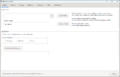 Profiles
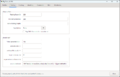 Resting
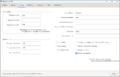 Hunting
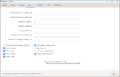 Attacking
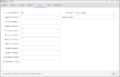 Commands
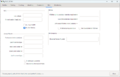 Misc
Misc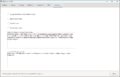 Monitoring


Reference
* Info originally taken from http://forum.gsplayers.com/showthread.php?t=57651| Third-Party Software - edit |
|---|
| Lich Installation: Lich |
| Downloadable Lich Scripts: Go2 | Map | Repository | Popular Scripts |